


Description
Who it’s for
The VelocityOne Flight is for the pilot who wants to fly the way the aircraft in Microsoft Flight Simulator are actually flown. Airliners, turboprops and the whole general aviation fleet use a yoke and a throttle quadrant, not a fighter stick, and until Turtle Beach built this there was no way to get that on an Xbox at all. On PC it competes with established yokes, but it brings a few things they do not: a built-in display, integrated rudder control and a headset jack.
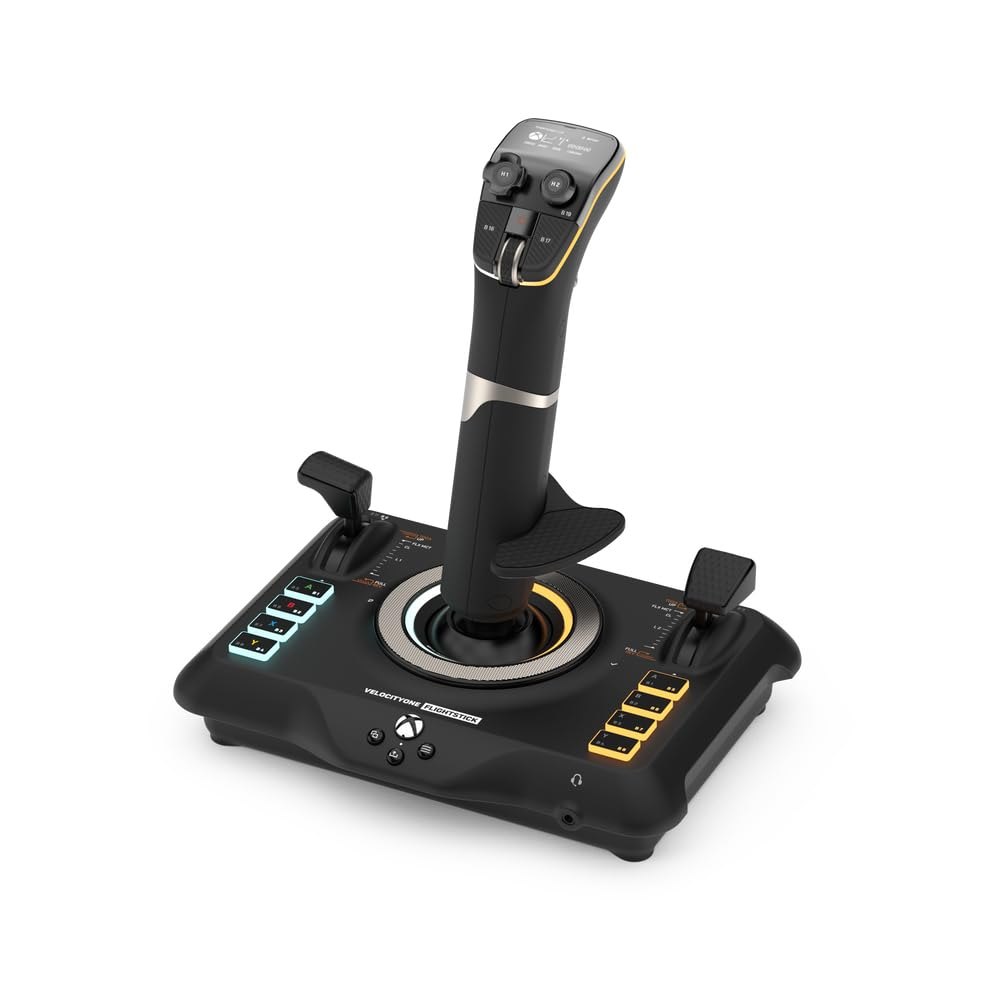
If your sim time is spent in F-16s, helicopters or spaceships, stop here. A yoke is the wrong tool for those, and a HOTAS such as the Logitech G X56 will serve you better.
Design and build
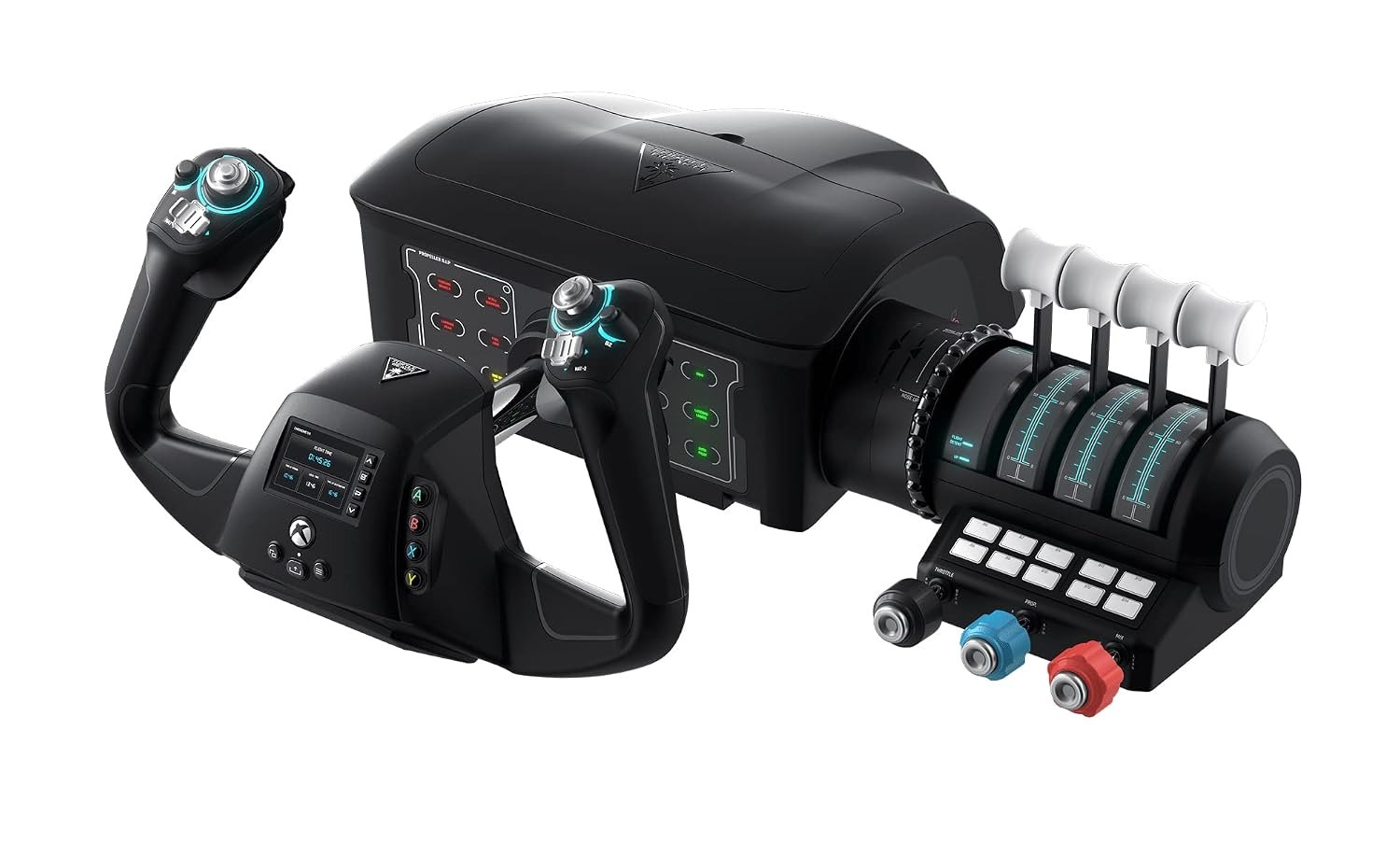
This is a large piece of kit. Assembled with the quadrant attached it spans 483 by 496 by 183 mm, so measure your desk before ordering. The yoke base clamps to the desk edge with the included clamp and tool, and there are six cockpit fixing screws in the box if you would rather bolt it to a rig. Turtle Beach also mentions micro-suction tape for surfaces where the clamp cannot bite.
The yoke handle rotates a realistic 180 degrees and the main axis uses a non-contact hall-effect sensor, which should keep it smooth as the years pass. Pitch is push-pull on the shaft. Each handle carries five programmable controls: an 8-way POV, a 4-way hat, a push button and a bumper or trigger. The triggers double as rudder inputs, left and right, and there are toe-brake buttons too.
The throttle quadrant is modular. It carries two large rotational levers with swappable tops, eight included, plus a row of three linear levers color-coded for throttle, propeller pitch and mixture, ten quadrant buttons and a dedicated pitch trim wheel on an optical encoder. On top of the yoke sits the Flight Management Display, a full-color 320 by 230 screen, and beside it the Status Indicator Panel with 12 RGB LEDs behind swappable magnetic inserts.
Build quality is mostly plastic. GameRevolution’s review says metal is used where it matters and calls the trim wheel excellent, but lists the plastic construction as a con. GamesRadar finds the levers a bit wobbly. Neither review found anything flimsy enough to worry about.
Yoke, quadrant and display
In the air the yoke is the star. Reviewers describe it as large and comfortable, and the 180-degree throw with hall-effect sensing gives you the fine roll control that makes hand-flying an approach satisfying rather than twitchy. The trim wheel is the second highlight: a real wheel, with a real detent feel, in a spot your right hand falls to naturally.
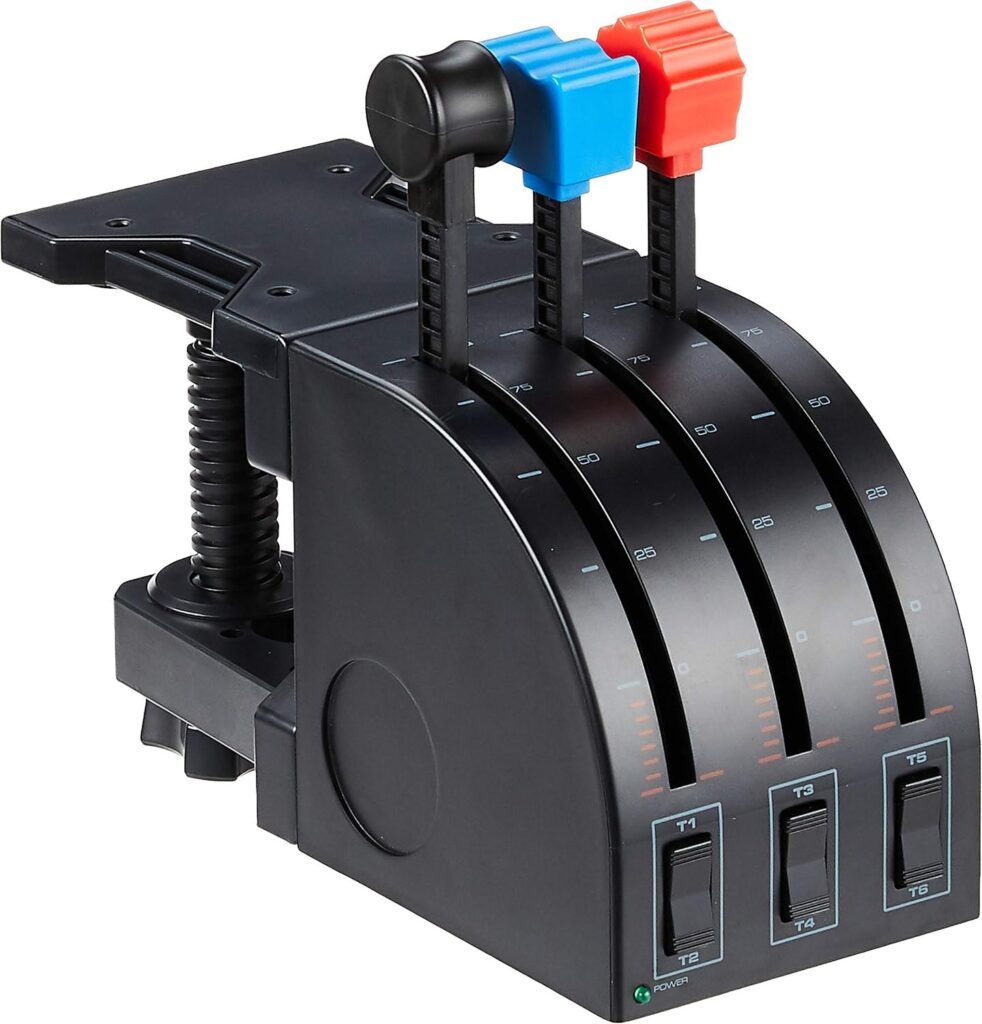
The throttle quadrant is competent rather than exceptional. Having separate throttle, prop and mixture levers transforms a Cessna or a King Air, and the two big rotational levers handle twin jets, but GameRevolution notes the throttle system could feel better, and the lever wobble GamesRadar mentions is noticeable if you are used to heavier gear.
The Flight Management Display is more than a gimmick. On Xbox it is how you switch between the Default, Single Engine Prop and Twin Engine Jet profiles, check your button assignments in training mode, run a chronometer and adjust LED, panel and display brightness. On PC it does the same without a companion app. The Status Indicator Panel lights up for things like parking brake, gear, flaps and master warning, but its Xbox support has lagged behind PC; Turtle Beach’s own page is inconsistent about current status, so check the latest firmware notes before you count on it.
Living with it
On Xbox Series X|S and Xbox One the unit is recognized natively, and the 3.5 mm jack means your headset plugs into the yoke for chat and game audio, with volume handled through the display. On Windows 10 and 11 it appears as a standard controller, and MSFS 2020 and 2024 both have profiles for it. GamesRadar’s one structural complaint was that Flight Simulator’s menus, not the hardware, hold back the Xbox experience, because navigating them from the yoke is clunky.
Two cables are included, a 2 m USB-A to USB-C and a 1 m USB-C to USB-C, so console and PC are both covered. There is no wireless option and no battery. Xbox Cloud streaming is not supported, and Xbox One owners should note that MSFS 2020 does not run on that console.
Value for money
At the time of writing Turtle Beach and Best Buy list the VelocityOne Flight at $399.99. That is up from the $379.95 launch price, but Amazon has repeatedly discounted it, to $249.99 in April 2025 and $284.99 later that year, so patience pays. Adding the VelocityOne Rudder pedals in Turtle Beach’s bundle brings the total to $647.99.
Against PC-only yokes from Honeycomb and Logitech it sits in the middle of the price range, and the display, rudder integration and headset jack are things those do not offer. On Xbox there is simply no alternative yoke at any price.
Alternatives
- Thrustmaster T.Flight HOTAS One is the budget route to flight controls on Xbox: a stick rather than a yoke, far less realistic for airliners, but under $100.
- Logitech G X56 H.O.T.A.S. is the PC pick if your flying leans toward fighters, helicopters and space sims, where a stick and twin throttle beat a yoke.
- Turtle Beach VelocityOne Flight plus VelocityOne Rudder bundle is the same yoke with pedals for about $648, worth it if you want to retire the trigger rudder.
The bottom line
The VelocityOne Flight is the obvious buy for Xbox pilots who want a yoke, and a genuinely competitive one for PC. The plastic build and so-so quadrant levers keep it short of the top score, but the hall-effect yoke, real trim wheel and built-in display make it feel like a complete cockpit rather than a controller.
.gap-review{margin:2.5rem 0 0}.gap-review h2{font-size:1.5rem;margin:0 0 1.25rem}.gap-verdict{background:#0E1A2B;color:#fff;border-radius:16px;padding:1.5rem 1.75rem}.gap-verdict__head{display:flex;gap:1.25rem;align-items:center}.gap-score{margin:0;width:84px;height:84px;border-radius:50%;background:#FF5A1F;color:#fff;display:flex;flex-direction:column;align-items:center;justify-content:center;font-weight:800;font-size:1.9rem;line-height:1}.gap-score small{font-size:.7rem;font-weight:600;opacity:.85}.gap-eyebrow{margin:0 0 .35rem;text-transform:uppercase;letter-spacing:.08em;font-size:.75rem;font-weight:700;color:#FF5A1F}.gap-verdict__line{margin:0;font-size:1.125rem;line-height:1.45}.gap-proscons{display:grid;grid-template-columns:1fr 1fr;gap:1.25rem 2rem;margin-top:1.5rem;padding-top:1.25rem;border-top:1px solid rgba(255,255,255,.15)}.gap-proscons h3{margin:0 0 .6rem;font-size:.9rem;text-transform:uppercase;letter-spacing:.05em;color:inherit}.gap-proscons ul{list-style:none;margin:0;padding:0}.gap-proscons li{position:relative;padding-left:1.6em;margin:0 0 .45em}.gap-proscons li::before{position:absolute;left:0;top:0;font-weight:800}.gap-pros li::before{content:’+’;color:#4ADE80}.gap-cons li::before{content:’2013′;color:#F87171}.gap-specs,.gap-faq{margin-top:2rem}.gap-specs h3,.gap-faq h3{font-size:1.2rem;margin:0 0 .75rem}.gap-specs table{width:100%;border-collapse:collapse;font-size:.95rem}.gap-specs th,.gap-specs td{text-align:left;padding:.65rem .9rem;border-bottom:1px solid #E2E8F0;vertical-align:top}.gap-specs th{width:38%;background:#F4F6F9}.gap-faq details{border:1px solid #E2E8F0;border-radius:10px;padding:0 1rem;margin:0 0 .6rem}.gap-faq summary{cursor:pointer;padding:.85rem 0;font-weight:600}.gap-cta{margin-top:2rem;padding:1.25rem 1.5rem;background:#F4F6F9;border-radius:16px;display:flex;flex-wrap:wrap;gap:.75rem;align-items:center}.gap-btn{display:inline-block;padding:.85em 1.5em;border-radius:10px;font-weight:600;text-decoration:none!important;background:#FF5A1F;color:#fff!important}.gap-btn–secondary{background:transparent;color:#0E1A2B!important;border:2px solid #E2E8F0}.gap-disclosure,.gap-note{font-size:.875rem;color:#4A5568;margin:.75rem 0 0}@media(max-width:640px){.gap-proscons{grid-template-columns:1fr}}
Turtle Beach VelocityOne Flight review
8.2/10
madagear.com verdict
Buy it if you fly airliners or general aviation in Microsoft Flight Simulator, especially on Xbox; skip it if you fly fighters or space sims, where a stick makes more sense.
What we like
- Works natively on Xbox Series X|S and Xbox One as well as Windows 10 and 11
- 180-degree yoke rotation with a hall-effect sensor on the main axis
- Modular quadrant with swappable lever tops and a proper pitch trim wheel
- Built-in color Flight Management Display for profiles, training and settings
- Integrated rudder and toe-brake controls, so pedals are optional
- 3.5 mm headset jack for chat and audio on Xbox
What we don’t
- Mostly plastic, and reviewers find the quadrant levers a little wobbly
- Status Indicator Panel support on Xbox has lagged behind PC
- Nearly 50 cm wide once the quadrant is attached
- Adding the VelocityOne Rudder pedals pushes the total past $640
Specs at a glance
| Platforms | Xbox Series X|S, Xbox One, Windows 10 and 11 |
|---|---|
| Yoke rotation | 180 degrees, hall-effect sensor on the main axis |
| Axes | 12 analog axes |
| Buttons | 2 x 8-way POV, 2 x 4-way hat, 6 front, 2 rear, 10 quadrant buttons, Xbox system buttons |
| Throttle quadrant | Modular, dual rotational levers plus throttle, prop and mixture linear levers, 8 swappable tops |
| Trim | Dedicated pitch trim wheel with optical encoder |
| Display | Full-color Flight Management Display, 320 x 230, adjustable backlight |
| Status panel | 12 RGB LEDs with 3 swappable backlit inserts |
| Connection | USB-C; 2 m USB-A to USB-C and 1 m USB-C to USB-C cables included |
| Dimensions | 483 x 496 x 183 mm |
Frequently asked questions
Does the VelocityOne Flight work on PlayStation?
No. It is licensed for Xbox and also works on Windows 10 and 11 PCs. There is no PS4 or PS5 support.
Do I need rudder pedals?
No. The yoke has integrated rudder controls and toe-brake buttons. Turtle Beach sells the VelocityOne Rudder separately and bundles it with the yoke for about $648.
Does it work with Microsoft Flight Simulator 2024?
Yes, on both Xbox Series X|S and PC. Turtle Beach notes that Xbox One does not run MSFS 2020 and that Xbox Cloud streaming is not supported.
Can I mount it in a cockpit instead of clamping it to a desk?
Yes. The box includes a desk clamp and clamp tool plus six cockpit fixing screws for hard mounting, and Turtle Beach mentions micro-suction tape for surfaces the clamp cannot grip.
List price at Turtle Beach and Best Buy; Amazon discounted it to $250–$285 during 2025 sales. Rudder pedals are sold separately. Price and availability checked on 2026-11-08.
madagear.com is reader-supported. When you buy through links on our site we may earn an affiliate commission, at no extra cost to you. This never affects what we recommend.


Reviews
There are no reviews yet.