


Description
Who it’s for
This is a stick for the pilot who has outgrown a gamepad but is not ready to spend several hundred dollars assembling a full HOTAS setup. Microsoft Flight Simulator on Xbox created a large group of players in exactly that position: people flying airliners and light aircraft with a thumbstick, aware that the input is the limiting factor, and looking for the cheapest honest upgrade. The VelocityOne Flightstick is aimed squarely at them, and the Xbox compatibility is the part that matters, because the console will not accept arbitrary PC joysticks.
PC-only pilots are a secondary audience here, and they have more competition to consider. On PC, this stick is one option among many in the sub-$150 bracket. On Xbox, the field narrows to a handful of licensed devices, and this is one of the more fully featured of them.
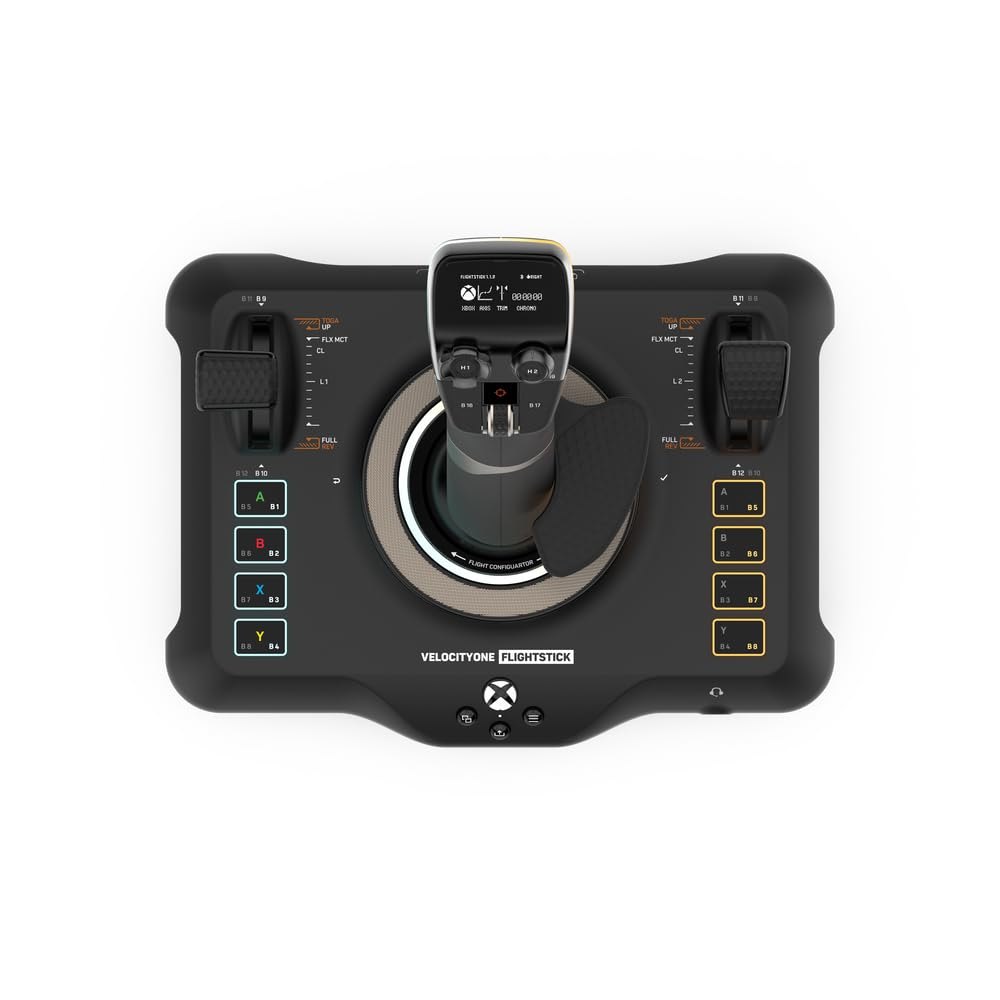
It also suits anyone who wants one device rather than three. With throttle and flap levers built into the base, you can fly a complete circuit without reaching for a keyboard. That matters more on console, where keyboard fallback is not a realistic option.
Design and build
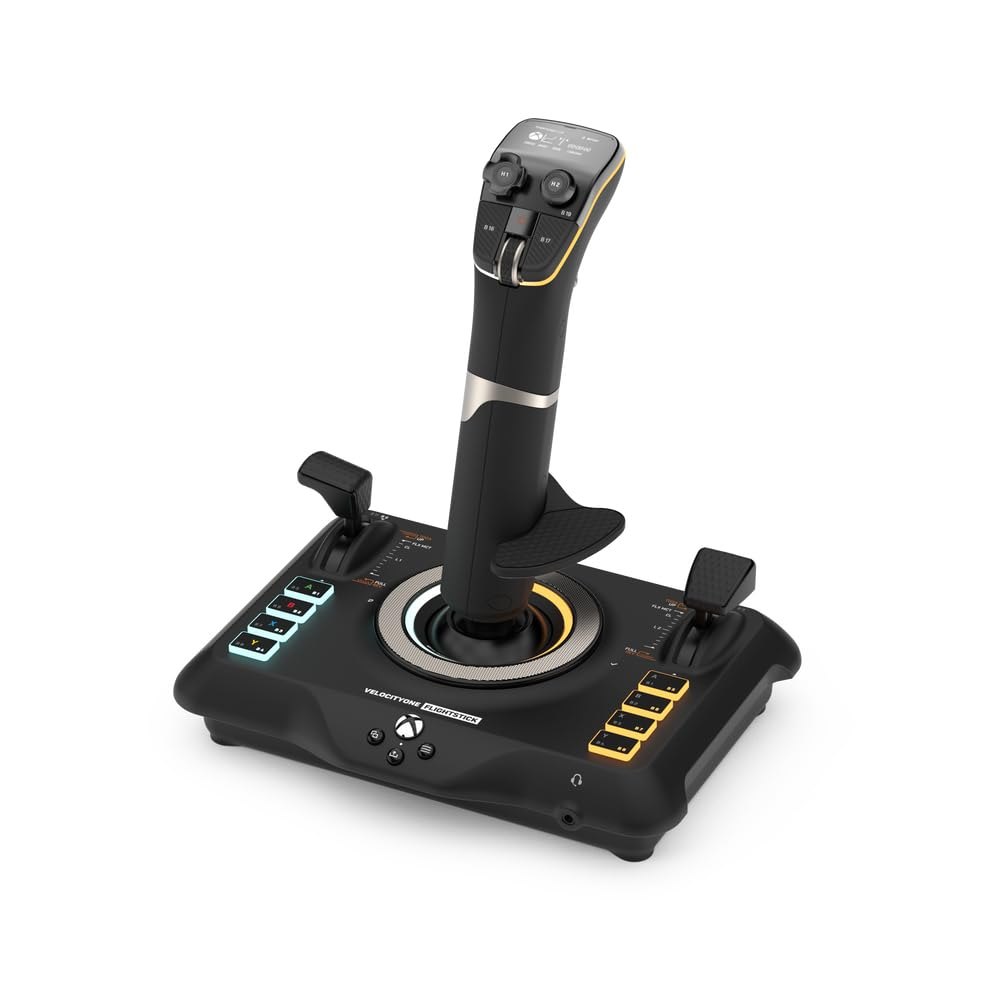
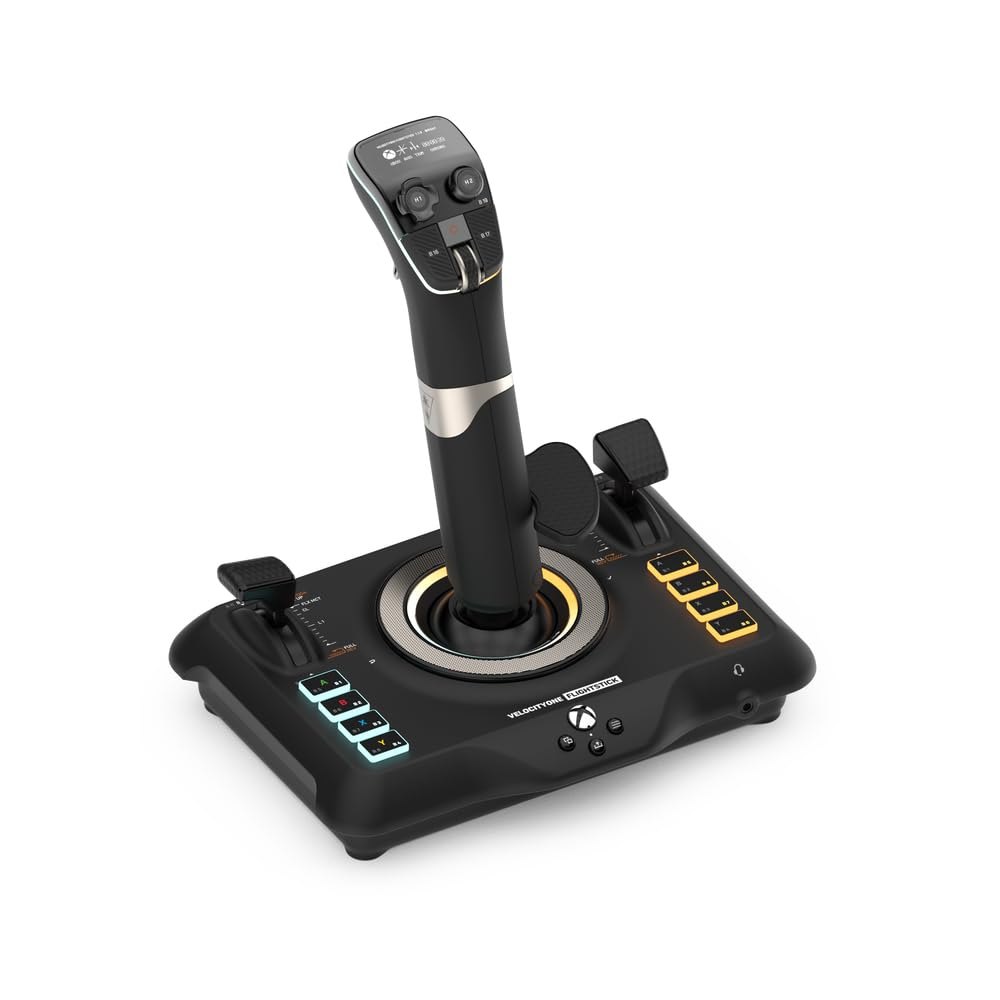
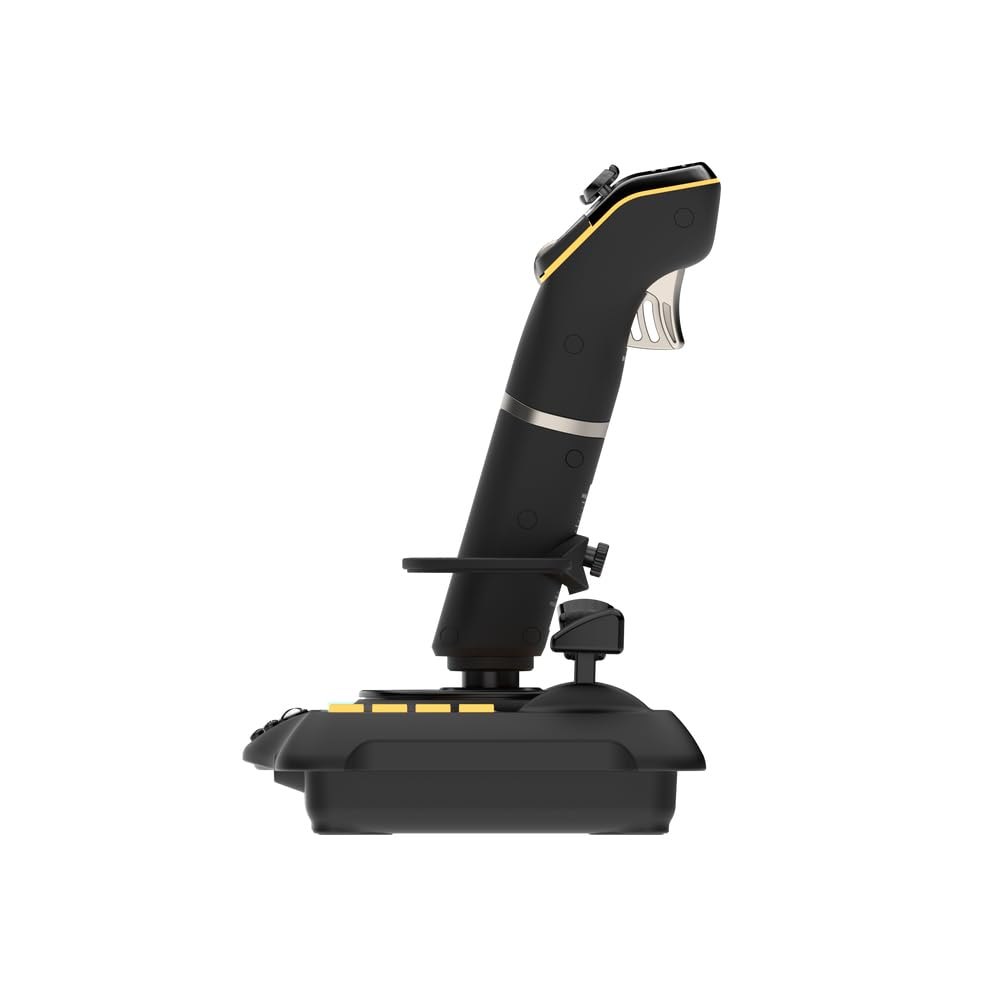
The footprint is 6.46 by 8.54 by 9.07 inches and the unit weighs 1.8 pounds. That is a mid-size desk stick: substantial enough that it is not sliding around under light inputs, light enough that it will move if you fly aggressively without securing it. The three included M5 screws point at threaded mounting holes, so the intended answer to that is bolting it to a desk clamp or a rig rather than relying on mass alone.
The headline construction detail is the non-contact main axes. Hall-effect sensing reads stick position magnetically, with no wiper sliding across a resistive track. Potentiometer sticks wear at that contact point, which is why budget joysticks develop center drift and jittery inputs after sustained use. Seeing hall-effect sensors at this price is unusual and is the main reason this stick deserves a serious look rather than a glance.
The OLED display on the base is the other unusual inclusion. On paper it handles flight management readouts and binding information, with a configuration wheel and a touchpad navigation sensor for cursor control alongside it. Whether a small screen on your desk earns its place depends on how you fly, but the touchpad is genuinely useful on Xbox, where moving a cursor around the sim UI with a stick is tedious.
What the specs tell us
Twenty-seven programmable buttons, eight axes, a POV hat and a rapid-fire trigger is a generous allocation for the price. For civil flying, that is enough to bind gear, flaps, trim, lights, autopilot modes and view controls without running out. For combat sims it is adequate rather than luxurious, but it is well beyond what a gamepad offers.
Eight axes is the number worth pausing on. The main stick accounts for pitch, roll and almost certainly twist yaw, with the throttle and flap levers adding more. That leaves room for analog inputs that would otherwise need keyboard bindings, which again matters most on console.
Connectivity is USB-C to USB-A over a 10-foot cable, corded only. There is no wireless option and no battery to manage, which is the correct trade for an input device where latency and reliability outrank cable tidiness. Ten feet is long enough to reach a console across a living room, though you will want to route it properly.
Living with it
Buyers rate it 4.2 out of 5 across more than two thousand ratings. That is a solid score rather than an outstanding one, and in this product category a figure in that range usually reflects a good design with some unit-to-unit variation. Owners of flight sticks in this bracket commonly report that the core sensing is accurate while secondary components, levers, buttons and detents, vary more between units.
The warranty is one year limited, which is standard for the segment but short for a device with moving mechanical parts under repeated load. The hall-effect axes should outlast that comfortably; buttons and levers are the parts that typically fail first on any stick, and those are conventional components here.
Setup should be straightforward on Xbox, where licensed peripherals are recognized without drivers. On PC, expect the usual flight sim ritual of mapping bindings per title and adjusting sensitivity curves. The configuration wheel and OLED are intended to reduce how often you leave the cockpit to do that.
Value for money
At $99.99 at the time of writing, the specification list is competitive. Hall-effect main axes, 27 buttons, integrated throttle and flap levers, an OLED display and Xbox licensing is a lot of feature count for the money, and licensing alone carries a cost that PC-only rivals avoid.
What you are not getting is force feedback, haptics, or a modular grip system. Those live further up the market, usually at two to four times this price. Judged against what it claims rather than what it omits, the value case holds up well.
Alternatives
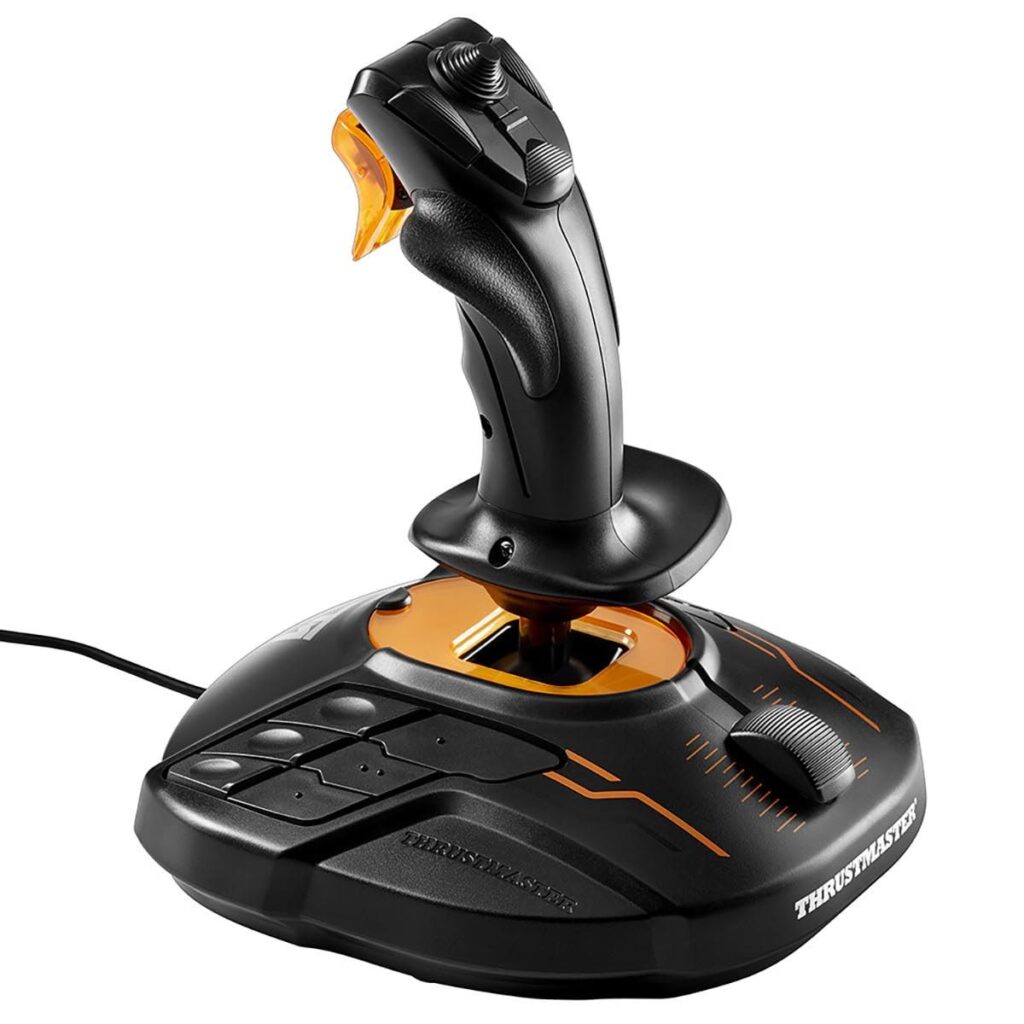
The Thrustmaster T.Flight Hotas One is the obvious cross-shop on Xbox: it is cheaper and includes a separate throttle unit, so pick it if a true two-handed HOTAS layout matters more to you than sensor quality. The Logitech Extreme 3D Pro remains the budget PC default, worth choosing only if you are on PC, spending as little as possible, and accept potentiometer axes. The Thrustmaster T.16000M FCS is the PC pick for precision on a budget, using hall-effect sensing and an ambidextrous design, though it offers no Xbox support and no integrated display.
The bottom line
For Xbox pilots, this is one of the more complete single-device answers available, and the non-contact axes are the detail that separates it from the usual disposable budget stick. The case is weaker on PC, where the sub-$150 field is crowded and Xbox licensing buys you nothing. Treat it as a strong first real flight stick rather than an endgame purchase, and it earns the money.
.gap-review{margin:2.5rem 0 0}.gap-review h2{font-size:1.5rem;margin:0 0 1.25rem}.gap-verdict{background:#0E1A2B;color:#fff;border-radius:16px;padding:1.5rem 1.75rem}.gap-verdict__head{display:flex;gap:1.25rem;align-items:center}.gap-score{margin:0;width:84px;height:84px;border-radius:50%;background:#FF5A1F;color:#fff;display:flex;flex-direction:column;align-items:center;justify-content:center;font-weight:800;font-size:1.9rem;line-height:1}.gap-score small{font-size:.7rem;font-weight:600;opacity:.85}.gap-eyebrow{margin:0 0 .35rem;text-transform:uppercase;letter-spacing:.08em;font-size:.75rem;font-weight:700;color:#FF5A1F}.gap-verdict__line{margin:0;font-size:1.125rem;line-height:1.45}.gap-proscons{display:grid;grid-template-columns:1fr 1fr;gap:1.25rem 2rem;margin-top:1.5rem;padding-top:1.25rem;border-top:1px solid rgba(255,255,255,.15)}.gap-proscons h3{margin:0 0 .6rem;font-size:.9rem;text-transform:uppercase;letter-spacing:.05em;color:inherit}.gap-proscons ul{list-style:none;margin:0;padding:0}.gap-proscons li{position:relative;padding-left:1.6em;margin:0 0 .45em}.gap-proscons li::before{position:absolute;left:0;top:0;font-weight:800}.gap-pros li::before{content:’+’;color:#4ADE80}.gap-cons li::before{content:’2013′;color:#F87171}.gap-specs,.gap-faq{margin-top:2rem}.gap-specs h3,.gap-faq h3{font-size:1.2rem;margin:0 0 .75rem}.gap-specs table{width:100%;border-collapse:collapse;font-size:.95rem}.gap-specs th,.gap-specs td{text-align:left;padding:.65rem .9rem;border-bottom:1px solid #E2E8F0;vertical-align:top}.gap-specs th{width:38%;background:#F4F6F9}.gap-faq details{border:1px solid #E2E8F0;border-radius:10px;padding:0 1rem;margin:0 0 .6rem}.gap-faq summary{cursor:pointer;padding:.85rem 0;font-weight:600}.gap-cta{margin-top:2rem;padding:1.25rem 1.5rem;background:#F4F6F9;border-radius:16px;display:flex;flex-wrap:wrap;gap:.75rem;align-items:center}.gap-btn{display:inline-block;padding:.85em 1.5em;border-radius:10px;font-weight:600;text-decoration:none!important;background:#FF5A1F;color:#fff!important}.gap-btn–secondary{background:transparent;color:#0E1A2B!important;border:2px solid #E2E8F0}.gap-disclosure,.gap-note{font-size:.875rem;color:#4A5568;margin:.75rem 0 0}@media(max-width:640px){.gap-proscons{grid-template-columns:1fr}}
Turtle Beach VelocityOne Flightstick review
8.1/10
madagear.com verdict
Buy it if you fly on Xbox and want a real stick with non-contact sensors; skip it if you already own a HOTAS setup or want force feedback.
What we like
- Non-contact hall-effect main axes resist the drift that kills potentiometer sticks
- Works natively on Xbox Series X|S, Xbox One and PC with one USB-C cable
- 27 programmable buttons and 8 axes cover most flight sim bindings
- Built-in throttle and flap levers mean no second device for basic flying
- OLED display shows bindings and modes without leaving the cockpit view
- M5 screw holes allow desk or rig mounting rather than relying on the base
What we don’t
- No force feedback and no haptics at a price where some rivals offer rumble
- Wired only, with a 10ft cable to route across the desk
- 1 year limited warranty is short for a mechanical input device
- Buyer rating of 4.2 suggests quality control is not perfectly consistent
Specs at a glance
| Controller type | Joystick |
|---|---|
| Platforms | Xbox Series X|S, Xbox One, Windows PC |
| Connection | USB-C, corded |
| Buttons | 27 programmable |
| Axes | 8, plus POV hat |
| Sensors | Hall-effect, non-contact main axes |
| Display | Integrated OLED flight management display |
| Weight | 1.8 lb |
| Dimensions | 6.46 x 8.54 x 9.07 in |
| Warranty | 1 year limited |
Frequently asked questions
Does it work with Microsoft Flight Simulator on Xbox?
The listing states compatibility with Xbox Series X|S and Xbox One, and the stick is built around air and space combat simulation. Xbox-licensed sticks are recognized by the console natively, so there is no driver step. Binding layouts still have to be set inside each title.
What are hall-effect axes and why do they matter?
Hall-effect sensors read position magnetically instead of through a sliding contact, so nothing physically wears against anything else. On traditional potentiometer sticks, that contact wear is what produces center drift and twitchy inputs after a year or two. It is the single most meaningful durability feature on this spec sheet.
Do I need a separate throttle?
Not to get flying. The stick has integrated throttle and flap levers, which covers basic power and configuration control for civil flying and light combat. Serious combat pilots who want a full HOTAS layout will eventually want a dedicated throttle unit alongside it.
Can it be mounted to a rig?
Three M5 screws are included, which points at threaded mounting holes in the base. That means it can be bolted to a desk clamp or a sim rig rather than sliding around under aggressive inputs. Check your specific mount for M5 compatibility before ordering hardware.
At $99.99 at the time of writing you get the stick, a 10ft USB-A to USB-C cable, three M5 screws for mounting and a quick guide; sticks in this bracket tend to dip toward $79 around seasonal sales and climb back after. Price and availability checked on 2026-11-14.
madagear.com is reader-supported. When you buy through links on our site we may earn an affiliate commission, at no extra cost to you. This never affects what we recommend.


Reviews
There are no reviews yet.