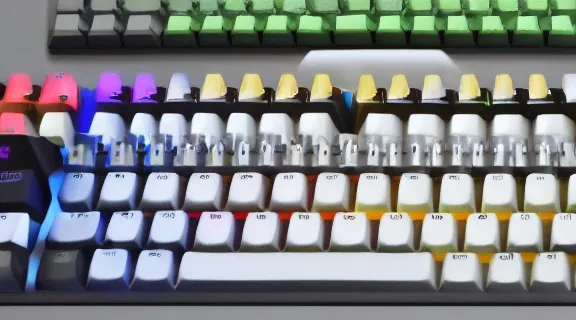
Best Mechanical Keyboard Gaming: Ultimate Performance & Tactile Bliss
Choosing the right mechanical keyboard for gaming can fundamentally transform your interaction with digital worlds, providing a level of precision, responsiveness, and satisfaction that membrane keyboards simply cannot match. This guide will delve into what makes a mechanical keyboard ideal for gaming, exploring the key components, switch types, features, and top recommendations that cater to every gamer's needs. Prepare to discover the ultimate tool to enhance your gameplay.
Why Mechanical Keyboards Dominate Gaming
Mechanical keyboards are the preferred choice for many gamers due to their inherent advantages over their membrane counterparts. The core difference lies in their construction: each keycap sits atop an individual mechanical switch. This design provides distinct tactile and auditory feedback, allowing for more deliberate and accurate keystrokes.
Tactile Feedback and Actuation
The sensation of pressing a key on a mechanical keyboard is its defining characteristic. When a key is pressed, a physical switch mechanism is triggered, registering the input. This "actuation" can be accompanied by an audible click and a noticeable bump, offering clear confirmation that the key press has been registered. This feedback loop is crucial for gaming, reducing missed inputs and improving reaction times.
Durability and Longevity
Mechanical switches are built to last. Unlike the rubber domes in membrane keyboards that degrade over time, mechanical switches are rated for tens of millions of keystrokes, often 50 million or more. This robust construction means a quality mechanical keyboard can serve a gamer reliably for many years, making it a worthwhile investment.
Customization and Personalization
The modular nature of mechanical keyboards opens up a world of customization. Gamers can often swap out keycaps to change the aesthetics or even the feel of their keyboard. Furthermore, some keyboards allow for the replacement of the switches themselves, enabling users to fine-tune the typing and gaming experience to their exact preferences.
Understanding Mechanical Keyboard Switches
The heart of any mechanical keyboard is its switch. Different switch types offer distinct typing experiences, influencing everything from the sound to the required force for actuation. Understanding these differences is paramount to selecting the best mechanical keyboard gaming setup for your playstyle.
Cherry MX Switches and Their Clones
Cherry MX is the industry standard for mechanical switches, offering a range of options categorized by color. While Cherry MX switches are premium, many other manufacturers produce high-quality clones that often replicate the feel and performance at a more accessible price point.
- Cherry MX Red: Linear switches with a smooth, consistent keystroke. They require less force to actuate and have no tactile bump or audible click, making them popular for fast-paced gaming where rapid presses are essential.
- Cherry MX Brown: Tactile switches that offer a noticeable bump during actuation but without an audible click. They provide a good balance between typing feedback and gaming responsiveness, appealing to users who want both.
- Cherry MX Blue: Clicky tactile switches. They provide a distinct tactile bump and an audible click sound with each press. While satisfying for typists, the noise can be distracting for some gamers or housemates.
- Cherry MX Speed (Silver): A variation of the linear switch, featuring a shorter actuation distance. This allows for even faster key presses, ideal for competitive gamers who need every millisecond.
Other Switch Manufacturers
Beyond Cherry MX, brands like Gateron, Kailh, and Outemu offer switches that are often compatible with the same keyboards and provide similar, sometimes even superior, performance and feel. These alternatives can offer significant cost savings or unique switch characteristics.
Essential Features for Gaming Keyboards
Beyond the switches, several other features contribute to a mechanical keyboard's suitability for gaming. These elements can enhance performance, comfort, and overall user experience.
N-Key Rollover (NKRO) and Anti-Ghosting
- N-Key Rollover (NKRO): This feature allows a keyboard to register an unlimited number of simultaneous key presses. For gamers, this means complex key combinations and rapid sequences will be accurately registered without any inputs being missed.
- Anti-Ghosting: This technology ensures that when multiple keys are pressed simultaneously, only the intended keys are registered. It prevents "ghost" inputs that can occur when pressing certain key combinations on keyboards without proper anti-ghosting measures.
Polling Rate
The polling rate refers to how often the keyboard reports its status to the computer, measured in Hertz (Hz). A higher polling rate (e.g., 1000Hz) means the keyboard communicates with the PC more frequently, resulting in lower input latency and quicker response times – a critical advantage in gaming.
Programmable Macros and Keybinds
Many gaming keyboards offer dedicated keys or software that allows users to program complex macros and custom keybinds. This enables players to execute intricate in-game actions with a single key press, streamlining gameplay and providing a competitive edge.
Build Quality and Materials
A robust build is essential for a gaming keyboard that will endure intense use. Keyboards constructed with a metal top plate (often aluminum) and high-quality plastics tend to be more durable and stable. Doubleshot PBT keycaps are also highly regarded for their resistance to wear and shine.
Backlighting and RGB Customization
While primarily aesthetic, customizable backlighting, especially per-key RGB, can be functional. Gamers can highlight specific keys used in their favorite games or create custom lighting profiles for different applications. Some keyboards also offer reactive lighting effects that respond to in-game events.
Top Mechanical Keyboard Picks for Gamers
Based on performance, features, and user feedback, here are some of the best mechanical keyboard options available for gaming, catering to various preferences and budgets.
High-End Performance Powerhouses
These keyboards often represent the pinnacle of gaming peripheral technology, offering premium materials, advanced features, and exceptional performance.
- Corsair K100 RGB Optical-Mechanical: Known for its extremely fast optical-mechanical switches, robust aluminum frame, and extensive RGB lighting. It boasts a high polling rate and a wealth of dedicated media controls and a programmable dial.
- Razer Huntsman V2 Analog: Features Razer's unique optical analog switches, allowing for adjustable actuation points and even analog input akin to a joystick. It combines speed with advanced customization options.
- ASUS ROG Strix Scope RX: Utilizes ASUS's proprietary optical mechanical switches, offering rapid actuation and durability. Its design often includes a wider Ctrl key and a dedicated Stealth key for quick task switching.
Mid-Range Excellence: Value and Performance
These keyboards strike an excellent balance between advanced features, build quality, and price, making them ideal for serious gamers who want top-tier performance without the absolute highest cost.
- Logitech G Pro X: Highly customizable with swappable mechanical switches (users can choose their preferred switch type and even swap them out later). It features a compact tenkeyless design favored by esports professionals.
- SteelSeries Apex Pro: Offers adjustable actuation switches, allowing users to fine-tune the sensitivity of each key. Its OLED display provides quick access to settings and game information.
- HyperX Alloy Origins: Built with a sturdy aircraft-grade aluminum body and featuring HyperX's own reliable mechanical switches. It offers a clean design with effective RGB lighting and good value.
Budget-Friendly Gaming Options
For gamers on a tighter budget, these keyboards still deliver a solid mechanical experience and essential gaming features without breaking the bank.
- Redragon K552 Kumara: A popular entry-level option known for its surprisingly good build quality and mechanical switches at an aggressive price point. It typically comes with Outemu Blue switches.
- Anne Pro 2: A compact 60% wireless mechanical keyboard offering Bluetooth connectivity and a good selection of Gateron switches. It's a favorite for those prioritizing desk space and portability.
- Keychron C Series: Keychron offers a range of affordable mechanical keyboards, often with hot-swappable switch options, allowing users to experiment with different switches later. They provide excellent value for the features offered.
Form Factors: Choosing the Right Size
Mechanical keyboards come in various sizes, each offering different advantages for gaming and desk space.
Full-Size (100%)
These keyboards include a full alphanumeric keypad, function row, navigation cluster, and a numpad. They offer the most versatility for productivity and gaming but require the most desk space.
Tenkeyless (TKL or 87%)
TKL keyboards omit the numpad but retain the rest of the standard layout. This saves desk space, allowing for more freedom of mouse movement, which is highly beneficial for many PC gamers.
Compact (75%, 65%, 60%)
These smaller form factors remove even more keys, such as the function row or dedicated arrow keys, often integrating them into modifier layers. They are ideal for minimalists and gamers who want maximum mousepad real estate.
Switch Types: A Deeper Dive
The feel and sound of a mechanical keyboard are dictated by its switches. Understanding the nuances of linear, tactile, and clicky switches is crucial for choosing the best mechanical keyboard gaming experience.
Linear Switches
- Mechanism: Smooth, consistent travel from top to bottom. No tactile bump or audible click.
- Actuation Force: Generally lower, requiring less force.
- Feel: Smooth, rapid, and quiet.
- Best For: Gamers who prioritize speed and a consistent feel for rapid key presses, such as in FPS or MOBA games.
Tactile Switches
- Mechanism: A noticeable bump is felt during the key press, indicating the actuation point. No audible click.
- Actuation Force: Varies, but the tactile bump provides feedback.
- Feel: A distinct "bump" without excessive noise.
- Best For: Gamers who appreciate feedback to confirm keystrokes but prefer a quieter experience than clicky switches. Good for typing and gaming.
Clicky Switches
- Mechanism: A tactile bump accompanied by an audible "click" sound at the actuation point.
- Actuation Force: Often requires slightly more force than linear switches.
- Feel: Satisfyingly tactile and audibly confirmative.
- Best For: Gamers and typists who enjoy the auditory and tactile confirmation of each keystroke. Can be distracting in shared environments.
Customization Beyond Switches: Keycaps and More
The aesthetic and tactile customization of mechanical keyboards extends to keycaps.
Keycap Materials
- ABS (Acrylonitrile Butadiene Styrene): Common, affordable, and can be molded into various shapes and colors. However, ABS keycaps tend to develop a shine over time with heavy use and can wear down.
- PBT (Polybutylene Terephthalate): More durable and resistant to wear and shine. PBT keycaps have a more textured feel and are generally considered premium.
Keycap Profiles
Keycap profiles refer to the shape and height of the keycaps. Different profiles can significantly alter the typing feel and ergonomics. Common profiles include Cherry, OEM, SA, and DSA, each with its own distinct characteristics.
Frequently Asked Questions
What is the best switch type for mechanical keyboard gaming?
The best switch type for mechanical keyboard gaming depends on personal preference and the games you play. Linear switches (like Cherry MX Red or Speed) are favored for their speed and smooth actuation, ideal for fast-paced games. Tactile switches (like Cherry MX Brown) offer a middle ground with feedback without excessive noise, suitable for a mix of gaming and typing. Clicky switches provide distinct auditory and tactile feedback but can be noisy.
Do I need N-Key Rollover (NKRO) for gaming?
Yes, N-Key Rollover (NKRO) or at least a high level of key rollover (e.g., 6-key or 10-key rollover) is highly beneficial for gaming. It ensures that all simultaneous key presses are registered accurately, preventing missed inputs during complex commands or fast sequences, which can be critical in competitive gaming.
How important is the polling rate for a gaming keyboard?
A higher polling rate, typically 1000Hz, is important for gaming as it reduces input latency. It means the keyboard communicates its status to the computer more frequently, resulting in quicker response times. For fast-paced games where every millisecond counts, a higher polling rate can provide a noticeable advantage.
What is the difference between a mechanical and a membrane keyboard for gaming?
Mechanical keyboards use individual mechanical switches under each keycap, providing distinct tactile feedback, durability, and faster actuation. Membrane keyboards use rubber domes that flatten when pressed, offering a mushier feel, less durability, and slower response times. For gaming, the precision, speed, and feedback of mechanical keyboards are generally superior.
Conclusion: Elevate Your Game with the Right Keyboard
Selecting the best mechanical keyboard gaming setup is a significant step towards enhancing your gaming performance and overall enjoyment. By understanding the nuances of switch types, form factors, and essential features like NKRO and polling rate, you can make an informed decision that perfectly suits your playstyle. Invest in a quality mechanical keyboard, and experience the difference tactile feedback, superior responsiveness, and lasting durability can make on your digital adventures.
