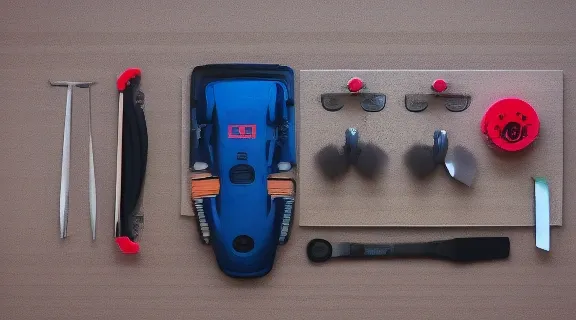
Drone Cleaning Kit: Essential Tools for Maintenance
Maintaining your drone in pristine condition is crucial for maximizing its performance and longevity. A dedicated drone cleaning kit provides the specialized tools necessary to perform routine maintenance, ensuring your valuable equipment operates flawlessly and safely. This guide will walk you through why these kits are indispensable, what components to look for, and how to effectively clean your drone, guaranteeing it remains flight-ready for years to come.
Why a Drone Cleaning Kit is Indispensable for UAV Owners
Owning a drone is an investment, and like any precision instrument, it requires diligent care. Exposure to dust, dirt, moisture, and even fingerprints can significantly degrade performance, compromise safety, and shorten the lifespan of your aerial vehicle. A specialized drone cleaning kit is not merely a collection of wipes and brushes; it's a strategic investment in the longevity and reliability of your equipment.
Protecting Your Investment
Every flight exposes your drone to environmental elements. Dust can accumulate in motors, sand can abrade propeller shafts, and moisture can corrode sensitive electronics. Regular, thorough cleaning with the right tools prevents these common issues from escalating into costly repairs or premature equipment failure. Protecting your drone means protecting your financial commitment.
Ensuring Optimal Performance and Safety
A dirty drone is an underperforming drone. Dust on camera lenses leads to blurry footage, debris in motor bearings causes inefficiency and overheating, and grime on sensors can disrupt flight stability and obstacle avoidance systems. A clean drone ensures its sensors, propellers, and camera operate at their peak, delivering the crisp imagery and stable flight performance you expect, while also mitigating potential safety hazards during operation.
Extending Drone Lifespan
Proactive maintenance, spearheaded by regular cleaning, is the most effective way to extend your drone's operational life. By preventing the buildup of corrosive elements and abrasive particles, you reduce wear and tear on critical components. This means fewer trips to the repair shop, more reliable flights, and a longer period of enjoyment from your drone.
Essential Components of a Comprehensive Drone Cleaning Kit
A well-equipped drone cleaning kit should contain a variety of tools designed for different surfaces and components. Generic cleaning supplies often lack the precision or material safety required for delicate drone electronics and optics.
Brushes and Swabs for Delicate Areas
- Soft-bristle brushes: Ideal for gently removing loose dust and debris from the drone's body, cooling vents, and intricate crevices without scratching. Look for anti-static bristles to prevent static discharge near electronics.
- Precision swabs/cotton buds: Essential for cleaning tight spaces, around buttons, ports, and between propeller arms. Opt for lint-free varieties to avoid leaving fibers behind.
- Lens brushes: Specific brushes with extremely soft, fine bristles designed for camera lenses and optical sensors. They dislodge particles without scratching the delicate coatings.
Cleaning Solutions and Wipes
- Lens cleaning fluid: A specialized, non-abrasive, and alcohol-free solution formulated for camera lenses and optical sensors. It effectively removes smudges, fingerprints, and oil without damaging coatings.
- Electronics cleaning spray/wipes: Formulated to be safe for circuit boards and electrical contacts. These often use isopropyl alcohol or similar non-conductive, fast-evaporating solvents to remove grime and residue.
- Pre-moistened wipes: Convenient for quick clean-ups of the drone body. Ensure they are designed for electronics or optical surfaces and are lint-free.
Air Blowers and Dust Removers
- Manual air blower (rocket blower): A rubber bulb that produces a strong burst of air, perfect for dislodging dust from sensitive areas like camera sensors, gimbals, and motor housings without direct contact. This is preferred over canned air, which can contain propellants and cause condensation.
- Compressed air (with caution): If used, ensure it's electronics-grade, held upright to prevent liquid propellant discharge, and used at a safe distance to avoid damaging components with excessive force or cold. A manual blower is generally safer.
Microfiber Cloths and Sensor Wipes
- Microfiber cloths: High-quality, lint-free cloths are crucial for polishing drone bodies, screens, and lenses after cleaning. Use separate cloths for lenses/sensors and general body cleaning to prevent cross-contamination.
- Sensor cleaning swabs/wipes: These are pre-moistened, individually packaged swabs specifically designed for safely cleaning delicate camera sensors (e.g., CMOS/CCD). They are typically used with a specialized sensor cleaning fluid.
Specialized Tools for Propellers and Motors
- Small screwdrivers/tweezers: Useful for tightening loose screws, carefully removing stubborn debris from motor casings, or accessing propeller mounts.
- Propeller cleaning tools: Some kits include specific tools or jigs for cleaning propeller blades, ensuring they remain balanced and free of nicks or dirt that could affect flight dynamics.
Choosing the Right Drone Cleaning Kit: What to Look For
Selecting the appropriate drone cleaning kit requires consideration of several factors beyond just price. The right kit should be effective, safe for your drone, and convenient to use.
Material Quality and Safety
Prioritize kits that use high-quality, non-abrasive materials. Brushes should have soft, anti-static bristles. Cleaning solutions must be specifically formulated for electronics and optics—avoid harsh chemicals like ammonia-based cleaners, window cleaners, or abrasive polishes, which can damage delicate coatings and plastics. Lint-free cloths and swabs are non-negotiable to prevent leaving fibers behind.
Portability and Organization
A good cleaning kit should be portable and well-organized. Look for kits that come in a compact, durable case or pouch with compartments to keep tools neatly arranged. This prevents tools from getting lost or damaged and makes it easy to carry your kit to your flying location or on trips.
Compatibility with Your Drone Model
While many cleaning tools are universal, some specialized items might be optimized for certain drone types (e.g., sensor swabs for specific camera sizes). Ensure the kit's components are suitable for your drone's particular model and its camera system. For instance, a kit designed for a small FPV drone might not have the same sensor cleaning tools as one for a professional cinematic drone.
Kit Versatility and Inclusions
Consider the breadth of tools included. Does it cover all potential cleaning needs, from the main body and landing gear to the camera lens, gimbal, motors, and battery contacts? A comprehensive kit offers better value and ensures you're prepared for any cleaning task. Some kits may include tools for minor repairs or adjustments, adding to their utility.
Step-by-Step Guide to Cleaning Your Drone Effectively
Regular cleaning using your drone cleaning kit is a straightforward process when approached systematically. Follow these steps to ensure a thorough and safe clean.
Pre-Cleaning Inspection and Preparation
- Power Off and Remove Battery: Always ensure your drone is completely powered down and the battery is removed before starting any cleaning. This prevents accidental activation and electrical hazards.
- Visual Inspection: Carefully inspect the entire drone for obvious dirt, debris, cracks, or damage. Note any areas that require special attention.
- Work Area: Choose a clean, well-lit, and dust-free workspace. Lay down a clean, soft cloth or mat to protect your drone from scratches.
Cleaning the Drone Body and Landing Gear
- Remove Loose Debris: Use a soft-bristle brush or a manual air blower to gently dislodge loose dust, dirt, and grass from the drone's outer casing, landing gear, and propeller arms.
- Wipe Down Surfaces: Dampen a lint-free microfiber cloth with a small amount of electronics-safe cleaner or pure isopropyl alcohol (if appropriate for the material) and wipe down the drone's body. Avoid saturating any area. For stubborn grime, a pre-moistened electronics wipe can be effective.
- Clean Vents and Ports: Use precision swabs or a soft brush to carefully clean dust from cooling vents and charging ports. A manual air blower can help clear these areas.
Maintaining Propellers and Motors
- Propeller Inspection: Remove propellers and inspect them for nicks, cracks, or warping. Clean any dirt or debris with a damp cloth. Replace damaged propellers immediately.
- Motor Cleaning: Use a manual air blower to clear dust and small debris from around the motor bells and inside the motor housings. For stubborn grime, a soft brush or a precision swab lightly dampened with electronics cleaner can be used, but be extremely careful not to force anything into the motor bearings. Never spray liquids directly into motors.
Caring for Camera Lenses and Sensors
- Lens Cleaning (External): First, use a manual air blower to remove any loose dust from the lens surface. Next, use a dedicated lens brush to gently sweep away any remaining particles. Finally, apply a drop or two of lens cleaning fluid to a clean lens-specific microfiber cloth or lens wipe and gently wipe the lens in a circular motion from the center outwards.
- Sensor Cleaning (Internal – if applicable): This is the most delicate task. If your drone has an exposed camera sensor (like some interchangeable lens systems), only use specialized sensor cleaning swabs and fluid. Follow the instructions precisely, using one swipe per side of the swab to avoid reintroducing contaminants. If unsure, consult your drone's manual or a professional. For fixed-lens cameras, focus on external lens cleaning.
- Gimbal Cleaning: Use a manual air blower and a soft brush to remove dust from the gimbal mechanism. Avoid applying pressure or liquids directly to the gimbal motors or ribbon cables.
Battery and Port Maintenance
- Battery Contacts: Use a dry, lint-free cloth or a cotton swab lightly dampened with isopropyl alcohol to clean the battery contacts on both the battery and the drone. Ensure they are free of corrosion or dirt for optimal power transfer.
- Charging Port: Use a manual air blower or a soft brush to clear any dust or debris from the drone's charging port and USB ports.
DIY vs. Dedicated Drone Cleaning Kit: Pros and Cons
When it comes to keeping your drone clean, you have two primary approaches: assembling your own collection of household items or investing in a purpose-built drone cleaning kit. Each has its merits and drawbacks.
The Allure of DIY Solutions
Many drone owners are tempted to use readily available household items for cleaning. A soft toothbrush, cotton swabs, and a general-purpose microfiber cloth might seem like cost-effective alternatives. For very light, superficial dust, these might suffice. However, household items often lack the specificity and safety features of dedicated tools. Toothbrushes can be too abrasive, cotton swabs can leave lint, and general cleaning solutions can be harmful to drone materials and electronics. While cheap upfront, the risk of damage is higher.
The Advantages of a Purpose-Built Kit
A dedicated drone cleaning kit is designed with the unique needs of drones in mind. The brushes are anti-static and soft enough for delicate surfaces, the cleaning solutions are safe for optics and electronics, and the air blowers prevent liquid discharge. These kits minimize the risk of accidental damage, provide superior cleaning efficacy, and often come organized in a compact case, making them convenient for both home and field use. The initial cost might be higher, but it's an investment in protecting a much more expensive piece of equipment.
| Feature | DIY Cleaning Supplies | Dedicated Drone Cleaning Kit |
|---|---|---|
| Cost | Low initial cost, uses existing household items | Higher initial cost, specialized tools |
| Safety | Higher risk of material damage, static, or residue | Specifically formulated for drone materials, lower risk |
| Effectiveness | Generally less effective for precision cleaning | Optimized for specific drone components (lenses, sensors) |
| Components | General-purpose brushes, cloths, potentially harmful sprays | Anti-static brushes, lens-safe fluids, sensor swabs, blowers |
| Convenience | Requires gathering items, often unorganized | Organized case, all tools in one place, portable |
| Expertise Level | Requires knowledge of what's safe and effective | Tools are designed for safe and easy use |
Frequency and Best Practices for Drone Maintenance
Regularity is key to effective drone maintenance. Establishing a routine for using your drone cleaning kit will significantly contribute to your drone's health.
Routine Checks After Every Flight
After every flight, especially if you've flown in dusty, sandy, or damp conditions, perform a quick visual inspection and light clean:
- Wipe Down: Use a clean, dry microfiber cloth to wipe down the drone's body and landing gear.
- Air Blow: Use a manual air blower to clear dust from motors, gimbal, and vents.
- Propeller Check: Inspect propellers for any visible damage or debris.
- Lens Wipe: Gently wipe the camera lens with a dedicated lens cloth if smudged.
This routine prevents minor accumulations from becoming major problems.
Deep Cleaning Schedules
A more thorough deep clean with your drone cleaning kit should be performed periodically, depending on your flying habits and environment:
- Every 5-10 Flights: If you fly frequently or in challenging environments, a deep clean is advisable every 5-10 flights. This includes detailed cleaning of motors, sensors, and all nooks and crannies.
- Monthly/Bi-Monthly: For casual flyers in clean environments, a comprehensive deep clean once a month or every two months might suffice.
- Before/After Storage: Always perform a deep clean before storing your drone for an extended period and after bringing it out of storage.
Environmental Factors to Consider
The environment you fly in heavily influences your cleaning frequency:
- Dusty/Sandy Environments: Flying near beaches, deserts, or construction sites requires immediate and thorough cleaning after every flight to prevent abrasive particles from damaging motors and gimbals.
- Wet/Humid Conditions: Even if your drone is water-resistant, moisture can lead to corrosion. Ensure all surfaces are thoroughly dried after flying in damp conditions. Use desiccants if storing in humid environments.
- Grassy/Vegetated Areas: Grass, pollen, and sap can cling to propellers and the drone body. Pay close attention to these areas, as organic matter can become sticky and hard to remove if left.
Common Drone Cleaning Mistakes to Avoid
Even with a dedicated drone cleaning kit, improper techniques can lead to damage. Being aware of common pitfalls is crucial for effective and safe maintenance.
Using Harsh Chemicals
Never use household cleaning products like window cleaner, kitchen sprays, or abrasive polishes on your drone. These can contain ammonia, alcohol, or other harsh chemicals that can strip delicate lens coatings, corrode plastics, or damage electronic components. Always stick to products specifically formulated for electronics and optical lenses.
Ignoring Static Electricity Risks
Electronics are vulnerable to electrostatic discharge (ESD). Using improper materials (like synthetic cloths) or cleaning in a very dry environment can generate static electricity, potentially frying sensitive circuits. Opt for anti-static brushes and lint-free microfiber cloths. Consider using an anti-static mat if you're performing extensive cleaning or disassembly.
Over-Cleaning or Improper Disassembly
While regular cleaning is essential, excessive or aggressive cleaning can be detrimental. Forcing tools into tight spaces, using too much pressure, or constantly disassembling components that don't need it increases the risk of damage. Follow the drone's manual for any recommended disassembly procedures and avoid taking apart components unless absolutely necessary and you know exactly what you're doing.
Neglecting Firmware Updates
While not directly part of physical cleaning, neglecting firmware updates is a common maintenance oversight. Firmware updates often include bug fixes, performance improvements, and critical safety enhancements. Always ensure your drone, remote controller, and intelligent batteries are running the latest firmware. This is a vital part of keeping your drone in top operational condition, complementing your physical cleaning efforts.
Extending Your Drone's Lifespan Beyond Cleaning
While a drone cleaning kit is fundamental, a holistic approach to drone care encompasses several other best practices to maximize its operational life.
Proper Storage Techniques
How you store your drone significantly impacts its longevity. Always store your drone in a cool, dry place, away from direct sunlight, extreme temperatures, and excessive humidity. Use a dedicated drone case or bag that offers good padding and protection against physical impacts. For batteries, follow manufacturer guidelines for storage charge levels (typically around 50-60%) to prevent degradation.
Regular Firmware Updates
Keeping your drone's firmware up-to-date is just as critical as physical cleaning. Manufacturers frequently release updates that improve flight stability, enhance safety features, optimize battery management, and fix potential bugs. Regularly check for and install the latest firmware for your drone, remote controller, and intelligent batteries. This ensures your drone operates with the most current and safest software.
Safe Flying Practices
The best cleaning and maintenance routine can't compensate for reckless flying. Always adhere to local regulations, fly within visual line of sight, and avoid flying in adverse weather conditions (high winds, heavy rain, extreme cold). Practice taking off and landing in clear areas, and be mindful of obstacles. Fewer crashes mean less wear and tear, and less need for intensive cleaning or repair from impact damage.
Frequently Asked Questions
What's the most important part of a drone to clean?
While all parts are important, the camera lens and optical sensors (including obstacle avoidance sensors) are arguably the most critical. Dust or smudges on these components directly impact image quality, flight stability, and safety features, making them a priority for precise cleaning.
Can I use household cleaners on my drone?
No, you should strictly avoid household cleaners like window cleaner, kitchen sprays, or general-purpose wipes. These products often contain harsh chemicals (e.g., ammonia, strong alcohols) that can damage delicate drone plastics, lens coatings, and electronic components, leading to corrosion or irreversible cosmetic and functional damage.
How often should I clean my drone?
A quick wipe-down and air blow should be performed after every flight, especially if flying in dusty or harsh conditions. A more thorough deep clean using a dedicated drone cleaning kit is recommended every 5-10 flights or at least once a month, depending on your usage frequency and environment.
What if my drone gets wet or sandy?
If your drone gets wet, power it off immediately, remove the battery, and allow it to air dry completely in a well-ventilated area, possibly with desiccants. Do not attempt to turn it on until thoroughly dry. For sand, use an air blower and soft brushes to remove as much as possible before wiping, being careful not to push sand into crevices or motors, which can cause abrasion.
Are all drone cleaning kits universal?
While many basic tools like air blowers and microfiber cloths are universally useful, specialized items may vary. Sensor cleaning swabs, for example, are often specific to sensor size. When selecting a kit, ensure it's suitable for your drone's specific model and its camera system, especially for delicate components.
Conclusion
A comprehensive drone cleaning kit is an indispensable asset for any drone owner committed to maintaining their equipment's performance and extending its life. By regularly cleaning your drone with the right tools and techniques, you safeguard your investment and ensure every flight is as smooth and clear as the first. Don't let dust and grime compromise your aerial adventures; invest in a quality cleaning kit today and give your drone the care it deserves.
