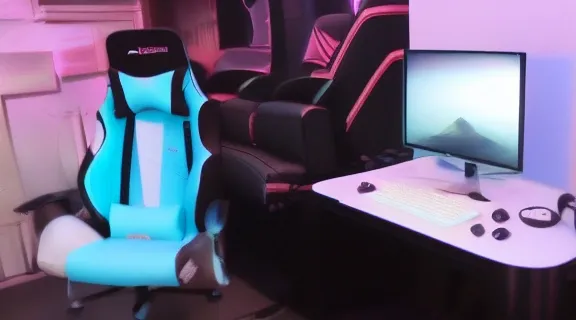
Best Gaming Chair for Console Players
Why a Dedicated Console Gaming Chair Matters
For dedicated console gamers, the pursuit of an immersive and comfortable experience extends beyond the screen and controller; it crucially involves the chair. Unlike PC gaming, which often involves sitting upright at a desk, console gaming typically means lounging on a couch or a less-than-ideal armchair, leading to poor posture, discomfort, and fatigue during extended play. Investing in the best gaming chair for console setups is not merely a luxury; it's a strategic decision for health, performance, and enjoyment.
A proper console gaming chair is engineered to support the unique demands of controller-based gameplay and TV viewing distances. It prioritizes ergonomics tailored for a reclined or semi-reclined position, providing essential lumbar and neck support that traditional furniture lacks. This specialized design mitigates common issues like back pain, neck strain, and circulation problems, allowing players to maintain focus and comfort through marathon sessions. Furthermore, many console-specific chairs incorporate features like built-in audio, vibration feedback, or a smaller footprint, integrating seamlessly into living room environments without dominating the space. The durability and construction of these chairs are also superior to standard seating, designed to withstand the dynamic movements and prolonged use characteristic of serious gaming.
Ergonomic Benefits for Console Gamers
The primary advantage of a dedicated console gaming chair lies in its ergonomic design. Standard living room furniture, such as sofas or recliners, often fails to provide adequate support for the spine's natural curvature, leading to slouching and forward head posture. Console gaming chairs, however, typically offer:
- Adjustable Lumbar Support: Many models include internal or external lumbar cushions that can be positioned to support the lower back, maintaining the natural lordotic curve of the spine. This significantly reduces pressure on the lumbar discs.
- Neck and Headrest Support: A high backrest with an integrated or adjustable neck pillow supports the cervical spine, preventing neck stiffness and headaches that can arise from craning to view the screen.
- Recline Functionality: Critical for console gaming, the ability to recline allows players to find an optimal viewing angle for their TV, reducing eye strain and providing a relaxed posture without compromising spinal alignment. A good recline mechanism offers various lockable angles, from slight relaxation to almost flat.
- Proper Armrest Positioning: While less critical than for PC gaming, adjustable armrests can still provide support for forearms and elbows, reducing shoulder tension during controller use, especially in a reclined position.
Enhanced Immersion and Experience
Beyond pure ergonomics, the best gaming chair for console gaming contributes significantly to the overall immersive experience. Some chairs integrate features that directly enhance gameplay:
- Built-in Audio: Many pedestal or rocker-style console chairs feature integrated speakers near the headrest, providing localized sound that can enhance awareness of in-game audio cues without needing headphones.
- Vibration Feedback: Certain models include haptic motors that synchronize with in-game explosions, hits, or other events, adding an extra layer of tactile feedback that deepens immersion.
- Convenience Features: Pockets for controllers, remotes, or snacks keep essential items within reach, minimizing distractions and interruptions during critical moments.
Ultimately, a dedicated console gaming chair is an investment in sustained comfort, long-term health, and a more engaging gaming experience. It transforms a casual pastime into a truly supportive and immersive endeavor.
Key Features to Look for in a Console Gaming Chair
Selecting the best gaming chair for console use requires careful consideration of several key features. These elements dictate not only the comfort and support offered but also the chair's durability, functionality, and how well it integrates into your specific gaming setup.
Ergonomics and Adjustability
The cornerstone of any quality gaming chair is its ergonomic adjustability. For console players, specific adjustments become paramount:
- Recline Mechanism: Look for a chair with a robust recline function that allows for a wide range of angles, ideally with multiple locking positions. Smooth operation is crucial for finding the perfect relaxed viewing angle for your TV.
- Lumbar Support: This can come in the form of an adjustable cushion, an integrated internal mechanism, or an ergonomically shaped backrest. Ensure it provides adequate support for your lower back in various recline positions.
- Neck/Headrest Support: A supportive headrest is essential to prevent neck strain. Some chairs offer removable pillows, while others have integrated headrests contoured for comfort.
- Armrests: While 4D armrests (up/down, forward/back, pivot, in/out) are common in PC chairs, console gaming often benefits more from simple height adjustment or even fixed, well-padded armrests that provide a comfortable place to rest your arms while holding a controller in a reclined position.
- Swivel Functionality: A smooth 360-degree swivel can be highly beneficial for console setups, allowing you to easily turn towards your TV, interact with nearby devices, or shift your body position without moving the entire chair.
Material Quality and Durability
The materials used in a gaming chair directly impact its longevity, comfort, and ease of maintenance.
- Upholstery:
- PU Leather: A popular choice for its sleek appearance and ease of cleaning. However, it can sometimes lack breathability and may degrade over time, cracking or peeling if not well-maintained.
- Fabric: Offers superior breathability, making it cooler for long sessions. It's often more durable against cracking but can be harder to clean spills from.
- Mesh: Excellent for airflow and flexibility, conforming well to the body. Often found in more ergonomic office-style chairs adapted for gaming.
- Frame Construction: A sturdy steel frame is the gold standard for durability, ensuring the chair can withstand years of use and support higher weight capacities. Avoid chairs with predominantly plastic frames, as they tend to be less stable and have a shorter lifespan.
- Base and Casters: A five-star metal base provides excellent stability. For chairs designed to be moved around a living room, smooth-rolling casters (wheels) that are gentle on flooring are essential. For pedestal or rocker chairs, stability of the base is paramount.
Comfort and Padding
Comfort is subjective but can be objectively assessed by foam density and seat design.
- Foam Density: High-density cold-cured foam offers better support and retains its shape longer than lower-density foam. It provides a firm yet comfortable feel that prevents bottoming out.
- Seat Design: Look for a seat that provides ample width and depth without restricting leg movement. A waterfall edge design can relieve pressure on the back of the thighs, promoting better circulation.
Compatibility with Console Setups
Consider how the chair fits into your existing living space and gaming habits:
- Footprint: Console chairs come in various sizes. Pedestal and rocker chairs often have a smaller footprint than full-sized office-style gaming chairs, making them ideal for more compact living areas.
- Recline Angle for TV Viewing: Ensure the chair's recline capabilities align with your TV's height and viewing distance. You want to achieve a comfortable, eye-level viewing position without straining your neck.
- Integrated Features: If you value immersive audio or haptic feedback, look for chairs that explicitly offer these built-in functionalities.
Weight Capacity and Size
Always check the manufacturer's specified weight capacity to ensure the chair can safely support you. Beyond weight, consider the chair's overall dimensions – seat width, backrest height, and armrest adjustability – to ensure it accommodates your body type comfortably. Chairs designed for larger individuals will have wider seats, taller backrests, and reinforced components.
Aesthetics and Design
While secondary to functionality, the chair's design can be important for complementing your room's decor or gaming aesthetic. Console gaming chairs come in various styles, from aggressive racer-inspired designs to more subdued, ergonomic office chair looks, or the unique forms of pedestal and rocker chairs. Choose a design that you find visually appealing and that fits your personal space.
By prioritizing these key features, console gamers can make an informed decision and select a chair that provides lasting comfort, support, and enhances their overall gaming experience.
Gaming Chair Types for Console Gamers
The market for gaming chairs has diversified significantly, offering various styles each with unique advantages tailored to different preferences and setups. For console gamers, understanding these types is crucial to finding the best fit for their living room environment and play style.
Racer-Style Chairs
Originally popularized by PC esports, racer-style chairs are now a common sight in console setups due to their aggressive aesthetics and perceived comfort.
- Characteristics: High backrests (often extending above the head), winged shoulder support, bucket-seat design inspired by racing car seats, and often come with lumbar and neck pillows. They typically feature a five-star base with casters and a full recline mechanism.
- Pros:
- Strong Ergonomics: Many models offer excellent adjustability for height, recline, and armrests, providing good spinal support.
- Aesthetic Appeal: The sporty design resonates with many gamers.
- Versatility: Can be used at a desk if desired, offering flexibility.
- Cons:
- Can Be Bulky: Their size might not always be ideal for smaller living rooms.
- Bucket Seat Design: The side bolsters can be restrictive for larger individuals or those who prefer to sit cross-legged.
- Material (PU Leather): While common, PU leather can sometimes lack breathability for long sessions.
- Ideal For: Gamers who want a full-sized, adjustable chair that offers comprehensive ergonomic support and enjoy the racing aesthetic. They are suitable for setups where the TV is at a standard viewing height and a more upright or moderately reclined position is preferred.
Pedestal Chairs
Pedestal chairs are specifically designed with console gaming in mind, often featuring a unique base that allows for swivel and tilt without wheels.
- Characteristics: Sits on a central pedestal base, usually without wheels. They often have a built-in rocking or reclining function. Many models come with integrated speakers, subwoofers, and sometimes even vibration feedback. They typically sit higher off the ground than rocker chairs.
- Pros:
- Immersive Audio: Built-in speakers provide a personal sound experience.
- Compact Footprint: Generally smaller and less obtrusive than racer-style chairs.
- Console-Specific Features: Often include pockets for controllers and designed for comfortable TV viewing.
- Swivel Functionality: The pedestal base usually allows for 360-degree rotation.
- Cons:
- Limited Adjustability: Fewer ergonomic adjustments (e.g., no height adjustment) compared to racer or office chairs.
- Lower to the Ground: While higher than rockers, they are still lower than standard chairs, which might not suit all TV heights or users.
- Can Lack Lumbar Support: Some models might rely more on padding than active lumbar support.
- Ideal For: Gamers seeking an all-in-one immersive experience with integrated audio and a relatively compact design, especially those who prefer sitting closer to the floor or have a lower TV setup.
Rocker Chairs (Floor Chairs)
Rocker chairs are the most casual and often the most affordable option, designed to sit directly on the floor.
- Characteristics: No legs or base; they sit flat on the floor and allow for a rocking motion. They are often foldable for storage. Like pedestal chairs, many include integrated audio and vibration.
- Pros:
- Very Compact and Portable: Easy to move and store, ideal for small spaces.
- Affordable: Generally the most budget-friendly option.
- Immersive for Close-Up Gaming: Perfect for sitting very close to the TV.
- Cons:
- No Height Adjustment: Sits directly on the floor, which might not be comfortable for all users or TV heights.
- Minimal Ergonomic Support: Offers basic back support but lacks sophisticated lumbar or neck adjustments.
- Getting Up Can Be Difficult: May be challenging for individuals with mobility issues.
- Ideal For: Younger gamers, casual players, or those with extremely limited space who prefer to game very close to the screen.
Office/Ergonomic Chairs
Often overlooked for console gaming, high-quality office chairs can be excellent alternatives, especially ergonomic models.
- Characteristics: Designed for long hours of sitting, focusing on comprehensive spinal support, adjustability (height, tilt, lumbar, armrests), and breathable materials. They typically have a five-star wheeled base.
- Pros:
- Superior Ergonomics: Often offer the best overall ergonomic support and adjustability.
- Durable Construction: Built for everyday use, ensuring longevity.
- Professional Aesthetic: Blends well into a living room without looking overtly "gamer."
- Cons:
- Less "Gaming" Aesthetic: May not appeal to those seeking a specific gaming look.
- Lack Console-Specific Features: No integrated audio or vibration feedback.
- Can Be Expensive: High-end ergonomic chairs carry a premium price tag.
- Ideal For: Console gamers who prioritize top-tier ergonomic support and adjustability above all else, especially those who also use their chair for other activities like working or reading, and don't require built-in audio features.
Bean Bag Chairs
While not typically considered "gaming chairs" in the traditional sense, high-quality gaming bean bag chairs offer a unique, ultra-casual experience.
- Characteristics: Large, soft, filled with foam beads or shredded foam, conforming to the body.
- Pros:
- Ultimate Relaxation: Extremely comfortable for lounging.
- Versatile: Can be used for various activities beyond gaming.
- Unique Aesthetic: Adds a relaxed, informal vibe to a room.
- Cons:
- Zero Ergonomic Support: Provides no structured support for posture.
- Difficult to Get Out Of: Can be a challenge for some users.
- Can Get Hot: Lack of airflow can lead to warmth.
- Ideal For: Very casual gamers, those who prioritize extreme comfort and a laid-back experience over any ergonomic benefits, or as a secondary, highly relaxed seating option.
Choosing the right type of console gaming chair depends heavily on individual needs, space constraints, and budget. Each type offers a distinct set of advantages, catering to different aspects of the console gaming experience.
Top Picks: Identifying the Best Console Gaming Chairs
When evaluating the best gaming chair for console players, specific characteristics stand out that cater to the unique demands of controller-based gameplay and TV viewing. Since no specific products are provided, we will describe the attributes and types of chairs that excel in various categories, guiding your selection process.
Best for Ergonomic Support and Long Sessions
For gamers who prioritize health and comfort during extended play, chairs with advanced ergonomic features are paramount.
- Key Attributes: Look for chairs, often in the racer-style or ergonomic office chair categories, that offer highly adjustable lumbar support (either internal or a high-quality external pillow), a multi-tilt mechanism allowing for precise recline and lockable angles, and 2D or 3D armrests that can be positioned to support your arms while holding a controller. A high-density cold-cured foam seat and backrest are crucial for maintaining support over many hours. Breathable fabric or mesh upholstery can also significantly enhance comfort during long sessions by preventing heat buildup.
- Why it Excels: These chairs are designed to maintain the spine's natural curvature, alleviate pressure points, and promote healthy blood circulation, directly combating fatigue and potential long-term issues associated with poor posture. The extensive adjustability ensures that users of various body types can find their optimal sitting position.
Best for Immersive Experience
For those who want to feel truly connected to their game, chairs that integrate sensory enhancements are ideal.
- Key Attributes: Pedestal and rocker chairs often lead this category. Look for models with built-in speakers (2.0 or 2.1 systems are common) strategically placed near the headrest for directional audio. Some advanced chairs include vibration motors that react to in-game sounds or effects, creating a haptic feedback loop. Connectivity options like Bluetooth or RCA inputs are also important for seamless integration with your console's audio output.
- Why it Excels: These chairs transform the gaming experience by bringing sound and tactile feedback directly to the player, creating a more personal and intense immersion without necessarily requiring headphones. The localized audio can enhance awareness and the haptic feedback adds an exciting physical dimension to gameplay.
Best for Budget-Conscious Players
Finding a comfortable and supportive chair without breaking the bank is a common goal.
- Key Attributes: Focus on well-reviewed rocker chairs or entry-level racer-style chairs. Prioritize essential features like a comfortable recline, basic back support (even if it's just a well-padded backrest), and durable upholstery like basic fabric or PU leather. While advanced adjustability might be limited, ensure the core structure feels sturdy and the padding is adequate.
- Why it Excels: These chairs offer a significant upgrade in comfort and support over standard living room furniture at an accessible price point. While they may lack some of the premium features, they still provide a dedicated space for gaming that promotes better posture and enjoyment, making them excellent value propositions.
Best for Larger Users
Comfort and stability for larger body types require specific design considerations.
- Key Attributes: Look for "big and tall" versions of racer-style or ergonomic office chairs. These chairs feature reinforced steel frames, wider and deeper seats, taller backrests, and higher weight capacities (typically 300 lbs+). They often incorporate heavy-duty gas lifts and larger, more robust casters. The armrests should also be wider and more durable.
- Why it Excels: Standard gaming chairs can be too narrow or lack sufficient support for larger individuals, leading to discomfort and premature wear. Chairs designed for larger users provide the necessary space, stability, and durability to ensure long-term comfort and safety, preventing pressure points and ensuring proper ergonomic alignment.
Best for Compact Spaces
When living room real estate is at a premium, a chair with a small footprint is essential.
- Key Attributes: Rocker chairs and compact pedestal chairs are excellent choices here. Rocker chairs, in particular, are often foldable, allowing them to be stored away when not in use. Pedestal chairs, while not foldable, typically have a smaller floor footprint than wheeled office or racer chairs. Look for designs that are streamlined and avoid overly bulky aesthetics.
- Why it Excels: These chairs provide dedicated gaming comfort without dominating the living space. Their design allows for easy integration into smaller rooms, and foldable options offer unparalleled flexibility, making them perfect for multi-purpose living areas.
When making your selection, consider your primary gaming habits, your physical build, your living space, and your budget. By focusing on these categories and their defining characteristics, you can effectively narrow down your choices and find the best gaming chair for console gaming that meets your specific needs.
Setting Up Your Console Gaming Chair for Optimal Performance
Having the best gaming chair for console players is only half the battle; optimizing your entire gaming environment is crucial for maximizing comfort, health, and immersion. Proper setup ensures that your chair works in harmony with your console, TV, and room layout.
Monitor/TV Distance and Height
One of the most critical aspects of console gaming setup is the relationship between your chair and your display.
- Optimal Distance: For typical living room TVs, a general rule of thumb is to sit at a distance that is 1.5 to 2.5 times the diagonal screen size. This allows for comfortable viewing without straining your eyes or having to constantly shift your gaze. For example, a 55-inch TV would suggest a viewing distance of 82.5 to 137.5 inches (approximately 7 to 11.5 feet). Adjust your chair's position to achieve this.
- Eye-Level Height: Your TV should ideally be positioned so that the center of the screen is at eye level when you are comfortably seated and reclined in your gaming chair. This prevents neck strain from looking too far up or down. If your TV is too high or low, adjust your chair's recline to compensate, or consider repositioning the TV if possible.
- Chair Recline: Utilize your chair's recline function to find the most comfortable viewing angle for your TV. For console gaming, a slight recline is often more comfortable than a fully upright position, especially for larger screens. Experiment with different angles to find what feels best for your neck and eyes.
Chair Positioning
Beyond distance and height, how you position the chair itself within the room matters.
- Central Alignment: Position your chair centrally to your TV to ensure an equal viewing angle for both eyes, reducing visual fatigue.
- Armrest Height: If your chair has adjustable armrests, set them to a height where your forearms can rest comfortably while holding your controller, with your shoulders relaxed. This reduces tension in your shoulders and neck. For some console chairs, fixed armrests are designed for this purpose.
- Clearance: Ensure there's enough space around your chair to move freely, get in and out, and recline without hitting walls or other furniture. For chairs with a swivel function, ensure you have a full 360-degree range of motion if desired.
Room Lighting
Appropriate lighting can significantly impact eye comfort and immersion.
- Avoid Glare: Position your TV and chair to minimize glare from windows or overhead lights. Glare can cause eye strain and detract from the visual experience. If glare is unavoidable, consider using blackout curtains or positioning a soft, ambient light behind the TV (bias lighting) to reduce contrast.
- Ambient Lighting: For optimal eye comfort, avoid gaming in a completely dark room. A soft, ambient light source, such as a floor lamp or LED strips, can reduce eye strain by minimizing the contrast between the bright screen and dark surroundings.
Breaks and Movement
Even with the most ergonomic console gaming chair, sustained static posture is detrimental.
- Regular Breaks: Make it a habit to take short breaks every 30-60 minutes. Stand up, stretch, walk around, and give your eyes a rest from the screen.
- Active Sitting: While your chair provides support, try to subtly shift your position every now and then. Use the recline function, gently rock (if applicable), or adjust your lumbar support to keep muscles engaged.
By meticulously setting up your console gaming chair and optimizing your environment, you not only prolong your comfort but also enhance your gaming performance and protect your long-term health.
Comparison: Gaming Chair vs. Standard Office Chair for Console Gaming
When seeking the best gaming chair for console use, many consider both dedicated gaming chairs and high-quality office chairs. While both aim for comfort, their design philosophies and feature sets cater to different primary uses. Understanding these differences is crucial for making an informed decision for console gaming.
| Feature | Dedicated Console Gaming Chair | High-Quality Office Chair |
|---|---|---|
| Primary Design Focus | Ergonomics for relaxed/reclined TV viewing, immersion | Ergonomics for upright, focused desk work |
| Recline Angle | Often deep recline (135-180 degrees) with multiple lock points, suited for TV viewing | Moderate recline (up to 135 degrees), primarily for short breaks from desk work |
| Lumbar Support | Adjustable pillow or integrated, sometimes less precise than office chairs | Highly adjustable (internal knob/lever), designed for prolonged upright posture |
| Headrest/Neck Support | High backrest with integrated or adjustable neck pillow, designed for head support while reclining | Often integrated headrest, but may not be optimal for reclined viewing angles |
| Armrests | Can be 2D/3D (racer style) or fixed (pedestal/rocker), designed for controller comfort | Highly adjustable (3D/4D) for keyboard/mouse interaction and desk height |
| Base/Mobility | Pedestal (swivel, no wheels) or rocker (floor-based) for console chairs; 5-star wheeled for racer-style | 5-star wheeled base, designed for movement around a desk |
| Built-in Features | Often includes integrated speakers, subwoofers, vibration feedback, controller pockets | Rarely includes integrated audio or haptics; focus on productivity features |
| Aesthetics | Sporty, aggressive "racer" look or specific console-centric designs | Professional, subdued, corporate aesthetic |
| Material Breathability | Varies; PU leather can be hot, fabric/mesh offer better airflow | Often prioritizes breathable mesh or high-quality fabric for long work hours |
| Footprint | Can be compact (rocker/pedestal) or similar to office chairs (racer-style) | Typically a standard office chair footprint, can be bulky |
| Price Range | Wide range, from budget rockers to premium racer chairs | Wide range, from mid-tier to very expensive ergonomic models |
Key Takeaways for Console Gaming:
- Recline is Paramount: Dedicated console gaming chairs (especially racer-style or certain pedestal models) often offer superior recline angles and mechanisms that are specifically designed for comfortable TV viewing. Standard office chairs, while offering some recline, are usually not optimized for lounging or fully supporting the head and neck in a deeply reclined position.
- Immersive Features: If integrated audio, subwoofers, or vibration feedback are important to you, dedicated console gaming chairs (like pedestal or rocker types) are the only option. Office chairs do not offer these features.
- Ergonomics for Posture vs. Relaxation: High-end office chairs generally excel at maintaining an upright, active sitting posture for productivity. While excellent for spinal health, this might not be the most comfortable or practical posture for several hours of casual console gaming. Dedicated console chairs, particularly ergonomic gaming models, bridge this gap by offering robust support in more relaxed, reclined postures.
- Space and Aesthetics: Rocker and pedestal chairs are often more space-efficient and blend better into a living room environment than a large, wheeled office chair. However, a sleek, modern ergonomic office chair can also look professional in a living space.
Ultimately, while a high-quality ergonomic office chair can certainly provide excellent support for console gaming, it often lacks the specific recline capabilities, immersive features, and living-room-friendly designs of chairs explicitly marketed as the best gaming chair for console players. Your choice should align with your priority: pure ergonomic precision for upright sitting (office chair) versus a blend of comfort, recline, and immersive features for a relaxed gaming experience (dedicated console gaming chair).
Maintaining Your Gaming Chair
Proper maintenance is essential for extending the lifespan of your best gaming chair for console and ensuring it remains comfortable and functional. Regular care prevents premature wear and tear, keeps materials looking good, and preserves the chair's structural integrity.
Cleaning Different Materials
The cleaning method depends heavily on the chair's upholstery material. Always refer to the manufacturer's specific cleaning instructions if available.
- PU Leather:
- Regular Cleaning: Wipe down regularly with a soft, damp cloth (microfiber is ideal) to remove dust and light grime.
- Deeper Clean: For spills or heavier dirt, use a mild soap solution (e.g., a few drops of dish soap in warm water) on a cloth. Gently wipe the affected area, then immediately wipe with a clean, damp cloth to remove any soap residue. Dry thoroughly with a separate clean cloth.
- Conditioning: Periodically apply a leather conditioner (specifically for PU or synthetic leather) to help prevent cracking and maintain the material's suppleness. Avoid harsh chemical cleaners or abrasive sponges, which can damage the surface.
- Fabric:
- Vacuuming: Regularly vacuum the chair using an upholstery attachment to remove dust, crumbs, and pet hair.
- Spot Cleaning: For spills, blot immediately with a clean, dry cloth – do not rub, as this can spread the stain. For tougher stains, use a fabric-specific upholstery cleaner or a mild soap solution. Test in an inconspicuous area first. Apply the cleaner to a cloth, not directly to the chair, and gently dab the stain. Rinse by dabbing with a clean, damp cloth and allow to air dry completely.
- Mesh:
- Dusting/Vacuuming: Mesh is excellent for airflow but can trap dust. Use a soft brush or a vacuum with a brush attachment to gently remove dust and debris.
- Wiping: For minor marks, wipe with a damp cloth. For deeper cleaning, a mild soap solution can be used, ensuring the mesh dries completely to prevent mildew.
Tightening Components
Over time, screws and bolts can loosen due to movement and use, leading to wobbling or creaking.
- Regular Checks: Periodically (e.g., every 3-6 months), inspect all visible screws and bolts, particularly those connecting the seat to the base, the backrest to the seat, and the armrests.
- Tightening: Use the appropriate Allen wrench or screwdriver to gently tighten any loose fasteners. Be careful not to overtighten, as this can strip the threads or damage components.
Preventing Wear and Tear
Proactive measures can significantly extend your chair's life.
- Avoid Harsh Chemicals: Never use abrasive cleaners, bleach, or solvents on any part of your chair, as these can damage upholstery, plastic,
