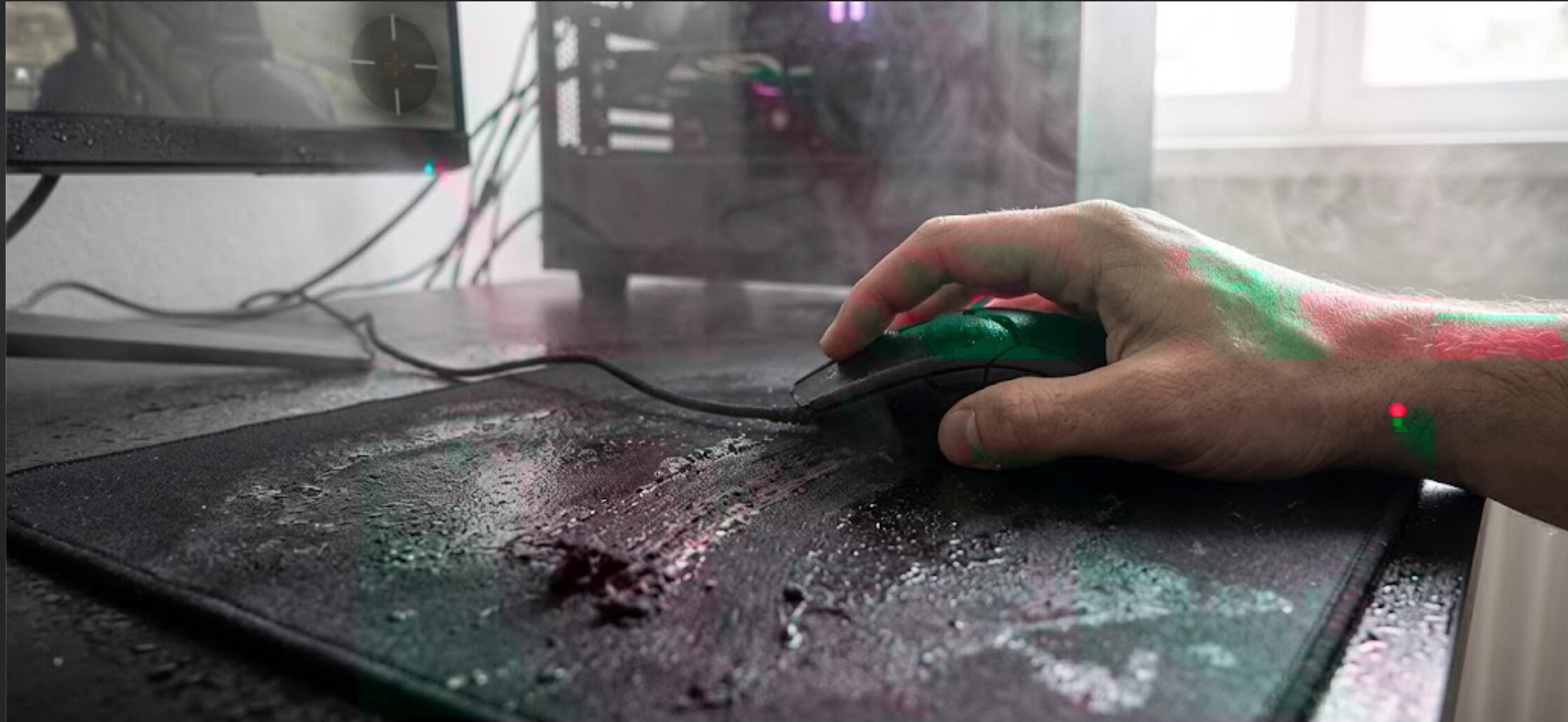
Muddy Mousepad? Humidity Ruining Your Aim?
Feeling that sticky, inconsistent drag on your gaming mousepad? You're not alone. Many gamers experience a frustrating "muddy" sensation that dramatically hinders precise movements and flick shots. This isn't just a bad mousepad day; it's often a sign that environmental factors, specifically humidity, are at play, affecting your gaming mousepad friction and ultimately, your performance. This guide will help you understand why this happens and how to fix it, so you can get back to dominating your opponents.
Understanding the "Muddy" Mousepad Phenomenon
The feeling of a "muddy" mousepad is characterized by inconsistent glide and a sticky, unpredictable surface. Instead of a smooth, uniform slide, your mouse seems to catch or drag in certain areas, making micro-adjustments and rapid movements a chore. This phenomenon is particularly prevalent with cloth and hybrid mousepads, but even glass surfaces can be affected by changes in air moisture.
The Science Behind Humidity's Impact
Cloth and hybrid mousepads are designed with woven fabric surfaces that offer a balance of speed and control. These fibers, however, are porous and can absorb moisture from the air. When humidity levels rise, the fabric effectively "drinks" in water vapor, causing the fibers to swell. This swelling changes the texture of the surface, leading to:
- Increased Friction: The swollen fibers create more resistance, resulting in that sluggish, muddy feel.
- Inconsistent Glide: The moisture distribution might not be uniform across the pad, leading to patches of high and low friction.
- Reduced Durability: Prolonged exposure to moisture can degrade the adhesive holding the surface to the base and potentially damage the fabric weave over time.
Glass mousepads, while less susceptible to direct absorption, can also be affected. Moisture in the air can condense on the surface, especially in cooler environments, creating a thin film that alters the glide. This condensation can trap dust and microscopic debris more easily, contributing to a less predictable surface.
Why Premium Mousepads Are Susceptible
Even high-end, premium eSports mousepads are not entirely immune to the effects of humidity. While they often use higher-quality materials and denser weaves designed for better performance and durability, the fundamental physics of moisture interaction with fabric or even glass surfaces remain. Manufacturers employ advanced techniques to mitigate these effects, but extreme or prolonged humidity can still present a challenge.
Identifying High Humidity's Effect on Your Mousepad
Recognizing that humidity is the culprit is the first step to solving the problem. Here are the tell-tale signs:
Sensory Clues: What You Feel
- Stickiness: The most common complaint. The mouse feels like it's sticking or dragging, especially during fast movements.
- Inconsistent Speed: Some swipes feel normal, while others are noticeably slower or require more force.
- "Gritty" Sensation: A subtle feeling of resistance that isn't smooth, almost like there's fine grit on the surface, even after cleaning.
Visual and Environmental Clues
- Condensation: You might see faint condensation on the surface, especially if the room temperature fluctuates.
- Room Humidity: If your room generally feels damp, or if you live in a humid climate, it's a strong indicator. Using a hygrometer can give you precise readings; levels above 60% RH can start to impact mousepads.
- Recent Weather Changes: A sudden increase in humidity after rain or a change in weather patterns can coincide with the onset of the muddy feeling.
How to Fix a Muddy Mousepad: Immediate Solutions
Don't despair! There are several ways to combat a muddy mousepad and restore its optimal performance. The key is to remove excess moisture and any accumulated surface grime.
Cleaning Your Cloth or Hybrid Mousepad
The most effective way to tackle a muddy cloth or hybrid mousepad is through careful cleaning.
What You'll Need:
- Microfiber cloths (at least two)
- Mild hand soap or specialized mousepad cleaner
- Lukewarm water
- A clean, dry towel
Step-by-Step Cleaning Process:
- Prepare the Cleaning Solution: Mix a small amount of mild hand soap (avoid harsh detergents) with lukewarm water in a basin or sink. Alternatively, use a dedicated mousepad cleaner according to its instructions.
- Gentle Surface Wash: Dampen one microfiber cloth with the cleaning solution. Gently wipe the surface of the mousepad in a consistent direction. Avoid scrubbing aggressively, as this can damage the fabric weave. Focus on areas where the "muddy" feeling is most pronounced.
- Rinse Thoroughly: Use a second, clean microfiber cloth dampened with plain lukewarm water to wipe away any soap residue. It's crucial to remove all soap to prevent it from attracting dirt later.
- Dry the Surface: Gently press the mousepad with a clean, dry towel to absorb excess water. Do NOT wring or twist the mousepad.
- Air Dry Completely: Lay the mousepad flat in a well-ventilated area, away from direct sunlight or heat sources. Allow it to air dry for at least 24–48 hours. Ensure it's completely dry before using it again. Any residual moisture will bring back the muddy feeling.
Cleaning Your Glass Mousepad
Glass mousepads are generally easier to clean, but humidity can still cause issues.
- Wipe with Microfiber: Use a clean, dry microfiber cloth to wipe down the surface.
- Use Glass Cleaner (Sparingly): For stubborn residue or a film, use a standard glass cleaner on a microfiber cloth (never spray directly onto the pad). Wipe the surface clean, then follow up with a dry cloth to remove streaks.
- Dry Immediately: Ensure the surface is completely dry before use.
Advanced Troubleshooting: Beyond Basic Cleaning
If cleaning doesn't fully resolve the issue, or if you want to prevent it from happening again, consider these advanced strategies.
Controlling Room Humidity
The most direct approach is to manage the environment where you game.
- Dehumidifier: Investing in a small dehumidifier for your gaming room is the most effective long-term solution. Aim to keep humidity levels between 40% and 50% for optimal mousepad performance and comfort.
- Air Conditioning: Running your air conditioner can also help reduce indoor humidity.
- Ventilation: Ensure good airflow in your room. Opening windows periodically (when outdoor humidity is lower) can help circulate air.
Using Humidity-Resistant Mousepads
For gamers in consistently humid environments, or those who simply want the most reliable performance, a mousepad designed with humidity resistance in mind is a worthwhile investment.
- Hybrid Surfaces: Some hybrid mousepads utilize advanced coatings or denser weaves that are less prone to moisture absorption.
- Coated Cloth: Certain high-end cloth pads feature special coatings that repel moisture and maintain a consistent glide.
- Hard Surfaces (with caveats): While hard plastic or resin mousepads are less affected by humidity, they can sometimes feel too fast or loud for some players. They also tend to wear down mouse feet faster.
- Glass Mousepads: As mentioned, these are generally very resistant to humidity, though condensation can still be an issue in certain conditions.
Mousepad Drying Techniques
If you've cleaned your pad and suspect it's still not fully dry, or if you need to speed up the process:
- Fan Drying: Place the mousepad flat and direct a gentle fan towards it. Ensure the fan isn't too close or too powerful, which could warp the pad.
- Avoid Heat: Never use a hairdryer, oven, or direct sunlight to dry your mousepad. Excessive heat can warp the rubber base, melt adhesives, and damage the fabric.
When to Consider a New Mousepad
Sometimes, even with the best cleaning and environmental control, an old or heavily worn mousepad may never fully recover its original feel. If you've tried all the troubleshooting steps and your mousepad still feels muddy, it might be time for an upgrade.
Signs Your Mousepad Needs Replacement
- Permanent Texture Change: The fabric feels permanently altered, no matter how much you clean it.
- Worn Surface: The surface weave is visibly frayed or thinned in high-use areas.
- Base Degradation: The rubber base is peeling, cracking, or losing its grip on your desk.
- Persistent Inconsistency: The muddy feeling returns almost immediately after cleaning.
Choosing a Humidity-Resistant Gaming Mousepad
When shopping for a replacement, specifically look for descriptions that mention:
- Moisture-wicking or water-repellent properties.
- High-density weave or specialized coatings.
- Materials known for stability in varying conditions.
Mousepad Maintenance for Peak Performance
Consistent, proper maintenance is key to preventing the muddy mousepad problem and ensuring your gaming mousepad friction remains consistent.
Regular Cleaning Schedule
- Weekly Wipe-Down: A quick wipe with a dry microfiber cloth can remove surface dust and oils.
- Monthly Deep Clean: Perform a more thorough cleaning (as described above) once a month, or more often if you notice any stickiness or dirt buildup.
Proper Storage
If you need to store your mousepad for any reason:
- Roll, Don't Fold: Roll the mousepad with the surface facing outwards to prevent creasing and damage to the fabric.
- Store in a Dry Place: Keep it in a cool, dry environment away from direct sunlight or extreme temperatures.
Desk Setup Considerations
- Stable Surface: Ensure your desk is level and stable.
- Avoid Spills: Keep drinks and food away from your mousepad.
Frequently Asked Questions
### How quickly does humidity affect a mousepad?
Humidity can start to affect a mousepad relatively quickly, sometimes within hours of a significant increase in air moisture. The fabric fibers absorb water vapor, causing them to swell and alter the surface texture, leading to that sticky or muddy sensation.
### Can I use household cleaners on my mousepad?
It's best to avoid harsh household cleaners like Windex, bleach, or abrasive detergents. These can strip away special coatings, damage the fabric weave, or leave behind residue that attracts more dirt. Stick to mild hand soap or specialized mousepad cleaners.
### Will a mousepad dryer help?
A dedicated mousepad dryer is essentially a controlled fan system. While not strictly necessary, using a regular fan on a low setting can help speed up the drying process after cleaning, provided the mousepad is laid flat and not exposed to excessive heat.
### Is a glass mousepad better for humid environments?
Yes, glass mousepads are generally much more resistant to humidity than cloth or hybrid pads. They don't absorb moisture. However, they can still experience condensation in very humid or temperature-fluctuating conditions, which can create a thin, slippery film.
Conclusion: Reclaim Your Aim from the Mud
The "muddy" mousepad is a common frustration for gamers, but it’s a solvable one. By understanding how humidity impacts your gaming mousepad friction and implementing regular cleaning and environmental control, you can restore your pad's performance. Don't let moisture dictate your kill-death ratio. If your current mousepad is beyond saving, consider investing in a premium eSports mousepad designed for consistent glide in any condition. Take control of your setup, banish the mud, and elevate your game today!
