What is FPV Drone Flying? A Beginner’s Guide to First-Person View
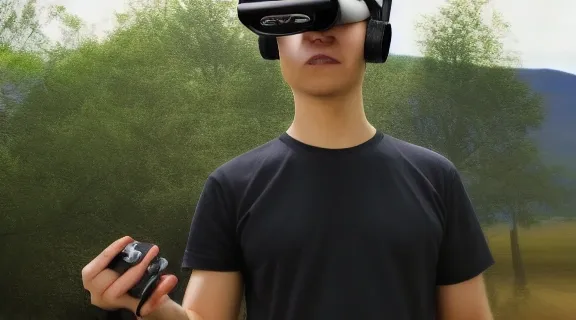
FPV drone flying, or First-Person View drone flying, plunges you directly into the cockpit of a drone, offering an immersive experience unlike any other. Instead of watching your drone from afar, you see exactly what the drone sees through a set of special goggles, making you feel as if you're soaring through the sky yourself. This guide will demystify what is FPV drone flying, differentiate it from traditional GPS drones, and outline the essential gear and techniques for beginners looking to enter this exciting world.
The Thrill of First-Person View: What is FPV Drone Flying?
At its heart, FPV drone flying is about the pilot's perspective. You wear goggles that display a live video feed directly from a camera mounted on the front of the drone. This creates a powerful sense of presence, allowing for incredibly dynamic and precise piloting. Unlike the stable, GPS-assisted flight of camera drones designed for aerial photography, FPV drones are built for agility, speed, and maneuverability. They allow pilots to perform breathtaking acrobatics, race through complex environments, or simply explore the world from a unique vantage point.
The core appeal of FPV lies in the direct connection it fosters between pilot and machine. It requires skill, practice, and a good understanding of flight dynamics, offering a deeply rewarding experience for those who master it.
FPV Drones vs. GPS Drones: Key Differences
Understanding the distinction between FPV drones and the more commonly known GPS drones is crucial for any aspiring pilot. While both are uncrewed aerial vehicles, their design, purpose, and piloting methods differ significantly.
GPS Drones: Stability and Simplicity
GPS drones, often marketed for photography and videography, prioritize ease of use and stable flight.
- Flight Modes: They primarily operate using GPS and other sensors (like barometers and accelerometers) to maintain position, altitude, and stability. This allows for features like "Return to Home," automated flight paths, and hover-in-place capabilities.
- Piloting: Control is typically managed through a handheld remote controller, with the pilot viewing the drone's camera feed on a smartphone or tablet screen. The focus is on capturing smooth footage, often with automated camera movements.
- Purpose: Ideal for aerial photography, videography, real estate, inspections, and recreational flying where stable, predictable flight is paramount.
FPV Drones: Agility and Immersion
FPV drones, conversely, are engineered for performance and an immersive flying experience.
- Flight Modes: While some FPV drones may have basic stabilization, the true FPV experience often involves flying in "Acro Mode" (Acrobatic Mode). This mode offers direct control over the drone's orientation, requiring constant input from the pilot to maintain level flight. It’s akin to flying a manual aircraft without automatic stabilization.
- Piloting: Piloting is done via a radio transmitter, and the visual feedback comes from FPV goggles displaying the drone's camera feed. This allows for intuitive, 3D control of the drone's movement.
- Purpose: Designed for racing, freestyle acrobatics, cinematic flying (where dynamic camera movements are key), and general high-speed or aerial maneuverability.
The fundamental difference lies in the control philosophy: GPS drones aim to fly themselves, while FPV drones require the pilot to fly them, creating a more engaging and challenging hobby.
Essential FPV Gear for Beginners
Embarking on FPV drone flying requires specific equipment that differs from standard drones. Investing in the right gear from the start can significantly ease the learning curve and enhance the overall experience.
The Drone Itself
FPV drones come in various sizes and configurations, but for beginners, smaller, more durable models are often recommended.
- Whoop Drones: These are small, ducted-fan drones, typically 65mm-85mm in size. They are lightweight, relatively quiet, and very durable, making them excellent for indoor flying and practicing basic maneuvers without causing damage.
- Tiny Whoops: A subset of whoop drones, even smaller and designed for indoor or confined spaces.
- 5-inch Freestyle/Racing Drones: These are the most common type for outdoor flying. They are larger, more powerful, and require more skill to fly. While exciting, they are generally not recommended for absolute beginners due to their speed and fragility.
FPV Goggles
These are the gateway to the FPV experience, displaying the live video feed from the drone's camera.
- Analog FPV Goggles: These are the most common and affordable option for beginners. They receive an analog video signal, offering good latency (delay) which is critical for responsive control. Image quality is generally lower than digital.
- Digital FPV Goggles: Offer significantly higher image quality and clarity but come with a higher price tag and potentially slightly higher latency, though this is improving rapidly. Brands like DJI offer popular digital FPV systems.
Radio Transmitter (Controller)
This is how you communicate commands to the drone.
- Transmitter Options: Transmitters vary in size, button layout, gimbals (joysticks), and protocols. For beginners, a solid, multi-protocol transmitter that can bind to various receivers is a good investment. Look for one with Hall-effect gimbals for smoother control.
Batteries and Charger
FPV drones typically use Lithium Polymer (LiPo) batteries.
- LiPo Batteries: These are high-density batteries that provide the power needed for agile flight. They require specific charging procedures and careful handling due to their energetic nature.
- LiPo Charger: A dedicated LiPo balance charger is essential for safely charging and maintaining your batteries.
Spare Parts
Crashes are inevitable, especially when learning. Having common spare parts on hand can save you downtime.
- Propellers: The most frequently replaced part.
- Frame Parts: Arms, motor mounts, or even full frames.
- Motors: Can sometimes be damaged in severe crashes.
Mastering Acro Mode: The Heart of FPV Piloting
Acro Mode is what truly defines FPV drone flying for many enthusiasts. It strips away the self-leveling and position-holding assistance found in GPS drones, giving the pilot full, unadulterated control over the drone's attitude.
Understanding Acro Mode
In Acro Mode, the drone's sticks on the radio transmitter directly control the drone's rate of rotation.
- Pitch and Roll: When you push the pitch stick forward, the drone pitches forward at a certain rate. Releasing the stick doesn't return the drone to level flight; it simply stops pitching forward. To level out, you must actively push the stick in the opposite direction.
- Yaw: Similarly, the yaw stick controls the drone's rotation around its vertical axis.
- Throttle: Controls the motor speed and thus the drone's altitude.
This direct control means the pilot is constantly making micro-adjustments to maintain stability, perform maneuvers, and navigate. It's challenging but incredibly rewarding, allowing for a level of precision and freedom not possible with stabilized flight.
Why Acro Mode is Essential for FPV
- Maneuverability: Acro Mode is what enables the flips, rolls, dives, and other acrobatic maneuvers that FPV drones are famous for.
- Immersive Control: It provides the most direct connection to the drone's movement, enhancing the feeling of "being there."
- Skill Development: Learning Acro Mode builds fundamental piloting skills that are transferable across different types of FPV drones and flying styles.
The Importance of FPV Simulators
Given the steep learning curve and the cost of crashing, FPV simulators are an indispensable tool for beginners. They allow you to practice flying in a virtual environment without risking real equipment.
Benefits of Using a Simulator
- Cost-Effective Practice: You can crash as many times as you need without breaking a prop or frame.
- Safe Learning Environment: Practice complex maneuvers and navigate challenging virtual environments with no real-world consequences.
- Muscle Memory Development: Simulators help build the muscle memory required for precise stick movements in Acro Mode.
- Familiarization with Controls: Get comfortable with your radio transmitter and how its inputs translate to drone movements.
Recommended FPV Simulators
Several excellent FPV simulators are available, often compatible with real radio transmitters, providing a very realistic experience.
- Velocidrone: Known for its realistic physics and excellent graphics. It's a popular choice for both racing and freestyle practice.
- Liftoff: Another highly regarded simulator offering a variety of environments and drone customization options.
- DCL (Drone Champions League): Based on the professional drone racing league, offering realistic tracks and competitive modes.
- FPV Freerider: A more basic but effective simulator, often recommended for its simplicity and low system requirements.
Using a simulator for at least 20-30 hours before flying a real drone is highly recommended by experienced pilots.
First Flights: From Simulator to the Sky
Transitioning from a simulator to flying a real FPV drone is a significant step. Careful preparation and a gradual approach are key to a successful and enjoyable experience.
Preparing for Your First Real Flight
- Choose the Right Drone: Start with a small, durable drone like a "Tiny Whoop" or a small indoor FPV drone. These are more forgiving and less intimidating than larger, faster models.
- Find a Safe Space: Select a large, open area with minimal obstacles. A grassy field is ideal, as it provides a softer landing surface. Avoid flying near people, animals, or property.
- Check Your Equipment: Ensure your drone, transmitter, and goggles are fully charged and properly bound. Perform a pre-flight check of all components.
- Familiarize Yourself with Your Transmitter: Know where all your switches and sticks are without looking.
Your First Flight Steps
- Arm the Drone: Once you're in your safe flying spot, arm the drone. This activates the motors.
- Gentle Throttle: Slowly increase the throttle until the drone just lifts off the ground. Hover a few inches to a foot off the ground.
- Practice Hovering: Focus on keeping the drone stable in one spot. This is much harder in Acro Mode than in a simulator. Use small, precise stick inputs.
- Gentle Forward/Backward and Sideways Movement: Once comfortable hovering, try moving slowly forward, backward, and sideways.
- Gentle Yaw: Practice turning the drone left and right while hovering.
- Disarm: When you're done or if you feel you're losing control, disarm the drone immediately.
Remember, the goal of your first few real flights is not to perform acrobatics but to build confidence and control in basic hovering and slow movements. Gradually increase complexity as your skills improve.
Common Beginner Mistakes and How to Avoid Them
Learning FPV drone flying involves a learning curve, and making mistakes is part of the process. Awareness of common pitfalls can help you navigate them more effectively.
Over-Reliance on Simulators
While simulators are invaluable, they cannot perfectly replicate the feel of wind, the weight of the drone, or the nuances of real-world flight. Don't assume simulator proficiency translates directly to real-world mastery without practice.
Starting with the Wrong Drone
Jumping straight to a powerful 5-inch racing drone is a recipe for frustration and costly crashes. Begin with a small, durable drone designed for learning.
Flying Too Far, Too Fast, Too Soon
The temptation to push boundaries is strong, but it's crucial to progress gradually. Stay within your visual line of sight (VLOS) and fly within your comfort zone.
Not Understanding LiPo Battery Safety
LiPo batteries are powerful but can be hazardous if mishandled. Always follow charging, storage, and disposal guidelines to prevent fires.
Neglecting Basic Maintenance
Regularly check your drone for loose screws, damaged props, or fraying wires. Proper maintenance ensures safer and more reliable flights.
Trying to Fly in Acro Mode Immediately
While Acro Mode is the ultimate goal, it's wise to spend significant time on a simulator before attempting it on a real drone. Some beginners might even start with stabilized modes on beginner drones before transitioning.
The Future of FPV Drone Flying
FPV drone flying is a rapidly evolving hobby and sport. Advancements in technology are continually pushing the boundaries of what's possible.
Technological Advancements
- Digital FPV Systems: As mentioned, digital video transmission is becoming more prevalent, offering clearer video feeds and improved reliability, though often at a higher cost.
- Long-Range Flying (LR FPV): Pilots are increasingly exploring longer-distance flights, requiring specialized equipment and adherence to aviation regulations.
- Artificial Intelligence (AI): While FPV is about manual control, AI is starting to be explored for features like obstacle avoidance and flight assistance in specific applications.
- Drone Racing Growth: Professional FPV drone racing continues to gain traction, with leagues and events attracting both participants and spectators.
Expanding Horizons
Beyond racing and freestyle, FPV is finding applications in cinematic filmmaking, search and rescue, and even as a unique form of exploration. The immersive perspective it offers is invaluable for capturing dynamic shots and navigating challenging terrain.
Frequently Asked Questions
What is the difference between a drone and an FPV drone?
A standard drone, often a GPS drone, is designed for stability, ease of use, and capturing aerial photos or videos. It typically uses GPS and sensors for self-leveling and position holding. An FPV drone is built for performance and an immersive flying experience, requiring manual piloting skills, especially in Acro Mode, to achieve high speeds and acrobatic maneuvers.
Do I need a license to fly an FPV drone?
In most countries, recreational drone flying, including FPV, requires you to register your drone if it meets a certain weight threshold (e.g., over 250 grams in the US and UK) and to pass a basic knowledge test. Specific regulations apply to commercial FPV operations. Always check the local aviation authority's rules for your region.
Is FPV drone flying difficult to learn?
Yes, FPV drone flying has a steep learning curve, particularly mastering Acro Mode without stabilization. It requires significant practice, patience, and dedication. However, using simulators and starting with small, durable drones can make the learning process more manageable and enjoyable.
How much does it cost to get started with FPV drone flying?
The cost can vary widely. A basic beginner FPV setup, including a small drone, goggles, and transmitter, might range from $300 to $700. More advanced digital FPV systems and drones can cost upwards of $1000 or more. Investing in a good simulator first is a cost-effective way to test your interest.
Conclusion: Take Flight with FPV
FPV drone flying offers an unparalleled sense of freedom and immersion, transforming the way you interact with the aerial world. While it demands dedication and practice, the rewards of mastering this skill are immense. By understanding what is FPV drone flying, differentiating it from other drone types, and approaching your learning journey with the right tools—including simulators and beginner-friendly gear—you can safely and effectively enter this exhilarating hobby. Start your FPV adventure today and experience flight like never before.