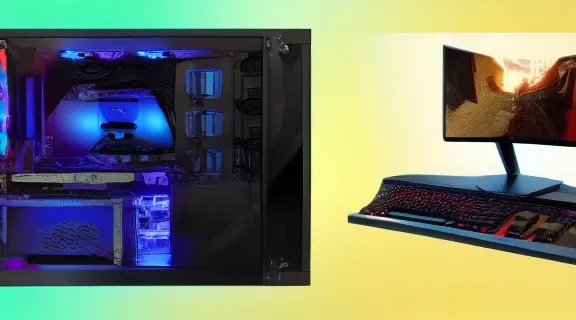
Best Gaming Setup: Build Your Ultimate Gaming PC Rig
Building a top-tier gaming setup is more than just acquiring a powerful PC; it’s about creating an immersive environment where every click, every visual, and every sound contributes to an unparalleled gaming experience. Whether you're a competitive esports player demanding split-second reaction times or a visual enthusiast seeking breathtaking fidelity, understanding the core components of the best gaming setup is crucial. This guide will walk you through the essential hardware and considerations needed to construct a high-performance gaming haven.
Understanding the Core Components of a Gaming Setup
A comprehensive gaming setup consists of several interconnected parts, each playing a vital role in delivering performance and immersion. These range from the internal components of your gaming PC to the external peripherals that facilitate interaction and display.
The Gaming PC: Heart of the Operation
The computer itself is the most critical element. Its performance dictates the games you can play, the graphical settings you can achieve, and the overall fluidity of your experience.
Central Processing Unit (CPU)
The CPU is often referred to as the "brain" of your computer. It handles all the instructions and calculations that drive your games. For gaming, a powerful CPU ensures that your game logic, AI, and physics calculations are processed quickly, preventing bottlenecks that can lead to stuttering or reduced frame rates, especially in CPU-intensive games like real-time strategy titles or large-scale multiplayer environments.
- Key Considerations: Clock speed, core count, and thread count are important. Higher clock speeds generally mean faster processing for individual tasks, while more cores and threads allow the CPU to handle multiple processes simultaneously, which is beneficial for modern games and multitasking.
- Recommendations: For most gamers, Intel Core i5/i7 or AMD Ryzen 5/7 processors offer an excellent balance of performance and price. Enthusiasts might opt for Intel Core i9 or AMD Ryzen 9 series for maximum power.
Graphics Processing Unit (GPU)
The GPU is arguably the most important component for visual performance in gaming. It renders the images you see on your screen, determining your ability to play games at higher resolutions and with advanced graphical features like ray tracing.
- Key Considerations: VRAM (Video RAM) is crucial for handling high-resolution textures and complex scenes. The GPU's architecture and clock speeds directly impact its rendering power.
- Recommendations: NVIDIA GeForce RTX series and AMD Radeon RX series are the primary choices. The specific model will depend on your budget and performance targets (e.g., 1080p, 1440p, or 4K gaming).
Random Access Memory (RAM)
RAM is your computer's short-term memory. It stores data that your CPU needs quick access to, such as game assets, operating system processes, and background applications. Insufficient RAM can lead to performance issues and longer loading times.
- Key Considerations: Capacity (measured in GB) and speed (measured in MHz) are paramount. For modern gaming, 16GB is the minimum recommended, with 32GB becoming increasingly common for demanding titles and future-proofing.
- Recommendations: DDR4 or DDR5 RAM, depending on your motherboard compatibility, with speeds of 3200MHz or higher.
Storage (SSD/NVMe)
Fast storage significantly reduces game loading times and improves the responsiveness of your entire system. Solid State Drives (SSDs), particularly NVMe SSDs, are vastly superior to traditional Hard Disk Drives (HDDs) for gaming.
- Key Considerations: Read/write speeds and capacity. NVMe SSDs offer the fastest performance, while SATA SSDs are still a significant upgrade over HDDs.
- Recommendations: A 1TB NVMe SSD is a good starting point for your operating system and frequently played games. You can supplement this with a larger SATA SSD or HDD for less demanding titles or media storage.
Motherboard
The motherboard is the central hub that connects all your PC components. It needs to be compatible with your chosen CPU, RAM, and other hardware, while also offering sufficient expansion slots and features.
- Key Considerations: Chipset compatibility, socket type (e.g., LGA 1700 for Intel, AM5 for AMD), RAM slots, M.2 slots for NVMe SSDs, and connectivity options (USB ports, Wi-Fi, Ethernet).
- Recommendations: Choose a motherboard that supports your CPU and offers the connectivity and features you need without overspending. Brands like ASUS, Gigabyte, and MSI are reputable.
Power Supply Unit (PSU)
The PSU provides power to all your components. It's crucial to have a PSU with enough wattage to reliably support your system, especially under load, and a good efficiency rating (e.g., 80+ Bronze, Gold, Platinum) to ensure stable power delivery and save on energy costs.
- Key Considerations: Wattage and efficiency rating. Always choose a PSU with more wattage than your estimated system draw to ensure headroom and longevity.
- Recommendations: Use a PSU calculator to estimate your system's power needs and select a unit from a reputable brand like Corsair, Seasonic, or EVGA.
Case and Cooling
The PC case houses all your components and plays a role in airflow and aesthetics. Effective cooling is essential to prevent components from overheating, which can lead to performance throttling and reduced lifespan.
- Key Considerations: Airflow, fan support, radiator support (for liquid cooling), and component clearance. CPU coolers can be air-based (heatsinks and fans) or liquid-based (AIO coolers).
- Recommendations: Choose a case with good ventilation and consider aftermarket fans or an AIO cooler for high-performance CPUs.
Essential Peripherals for an Enhanced Gaming Experience
Beyond the PC itself, peripherals are your gateway to interacting with your games and fully immersing yourself in the virtual world.
Gaming Monitor
The monitor is your window into the game. Its specifications significantly impact visual clarity, responsiveness, and immersion.
Resolution and Refresh Rate
- Resolution: Determines the sharpness and detail of the image. Common resolutions include 1080p (Full HD), 1440p (QHD), and 4K (UHD). Higher resolutions require a more powerful GPU.
- Refresh Rate: Measured in Hertz (Hz), this indicates how many times per second the screen updates its image. A higher refresh rate (e.g., 144Hz, 240Hz) results in smoother motion and is crucial for fast-paced games.
Response Time and Panel Type
- Response Time: Measured in milliseconds (ms), this is how quickly a pixel can change color. Lower response times (1ms is ideal) reduce motion blur and ghosting.
- Panel Type:
- TN (Twisted Nematic): Fastest response times, but poorer color reproduction and viewing angles.
- IPS (In-Plane Switching): Excellent color accuracy and viewing angles, good response times.
- VA (Vertical Alignment): Good contrast ratios and color, but can have slower response times than TN or IPS.
Adaptive Sync Technology
Technologies like NVIDIA G-Sync and AMD FreeSync synchronize the monitor's refresh rate with your GPU's frame rate, eliminating screen tearing and reducing stuttering for a smoother visual experience.
Gaming Keyboard
Your primary input device for most PC games. Keyboards vary in switch types, form factors, and features.
Switch Types
- Mechanical Switches: Offer tactile feedback, audible clicks, and durability. Popular types include Cherry MX (Red for linear, Brown for tactile, Blue for clicky) and their equivalents from other manufacturers.
- Membrane Switches: Quieter and often less expensive, but generally offer less precise feedback and durability.
Form Factors and Features
- Full-size: Includes a numeric keypad.
- TKL (Tenkeyless): Omits the numeric keypad for a smaller footprint.
- 60%/65%/75%: Further reduction in size, removing function keys and navigation clusters.
- Features: Backlighting (RGB), dedicated media keys, macro programmability, and N-key rollover (ensures all key presses are registered simultaneously).
Gaming Mouse
Precision and comfort are paramount for gaming mice.
Sensor and DPI
- Sensor: The optical or laser sensor determines the mouse's accuracy and tracking capabilities. High-quality sensors offer consistent performance.
- DPI (Dots Per Inch): Refers to the mouse's sensitivity. Higher DPI allows for quicker cursor movement across the screen with less physical movement of the mouse. Gamers often adjust DPI on the fly for different games or situations.
Ergonomics and Buttons
- Ergonomics: Mice come in various shapes and sizes to suit different grip styles (palm, claw, fingertip) and hand sizes.
- Buttons: Beyond the standard left and right click, gaming mice often feature programmable side buttons for in-game actions, quick access to abilities, or communication.
Gaming Headset
Audio is a critical, often overlooked, component of a gaming setup. A good headset provides immersive soundscapes and clear communication.
Sound Quality and Surround Sound
- Stereo vs. Surround Sound: While many headsets offer virtual surround sound (e.g., 7.1), the quality can vary. High-fidelity stereo can sometimes be preferable to poorly implemented surround sound.
- Audio Drivers: The size and quality of the audio drivers influence the richness and clarity of the sound.
Microphone and Comfort
- Microphone: For multiplayer games, a clear, noise-canceling microphone is essential for effective team communication.
- Comfort: Over-ear designs with plush earcups and an adjustable headband are crucial for long gaming sessions.
Optimizing Your Gaming Environment
Beyond hardware, the physical space and setup of your gaming station play a significant role in comfort, performance, and immersion.
Ergonomics and Desk Setup
A well-designed desk setup reduces physical strain and improves focus.
Desk Choice
- Size: Ensure the desk is large enough to accommodate your monitor(s), keyboard, mouse, and PC, with ample space for comfortable arm movement.
- Height: The ideal desk height allows your arms to rest at roughly a 90-degree angle when typing or using the mouse.
- Cable Management: Look for desks with built-in cable management solutions or implement your own to keep the space tidy and reduce distractions.
Chair Comfort
Investing in a comfortable, ergonomic gaming chair is vital for long-term health and enjoyment. Look for adjustable lumbar support, armrests, and seat height.
Lighting and Ambiance
Proper lighting can enhance immersion and reduce eye strain.
- Ambient Lighting: Soft, indirect lighting behind your monitor (bias lighting) can reduce perceived screen brightness differences, making it easier on the eyes.
- RGB Lighting: Many gamers incorporate RGB lighting into their setup for aesthetic appeal, synchronizing lights with their PC or peripherals. While primarily cosmetic, it can contribute to the overall atmosphere.
Acoustics and Noise Management
Minimizing external noise and managing internal PC noise can significantly improve focus and immersion.
- Room Acoustics: Consider sound-dampening materials if your room has significant echo.
- PC Noise: Ensure your PC fans are clean and properly configured for quiet operation. Liquid cooling can sometimes offer quieter performance than high-RPM air coolers.
Building Your Best Gaming Setup: A Step-by-Step Approach
Constructing your ideal gaming setup involves careful planning and component selection.
- Define Your Budget: Determine how much you're willing to spend. This will guide your choices for every component, from the PC itself to peripherals.
- Identify Your Gaming Needs:
- What types of games do you play most often (e.g., esports, AAA titles, strategy)?
- What resolution and refresh rate are you targeting (1080p, 1440p, 4K)?
- Do you need features like high refresh rates, HDR, or ray tracing?
- Select Your Core PC Components: Based on your budget and needs, choose your CPU, GPU, RAM, storage, motherboard, PSU, and case. Research compatibility between components.
- Choose Your Monitor: Match the monitor's resolution, refresh rate, and response time to your GPU's capabilities and your gaming preferences.
- Select Input Devices: Pick a keyboard and mouse that feel comfortable and suit your gaming style.
- Get a Quality Headset: Prioritize clear audio and a good microphone for communication.
- Optimize Your Environment: Set up your desk ergonomically, manage cables, and consider lighting for the best experience.
- Test and Tune: Once assembled, test your system with demanding games. Monitor temperatures and frame rates, and adjust settings as needed.
Common Configurations and Price Points
The "best gaming setup" varies widely based on budget and desired performance. Here are some general tiers:
| Tier | Target Resolution/Refresh Rate | Key Components (Examples) | Estimated Cost (PC Only) |
|---|---|---|---|
| Entry-Level | 1080p @ 60-75Hz | Intel Core i3/Ryzen 3, NVIDIA GTX 1650/AMD RX 6500 XT, 16GB RAM | $600 – $900 |
| Mid-Range | 1080p @ 144Hz / 1440p @ 60-75Hz | Intel Core i5/Ryzen 5, NVIDIA RTX 3060/RX 6700 XT, 16-32GB RAM | $900 – $1,500 |
| High-End | 1440p @ 144Hz+ / 4K @ 60Hz | Intel Core i7/Ryzen 7, NVIDIA RTX 4070/RX 7800 XT, 32GB RAM | $1,500 – $2,500 |
| Enthusiast | 4K @ 120Hz+ / High Refresh Rate | Intel Core i9/Ryzen 9, NVIDIA RTX 4080/4090/RX 7900 XTX, 32-64GB RAM | $2,500+ |
Note: Prices are estimates and can fluctuate significantly based on market conditions, sales, and specific component choices.
Frequently Asked Questions
What is the single most important component for a gaming setup?
The single most important component for a gaming setup is the Graphics Processing Unit (GPU). While a balanced system is key, the GPU is directly responsible for rendering game visuals, determining your ability to play games at higher resolutions and with better graphical fidelity.
How much RAM do I need for modern gaming?
For modern gaming, 16GB of RAM is generally considered the minimum requirement. However, 32GB of RAM is increasingly becoming the sweet spot, offering smoother performance in demanding titles, better multitasking capabilities, and future-proofing for upcoming games.
Should I prioritize refresh rate or resolution for my gaming monitor?
The priority between refresh rate and resolution depends on the types of games you play. For fast-paced esports titles where smooth motion and quick reactions are crucial, a high refresh rate (144Hz+) is more important. For visually stunning single-player games where immersion and detail are paramount, a higher resolution (1440p or 4K) might be preferred, provided your GPU can handle it.
Is a mechanical keyboard really better for gaming?
Mechanical keyboards are often preferred by gamers due to their superior tactile feedback, durability, and responsiveness. The distinct feel and actuation of mechanical switches can lead to more precise inputs and a more satisfying typing experience, which many gamers find beneficial for competitive play.
Conclusion: Your Gateway to Gaming Excellence
Building the best gaming setup is a journey of understanding your needs and selecting the right components to meet them. By focusing on a powerful CPU and GPU, sufficient RAM, fast storage, and a high-quality monitor, you lay the foundation for an exceptional gaming experience. Complement these core elements with comfortable peripherals and an optimized environment, and you’ll be well on your way to achieving peak performance and unparalleled immersion in your favorite virtual worlds. Start planning your ultimate gaming setup today and unlock a new level of play.
