




Description
Who it’s for
The G305 is aimed squarely at the player who wants wireless that does not feel like a compromise, and does not want to spend three figures to get it. At $29.99 at the time of writing, it sits at the bottom of Logitech’s wireless gaming range while carrying the same LIGHTSPEED radio and a HERO sensor, both of which also appear in mice several times the price.
It suits shooter and MOBA players on a budget, students who move a laptop between desks, and anyone replacing an aging wired office mouse with something that tracks properly. The symmetrical shell is on the small side of medium, so it favors claw and fingertip grips and smaller to average hands; a large-handed palm gripper will likely want something with more rear height.
Where it makes less sense is the MMO or productivity crowd. Six buttons total means two thumb buttons, and there is no tilt wheel or sniper button. If your binds run past that, this is the wrong mouse regardless of price.
Design and build
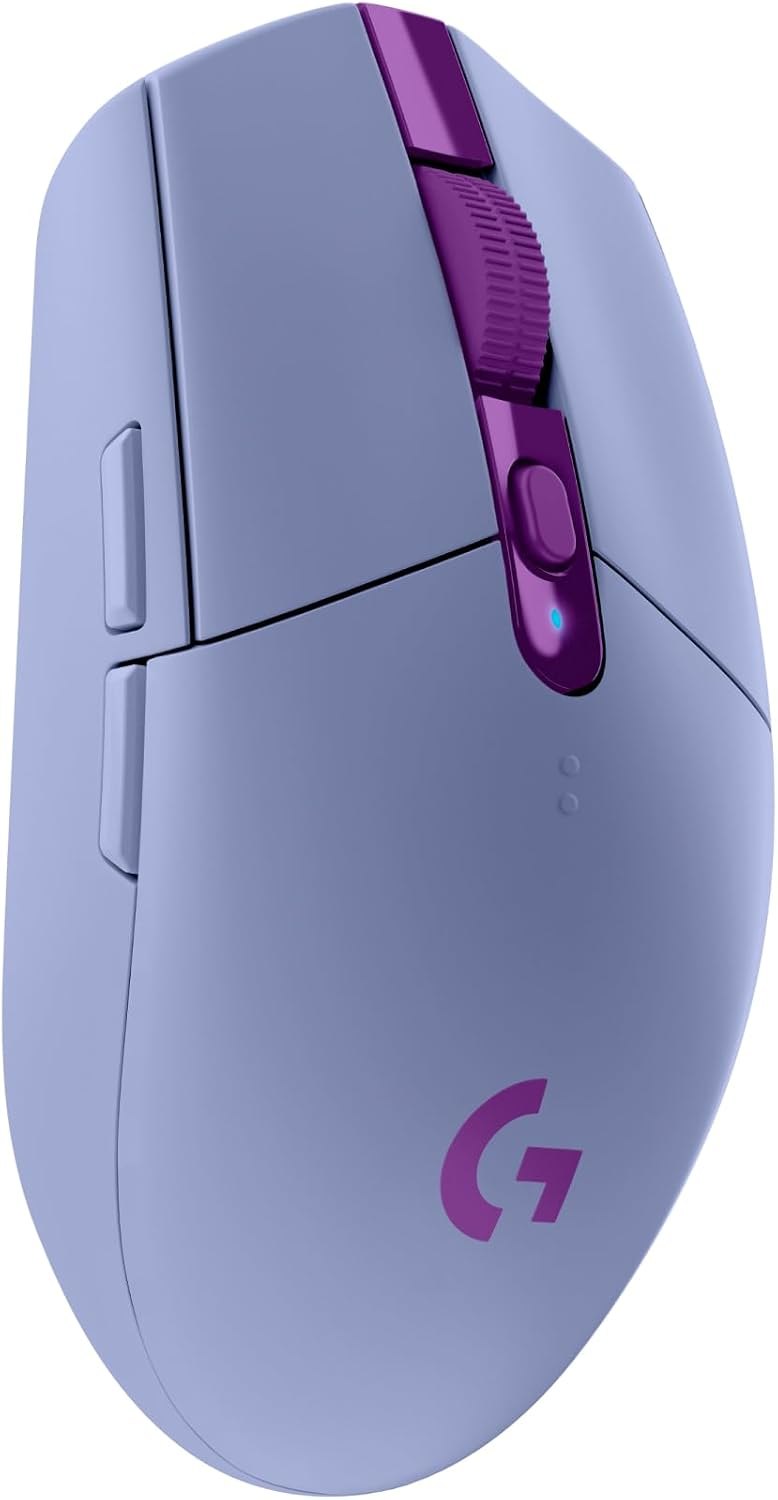
The shape is a scaled-down classic Logitech symmetrical design with a mild rear hump and gentle side flares. Both side buttons live on the left, so despite the ambidextrous label this is a right-handed layout in practice: left-handed users get a comfortable shell but lose the thumb buttons.
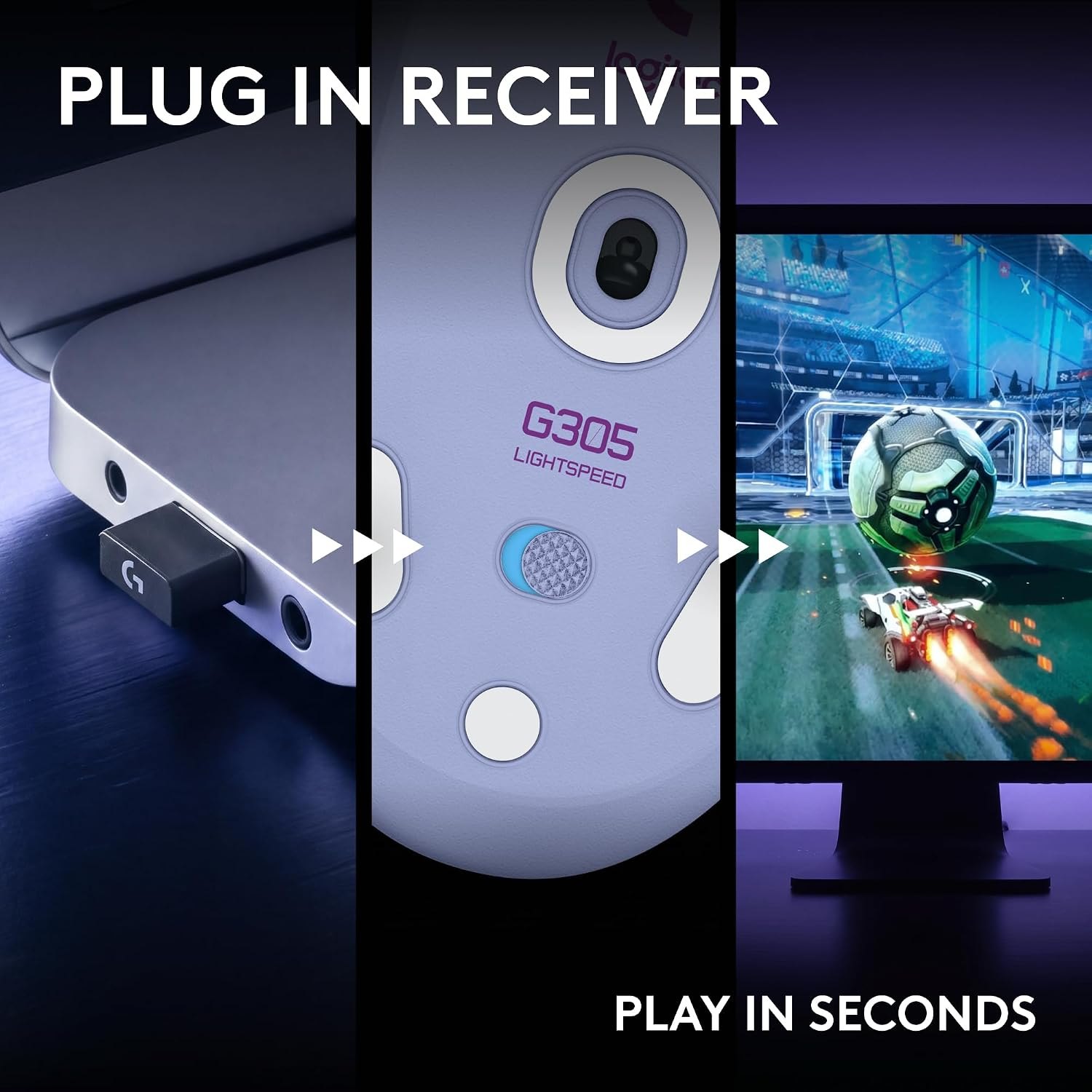
The standout practical touch is the nano receiver bay under the top shell. The dongle clips in alongside the AA battery, so the mouse and its receiver travel as one object. Anyone who has lost a 2.4 GHz dongle in a laptop bag will appreciate that more than the Lilac finish, which is a flat pastel rather than a gloss.
Build is plain and that is the point. There is no RGB beyond a status LED, no magnetic side panels, no weight system. The listing describes it as a durable, compact design, and at this price the sensible expectation is competent plastics and a conventional pair of main switches rather than anything exotic. Owners report it holds up well; the usual long-term complaint on mice in this class is click behavior after heavy use, so treat the switches as the component most likely to show wear.
What the specs tell us
The HERO sensor is the headline. Logitech rates it to 12,000 DPI and 400 IPS, and claims up to ten times the power efficiency of the previous generation. The DPI ceiling is marketing noise since almost nobody plays above 3,200, but the 400 IPS tracking speed is the number that matters for low-sensitivity players who make big arm swipes, and it is comfortably above what most people generate.
LIGHTSPEED delivers a 1 ms report rate, which is the same effective polling as a wired 1000 Hz connection. On paper there is nothing here that should cost you a duel. Range is listed at 1.0 meter, which is a desk-scale figure rather than a couch-gaming one, so if you plan to use this from a sofa expect to run the receiver on an extension cable closer to the mouse.
Power is where the trade-off lives. One AA gives a quoted 250 hours of continuous gameplay, and G HUB’s Endurance mode stretches that to as much as nine months of lighter use. The 3.4 oz weight is measured with the battery in, which is the honest way to quote it and still puts the G305 among the lighter wireless options around this money.
Living with it
Day to day, the AA cell is both the best and worst thing about owning this mouse. There is no charging cable and no dead-mouse-mid-match scenario as long as you keep a spare in a drawer; swapping takes seconds. Against that, you are buying batteries, or buying rechargeable AAs, and there is no USB-C fallback if you are caught without one.
G HUB handles DPI steps, button remapping and Endurance mode, and the settings store onboard, so you can configure the mouse once and then leave the software uninstalled. Many owners do exactly that. Buyers rate the mouse 4.6 out of 5 across more than 40,000 ratings, which is a strong consensus for a product at this price and usually indicates few nasty surprises out of the box.
The compact footprint means it disappears into a laptop sleeve. For anyone splitting time between a desk setup and a travel setup, the combination of light weight, stored receiver and no charging cable is a genuinely practical package rather than a spec sheet win.
Value for money
At $29.99 at the time of writing, the G305 is doing something unusual: it shares its core radio technology and sensor family with mice that cost four or five times as much, and it gives up mostly convenience features to get there. No rechargeable cell, no Bluetooth, no extra buttons, no RGB.
Those omissions are the right ones for a performance budget. Spending more typically buys you a rechargeable battery, a lighter shell, optical switches and sometimes a higher polling rate, none of which change whether your crosshair lands where you aimed it.
Color variants like this Lilac one can sit above or below the standard black depending on stock, so it is worth comparing SKUs before checkout rather than assuming the finish is free.
Alternatives
The Logitech G203 is the wired sibling at a lower price: pick it if you never move the mouse and would rather put the savings elsewhere, accepting a cable and an older sensor. The Razer Viper V3 HyperSpeed is the step up for competitive players, with a rechargeable-free AA design of its own but a lighter shell and higher polling options at roughly double the money. The Logitech G502 X is the choice if the six-button limit is the dealbreaker, trading the G305’s low weight for a much richer button layout and a sculpted right-handed shape.
The bottom line
The G305 is one of the clearest value propositions in PC peripherals: proper low-latency wireless and a capable sensor for the price of a dinner out. The AA battery and the thin button count are real limitations, but they are limitations you can see coming rather than discoveries you make a month in. For most players shopping under $40 for a wireless mouse, this is the default recommendation to beat.
.gap-review{margin:2.5rem 0 0}.gap-review h2{font-size:1.5rem;margin:0 0 1.25rem}.gap-verdict{background:#0E1A2B;color:#fff;border-radius:16px;padding:1.5rem 1.75rem}.gap-verdict__head{display:flex;gap:1.25rem;align-items:center}.gap-score{margin:0;width:84px;height:84px;border-radius:50%;background:#FF5A1F;color:#fff;display:flex;flex-direction:column;align-items:center;justify-content:center;font-weight:800;font-size:1.9rem;line-height:1}.gap-score small{font-size:.7rem;font-weight:600;opacity:.85}.gap-eyebrow{margin:0 0 .35rem;text-transform:uppercase;letter-spacing:.08em;font-size:.75rem;font-weight:700;color:#FF5A1F}.gap-verdict__line{margin:0;font-size:1.125rem;line-height:1.45}.gap-proscons{display:grid;grid-template-columns:1fr 1fr;gap:1.25rem 2rem;margin-top:1.5rem;padding-top:1.25rem;border-top:1px solid rgba(255,255,255,.15)}.gap-proscons h3{margin:0 0 .6rem;font-size:.9rem;text-transform:uppercase;letter-spacing:.05em;color:inherit}.gap-proscons ul{list-style:none;margin:0;padding:0}.gap-proscons li{position:relative;padding-left:1.6em;margin:0 0 .45em}.gap-proscons li::before{position:absolute;left:0;top:0;font-weight:800}.gap-pros li::before{content:’+’;color:#4ADE80}.gap-cons li::before{content:’2013′;color:#F87171}.gap-specs,.gap-faq{margin-top:2rem}.gap-specs h3,.gap-faq h3{font-size:1.2rem;margin:0 0 .75rem}.gap-specs table{width:100%;border-collapse:collapse;font-size:.95rem}.gap-specs th,.gap-specs td{text-align:left;padding:.65rem .9rem;border-bottom:1px solid #E2E8F0;vertical-align:top}.gap-specs th{width:38%;background:#F4F6F9}.gap-faq details{border:1px solid #E2E8F0;border-radius:10px;padding:0 1rem;margin:0 0 .6rem}.gap-faq summary{cursor:pointer;padding:.85rem 0;font-weight:600}.gap-cta{margin-top:2rem;padding:1.25rem 1.5rem;background:#F4F6F9;border-radius:16px;display:flex;flex-wrap:wrap;gap:.75rem;align-items:center}.gap-btn{display:inline-block;padding:.85em 1.5em;border-radius:10px;font-weight:600;text-decoration:none!important;background:#FF5A1F;color:#fff!important}.gap-btn–secondary{background:transparent;color:#0E1A2B!important;border:2px solid #E2E8F0}.gap-disclosure,.gap-note{font-size:.875rem;color:#4A5568;margin:.75rem 0 0}@media(max-width:640px){.gap-proscons{grid-template-columns:1fr}}
Logitech G305 LIGHTSPEED Wireless Gaming Mouse review
8.4/10
madagear.com verdict
Buy it if you want proven low-latency wireless under $30 and do not mind an AA battery; skip it if you need rechargeable internals, more than six buttons, or a dedicated left-handed shape.
What we like
- LIGHTSPEED wireless with a 1 ms report rate, not a generic 2.4 GHz dongle
- HERO 12K optical sensor rated to 400 IPS and 12,000 DPI
- 3.4 oz with the battery in, light for a wireless mouse at this price
- 250 hours of play per AA, up to 9 months in Endurance mode
- Receiver stores inside the shell, so it travels with a laptop well
- Ambidextrous symmetrical shape works for claw and fingertip grips
What we don’t
- AA battery instead of a rechargeable cell; no USB-C charging
- Six buttons total, so no thumb cluster for MMO-style binds
- No RGB beyond the single status LED
- Ambidextrous shell still places both side buttons on the left
Specs at a glance
| Brand | Logitech G |
|---|---|
| Model | G305 Lightspeed |
| Color | Lilac |
| Connectivity | LIGHTSPEED wireless, 1 ms report rate |
| Sensor | HERO optical, up to 12,000 DPI |
| Tracking speed | 400 IPS |
| Weight | 3.4 oz |
| Buttons | 6 |
| Hand orientation | Ambidextrous |
| Power | 1 AA battery (included), up to 250 hours |
| Battery average life | 9 months in Endurance mode |
| Compatibility | Windows, macOS |
Frequently asked questions
Is the G305 actually wireless enough for competitive play?
Logitech quotes a 1 ms report rate over its LIGHTSPEED protocol, which is the same polling interval as a wired 1000 Hz mouse. On paper there is no latency penalty worth worrying about for shooters. The practical limit is the dongle placement rather than the protocol.
Does the AA battery make it feel heavy?
The listed 3.4 oz figure is with the battery installed, which puts it in the same range as many lightweight wired mice. Some owners swap the alkaline cell for a lighter lithium AA to shave a few grams. The weight sits slightly rear of center because of where the battery bay is.
Can I use it without installing software?
It works as a plug-and-play mouse once the receiver is in a USB port. You need Logitech G HUB to remap buttons, change DPI steps or switch on Endurance mode. Settings are stored on the mouse, so you can configure it once and then uninstall.
Does it work with a Mac?
The listing covers Windows and macOS, and the receiver is a standard USB-A nano dongle. On a modern Mac you will likely need a USB-A adapter or hub. G HUB has a macOS build if you want to remap buttons.
At the time of writing it lists at $29.99, which covers the mouse, the nano receiver and the included AA battery; color variants like this Lilac one often drift above or below the standard black price depending on stock. Price and availability checked on 2026-11-14.
madagear.com is reader-supported. When you buy through links on our site we may earn an affiliate commission, at no extra cost to you. This never affects what we recommend.



Reviews
There are no reviews yet.