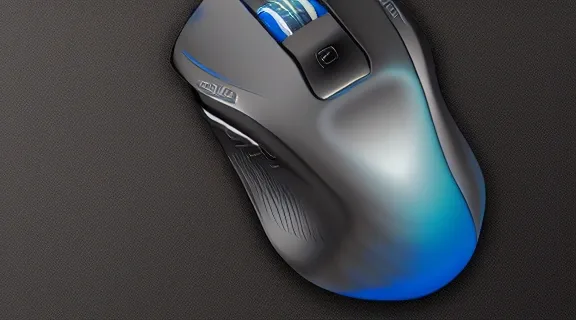
Best Gaming Mouse: Top Picks for Every Player
Choosing the best gaming mouse is crucial for unlocking your full potential in any game. A responsive, comfortable, and feature-rich mouse can mean the difference between a clutch victory and a frustrating defeat. This guide dives deep into the top contenders, evaluating their performance metrics, ergonomic designs, and overall value to help you find the perfect peripheral for your gaming needs.
Why Your Gaming Mouse Matters
The right gaming mouse isn't just about aesthetics; it's a fundamental tool that directly impacts your in-game performance. A high-quality mouse offers precision, speed, and comfort, allowing for faster reaction times and more accurate aiming. Factors like sensor accuracy, polling rate, button responsiveness, and grip comfort all contribute to a superior gaming experience.
Sensor Performance: The Heart of Accuracy
The sensor is arguably the most critical component of a gaming mouse. It determines how precisely the mouse tracks your movements across the mousepad.
- DPI (Dots Per Inch): This refers to the mouse's sensitivity. Higher DPI means the cursor moves further on screen with less physical mouse movement. While high DPI can be useful, it's not always better; consistency and accuracy are more important. Many professional gamers use lower DPI settings for greater control.
- IPS (Inches Per Second): This indicates the maximum speed at which the mouse can track your movements accurately. A higher IPS rating means the sensor can keep up with very rapid flicks and movements without losing tracking.
- Polling Rate (Hz): This measures how often the mouse reports its position to your computer. A higher polling rate (e.g., 1000Hz) results in smoother cursor movement and lower input lag, which is vital for fast-paced games.
Ergonomics and Grip Styles
Comfort is paramount, especially during long gaming sessions. The shape and size of a mouse should complement your hand size and preferred grip style.
- Palm Grip: The entire palm rests on the mouse, with fingers lying flat on the buttons. This grip style favors larger, more contoured mice.
- Claw Grip: The palm rests on the back of the mouse, with the fingers arched to click the buttons. This allows for quick button actuations and is often used by competitive gamers. Mice with a pronounced hump at the rear are suitable for this grip.
- Fingertip Grip: Only the fingertips touch the mouse, with the palm hovering above. This grip offers maximum agility and is best suited for smaller, lighter mice.
Weight and Build Quality
Mouse weight affects how easily you can maneuver it. Lighter mice generally allow for quicker flicks and less fatigue, while heavier mice can feel more stable. Build quality ensures durability and a premium feel, preventing creaks and flex during intense gameplay.
Top Gaming Mouse Picks for 2024
We've tested and compiled a list of the best gaming mice available, categorized by their strengths to help you make an informed decision.
1. Best All-Around: Logitech G Pro X Superlight
The Logitech G Pro X Superlight has become a benchmark for lightweight, high-performance wireless gaming mice. It strikes an exceptional balance between an incredibly low weight, reliable wireless technology, and a comfortable, ambidextrous design.
- Sensor: HERO 25K optical sensor, known for its precision and power efficiency.
- Weight: Under 63 grams, making it one of the lightest wireless options.
- Connectivity: Lightspeed wireless technology offers near-zero latency.
- Ergonomics: Simple, minimalist design that accommodates various grip styles.
- Battery Life: Excellent, often lasting weeks on a single charge.
This mouse is a favorite among esports professionals for its unfussy design and top-tier performance, making it a superb choice for competitive players who demand the best.
2. Best for FPS: Razer DeathAdder V3 Pro
The Razer DeathAdder V3 Pro refines an already legendary design, offering an incredibly lightweight and ergonomic shape optimized for first-person shooter games. Its advanced sensor and optical switches provide unparalleled responsiveness.
- Sensor: Focus Pro 30K Optical Sensor, delivering exceptional accuracy and tracking.
- Weight: Around 63 grams (wireless version), extremely light for its size.
- Connectivity: Razer HyperSpeed Wireless for lag-free performance.
- Ergonomics: Contoured shape designed for right-handed users, promoting comfort during long sessions.
- Switches: Optical Mouse Switches Gen-3, eliminating double-clicking issues and offering lightning-fast actuation.
Its comfortable shape and cutting-edge technology make it a top contender for gamers who prioritize precision aiming and endurance.
3. Best Budget Option: SteelSeries Rival 3
For gamers on a tighter budget, the SteelSeries Rival 3 offers impressive performance and features that rival much more expensive mice. It provides a solid entry point into quality gaming peripherals without breaking the bank.
- Sensor: TrueMove Core optical sensor, delivering reliable tracking.
- Weight: Around 77 grams, a respectable weight for its class.
- Connectivity: Wired USB, ensuring a stable connection.
- Ergonomics: Symmetrical design suitable for both left and right-handed users and various grip styles.
- Durability: Built to last with durable materials.
While not as feature-rich as premium options, the Rival 3 provides excellent value and performance for casual to intermediate gamers.
4. Best for MMO/MOBA: Razer Naga V2 Pro
The Razer Naga V2 Pro is designed for players who need a multitude of programmable buttons for complex commands in MMORPGs and MOBAs. Its versatility and advanced features cater to genre-specific needs.
- Sensor: Focus Pro 30K Optical Sensor.
- Weight: Heavier due to the extra buttons, around 134 grams.
- Connectivity: Tri-mode connectivity (wired, 2.4GHz wireless, Bluetooth).
- Ergonomics: Ergonomic right-handed design with interchangeable side plates featuring different button layouts (e.g., 12-button grid).
- Switches: Optical Mouse Switches Gen-3 for durability and speed.
The interchangeable side plates offer unparalleled customization, allowing players to tailor the button layout to their specific game and preferences.
5. Best Lightweight Wireless: Finalmouse UltralightX
Finalmouse is renowned for pushing the boundaries of lightweight design, and the UltralightX is their latest testament to this. It offers an extreme focus on minimizing weight for ultimate agility.
- Sensor: High-performance optical sensor, typically top-tier.
- Weight: Often among the lightest on the market, sometimes dipping below 50 grams.
- Connectivity: Advanced wireless technology, often proprietary for minimal latency.
- Ergonomics: Often features a more minimalist, perhaps less contoured, design to save weight.
- Build: Utilizes advanced materials and construction techniques to achieve its low weight.
This mouse is ideal for players who believe that less weight equals better performance, particularly in fast-paced FPS titles where rapid movements are key.
6. Best Ergonomic Wired: ROCCAT Kone Pro
The ROCCAT Kone Pro aims to provide exceptional comfort and performance in a wired package, often featuring a unique, ergonomic shape. It balances a comfortable grip with responsive technology.
- Sensor: Owl-Eye optical sensor, known for its accuracy.
- Weight: Typically in the mid-range, balancing comfort and agility.
- Connectivity: Wired USB for consistent performance.
- Ergonomics: Distinctive ergonomic shape designed to fit naturally in the hand, reducing strain.
- Switches: Titan optical switches for fast, durable clicks.
It's a great option for those who prefer a wired connection and a mouse that feels sculpted for their hand.
7. Best Compact/Travel: Logitech MX Anywhere 3S
While not strictly a "gaming" mouse, the Logitech MX Anywhere 3S is an excellent compact option for mobile gamers or those with smaller desks. Its portability and advanced features make it versatile.
- Sensor: Darkfield high precision sensor, works on virtually any surface including glass.
- Weight: Very lightweight and small form factor.
- Connectivity: Bluetooth Low Energy or Logi Bolt USB receiver.
- Ergonomics: Compact, sculpted shape for comfort in smaller hands or for travel.
- Features: Multi-device connectivity, quiet clicks, and electromagnetic scroll wheel.
Its portability and advanced tracking make it a surprisingly capable mouse for gaming on the go, though it may lack the extreme polling rates or button customization of dedicated gaming mice.
Key Features to Consider
When selecting your best gaming mouse, look beyond the brand name and consider these critical features.
Mouse Feet (Skates)
The material and design of the mouse feet significantly impact glide.
- PTFE (Teflon): The most common and preferred material for gaming mice due to its low friction and smooth glide.
- Hybrid Materials: Some mice use blends or different thicknesses of PTFE for a unique feel.
- Aftermarket Skates: Many enthusiasts opt for third-party skates made from virgin PTFE or ceramic for even better glide and durability.
Cable (for Wired Mice)
The cable on a wired mouse can affect its feel, potentially creating drag.
- Braided Cables: Durable but can be stiff and add drag.
- Rubber Cables: More flexible but can still cause friction.
- Paracord-like Cables: Lightweight and flexible, minimizing drag to mimic a wireless experience.
Software and Customization
Most gaming mice come with software that allows for extensive customization.
- Button Remapping: Assign macros, shortcuts, or specific in-game actions to mouse buttons.
- DPI Settings: Fine-tune sensitivity levels and create profiles for different games.
- RGB Lighting: Customize lighting effects to match your setup.
- Surface Calibration: Some sensors can be calibrated to your specific mousepad for optimal tracking.
Wired vs. Wireless
The debate between wired and wireless gaming mice continues, but modern wireless technology has largely closed the performance gap.
- Wired:
- Pros: Generally cheaper, no battery concerns, zero latency.
- Cons: Cable drag can be annoying, less freedom of movement.
- Wireless:
- Pros: Ultimate freedom of movement, no cable drag, modern wireless tech is lag-free.
- Cons: More expensive, requires battery charging/replacement, potential for interference (though rare with good tech).
Gaming Mouse Comparison Table
Here's a quick overview of how some of our top picks stack up:
| Feature | Logitech G Pro X Superlight | Razer DeathAdder V3 Pro | SteelSeries Rival 3 | Razer Naga V2 Pro |
|---|---|---|---|---|
| Type | Wireless | Wireless | Wired | Wireless/Wired |
| Weight (approx.) | ~63g | ~63g | ~77g | ~134g |
| Sensor | HERO 25K | Focus Pro 30K | TrueMove Core | Focus Pro 30K |
| Ergonomics | Ambidextrous | Right-handed | Ambidextrous | Right-handed |
| Best For | All-around, Esports | FPS, Ergonomics | Budget | MMO/MOBA |
| Price Range | Premium | Premium | Budget | High-End |
Frequently Asked Questions
What is the ideal DPI for a gaming mouse?
There is no single "ideal" DPI for all gamers. Many professional esports players prefer lower DPI settings (400-1600) for maximum precision and control, especially in FPS games. Higher DPI can be useful for navigating large monitors or for games that require quick cursor movements across the screen. Ultimately, the best DPI is the one that feels most comfortable and accurate for your personal playstyle and the specific game you're playing.
How important is mouse weight for gaming?
Mouse weight is a significant factor, especially for fast-paced games like First-Person Shooters. Lighter mice (under 70 grams) generally allow for quicker flicks, easier micro-adjustments, and reduced fatigue during long gaming sessions. However, some players prefer a heavier mouse for a more stable feel. It's a matter of personal preference and playstyle, but the trend in competitive gaming is towards lighter mice.
Do I need a special mousepad for my gaming mouse?
While a gaming mouse will function on most surfaces, a dedicated gaming mousepad is highly recommended for optimal performance. Gaming mousepads are designed with specific surfaces (cloth or hard) and textures to provide consistent glide and accurate tracking for your mouse's sensor. They also offer a larger surface area than standard office mousepads, allowing for greater freedom of movement.
What's the difference between optical and laser sensors in gaming mice?
Modern gaming mice almost exclusively use optical sensors. Optical sensors use an LED light to track movement across a surface, offering excellent accuracy and performance on most mousepads. Laser sensors use a laser beam, which can track on a wider variety of surfaces, including glossy or transparent ones. However, laser sensors can sometimes suffer from "acceleration" issues, where cursor speed changes independently of your physical movement, making them less ideal for precision gaming than optical sensors.
Conclusion: Find Your Perfect Pointer
Selecting the best gaming mouse ultimately comes down to balancing performance, comfort, and your specific gaming needs. Whether you prioritize feather-light agility for rapid FPS engagements, a plethora of buttons for complex MMO strategies, or simply a comfortable, reliable pointer for all your gaming adventures, there's a mouse out there for you. Consider your grip style, the games you play most, and your budget to make the most informed choice.
Experiment with different options if possible, and focus on what feels best in your hand. The right gaming mouse is an investment that can significantly enhance your gaming experience and performance.
