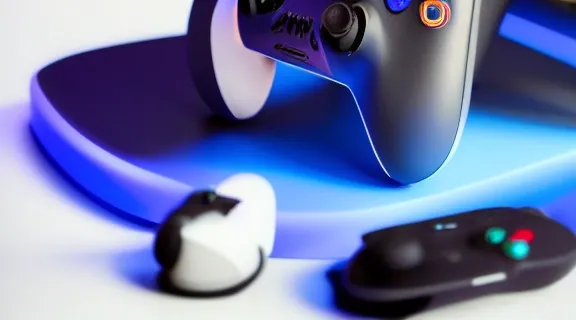
PS5 Xbox Controller Charging Station: Top Picks for Seamless Gaming
Maintaining fully charged controllers is essential for uninterrupted gaming sessions. A dedicated PS5 Xbox controller charging station offers a streamlined solution, ensuring your gamepads are always ready for action while keeping your gaming space tidy. This guide explores the benefits, key features, and top recommendations for charging stations compatible with both PlayStation 5 DualSense and Xbox Series X|S/Xbox One controllers.
Why a Dedicated Charging Station is Essential for PS5 and Xbox Controllers
Reliance on USB cables for charging often leads to cluttered setups, inconvenient charging times, and controllers with low battery just when you need them most. A purpose-built charging station addresses these issues, providing a superior experience for serious gamers.
Convenience and Organization
Charging stations eliminate the tangle of multiple cables. Instead of searching for the right cable and a vacant USB port, you simply dock your controllers. This not only declutters your gaming area but also provides a designated home for your gamepads, making them easy to find and access. Many stations also feature sleek designs that complement your console setup, enhancing the aesthetic of your entertainment center.
Optimized Charging
Dedicated stations are designed to deliver optimal power to your controllers. They often feature specific charging cradles that align perfectly with the controller's charging ports, ensuring a secure connection every time. This precision charging helps prevent wear and tear on the controller's ports that can occur from repeatedly plugging and unplugging cables. Some advanced stations also incorporate smart charging technologies to deliver power efficiently.
Prolonged Battery Life
Many high-quality charging stations include built-in overcharge protection. This crucial feature prevents your controller's battery from being damaged by receiving too much power, which can degrade battery health over time. By intelligently cutting off power once a full charge is reached, these stations help extend the overall lifespan of your controller's internal battery (for PS5 DualSense) or rechargeable battery packs (for Xbox controllers), saving you money on replacements in the long run.
Key Features to Look for in a PS5 Xbox Controller Charging Station
Selecting the right charging station involves considering several factors beyond just compatibility. The best stations offer a combination of functionality, design, and protective features.
Compatibility
The primary consideration is ensuring the station is compatible with your specific controllers.
- PS5 DualSense: These controllers utilize a USB-C charging port, and most dedicated PS5 stations feature a proprietary charging contact system on the bottom of the controller for drop-in charging.
- Xbox Series X|S / Xbox One: Xbox controllers primarily use AA batteries or rechargeable battery packs. Charging stations for Xbox controllers typically come with specific rechargeable battery packs and battery covers that allow for drop-in magnetic or contact charging.
- Hybrid/Universal: For gamers owning both consoles, a hybrid station that supports both PS5 and Xbox controllers, often with separate cradles or interchangeable adapters, is ideal.
Charging Speed and Technology
Charging speed is crucial for minimizing downtime. Look for stations that advertise fast charging capabilities, often leveraging USB-C power delivery or optimized current output.
- Drop-and-Charge: The most convenient stations allow you to simply place the controller into a cradle, where magnetic or contact pins connect automatically.
- Magnetic Adapters: Some stations use small magnetic adapters that plug into the controller's USB-C port (for PS5) or micro-USB (for older Xbox controllers), allowing for easy magnetic attachment to the charging dock.
Indicator Lights
Clear LED indicator lights are a standard and highly practical feature. These lights typically display the charging status (e.g., red for charging, green or blue for fully charged). This visual feedback allows you to quickly ascertain if your controllers are ready for use without needing to pick them up or turn on your console.
Design and Footprint
A charging station should not only be functional but also aesthetically pleasing and fit well within your gaming setup.
- Sleek Profile: Consider stations with a low profile or compact design to minimize clutter.
- Material Quality: Durable materials, often ABS plastic with rubberized feet, provide stability and longevity.
- Cable Management: Some designs incorporate channels or wraps for the power cable, further contributing to a tidy setup.
Overcharge Protection
As mentioned, overcharge protection is vital for battery longevity. This feature automatically stops charging once the controller battery reaches full capacity, preventing damage from continuous trickle charging. It's a hallmark of a well-engineered charging station.
Additional Features
Some charging stations offer extra functionalities that enhance their value:
- Extra USB Ports: Useful for charging other accessories like headsets, phones, or even extra controllers via cable.
- Headset Stand: Integrated stands for gaming headsets save desk space and keep your headset readily accessible.
- Storage for Game Discs/Accessories: More elaborate stations might include slots for game cases or small compartments for thumb grips.
Understanding Controller Battery Types: PS5 vs. Xbox
The fundamental difference in how PS5 and Xbox controllers handle power significantly impacts the design and functionality of their respective charging stations.
PS5 DualSense Integrated Battery
The PlayStation 5 DualSense controller features a built-in, non-removable lithium-ion battery. This design means that charging stations for the DualSense typically interface directly with the controller's dedicated charging contacts located on the bottom of the gamepad, bypassing the USB-C port for simple drop-in charging. This method is streamlined and efficient, designed specifically for the DualSense's internal power source. The capacity of the DualSense battery is 1560 mAh, offering several hours of gameplay on a full charge, though actual duration varies with haptic feedback and adaptive trigger usage.
Xbox Controller Battery Options
Xbox controllers, including the latest Series X|S models, offer more flexibility in their power source. By default, they run on two AA batteries. This allows users to either replace spent AAs or upgrade to rechargeable AA batteries.
However, for charging stations, the most common approach involves rechargeable battery packs. These proprietary packs replace the AA batteries and the standard battery cover, allowing the controller to be placed on a charging dock. These packs often feature metal contacts that align with pins on the charging station, enabling a simple drop-and-charge mechanism. Many third-party Xbox charging stations come bundled with two such rechargeable battery packs and corresponding battery covers to facilitate this system. The capacity of these rechargeable packs can vary, but they generally aim to provide similar or extended playtime compared to standard AA batteries.
Top PS5 Controller Charging Stations
For PlayStation 5 owners, several excellent charging stations are available, ranging from official accessories to highly-rated third-party alternatives.
Official Sony DualSense Charging Station
Sony's own DualSense Charging Station is designed to perfectly complement the PS5 console and controllers.
- Seamless Integration: It mirrors the aesthetic of the PS5, offering a clean, unified look.
- Direct Charging: Utilizes the controller's bottom charging contacts, freeing up the console's USB ports.
- Dual Charging: Capable of charging two DualSense controllers simultaneously.
- Fast Charging: Provides a charging speed comparable to connecting directly to the PS5 console.
- Overcharge Protection: Built-in safeguards protect controller batteries.
This official option is often the safest bet for guaranteed compatibility and quality, though it may come at a slightly higher price point than some third-party options. It's a straightforward, reliable choice for those who prioritize brand consistency and peace of mind.
Third-Party PS5 Charging Stations
Many reputable accessory manufacturers offer alternatives that can provide additional features or a more budget-friendly option.
- Enhanced Design: Some third-party stations offer unique designs, different color options, or integrated ambient lighting.
- Additional Functionality: Features like extra USB ports, headset stands, or even cooling fans for the console (in more elaborate setups) are sometimes integrated.
- Magnetic Charging: Some use magnetic dongles that plug into the DualSense's USB-C port, allowing for magnetic drop-in charging, which can be convenient for users who prefer not to use the bottom contacts.
- Compact Footprint: Certain designs prioritize a smaller footprint, ideal for tighter spaces.
When considering third-party options, always check reviews for reliability, charging speed, and long-term durability. Ensure they explicitly state compatibility with the PS5 DualSense controller and offer similar overcharge protection features.
Top Xbox Controller Charging Stations
Xbox gamers have a wide array of charging stations designed specifically for their controllers, almost always incorporating rechargeable battery packs.
Official Xbox Play & Charge Kit (Stand-alone battery pack)
While not a "station" in the traditional sense, the official Xbox Play & Charge Kit is crucial for understanding Xbox charging. It consists of a rechargeable battery pack and a USB-C cable.
- Seamless Fit: The battery pack fits perfectly into the Xbox controller's battery compartment.
- Charge While Playing: Allows you to charge the controller via USB-C while still using it.
- Reliable Performance: Offers consistent battery life and integrates perfectly with Xbox controllers.
This kit is often the foundation for many third-party charging stations, which provide the docking functionality for these types of battery packs.
Third-Party Xbox Charging Stations with Battery Packs
The market for Xbox charging stations is robust, largely driven by the need for rechargeable battery solutions.
- Bundled Battery Packs: Most third-party stations come with two rechargeable battery packs and corresponding battery covers that have the necessary charging contacts. These packs replace the standard AA batteries.
- Magnetic Drop-In Charging: Many stations feature magnetic contacts, allowing you to simply place the controller on the dock for charging, which is highly convenient.
- LED Indicators: Standard LED indicators show charging status for each controller.
- Dual Charging: Almost all Xbox charging stations are designed to charge two controllers simultaneously.
- Variety in Design: Options range from minimalist stands to more elaborate docks that might include storage or other features.
When selecting an Xbox charging station, prioritize those that include high-quality rechargeable battery packs with good capacity and a reputation for reliability. Ensure the included battery covers fit snugly and securely on your specific Xbox controller model (Series X|S controllers are slightly different from Xbox One controllers).
Hybrid PS5 Xbox Controller Charging Stations: The Best of Both Worlds
For multi-console gamers, a hybrid charging station that accommodates both PS5 DualSense and Xbox controllers offers unparalleled convenience and organization. These stations are designed to cater to the distinct charging mechanisms of each controller type within a single unit.
Advantages of a Universal Station
- Space-Saving: Instead of having two separate charging docks, a single unit streamlines your setup, reducing clutter around your TV or desk.
- Unified Aesthetic: Many universal stations aim for a neutral or sleek design that doesn't clash with either console's aesthetic.
- Cost-Effective (Potentially): While some premium hybrid stations might be more expensive than two individual basic stations, they can offer better value by combining features and reducing the need for multiple power outlets.
- Simplified Power Management: A single power source for both types of controllers simplifies your cable management.
Specific Features for Hybrid Use
Hybrid stations must address the inherent differences in PS5 and Xbox controller charging.
- Dedicated Cradles: These stations will typically feature distinct cradles or slots – one set designed for the PS5 DualSense (utilizing its bottom contacts) and another set for Xbox controllers (requiring their specific rechargeable battery packs and contact points).
- Interchangeable Adapters: Some innovative designs might use interchangeable magnetic adapters, allowing you to outfit your PS5 controller with one type and your Xbox controller with another, then dock them onto a universal magnetic charging pad.
- Separate Charging Circuitry: Good hybrid stations will have independent charging circuits for each controller type, ensuring optimal and safe power delivery to both, irrespective of their different battery chemistries and charging requirements.
- Clear Indicators: Multiple LED indicators are even more crucial here, clearly showing the charging status for each individual controller being docked, regardless of its console origin.
When evaluating a hybrid PS5 Xbox controller charging station, pay close attention to the quality of the included Xbox rechargeable battery packs and covers, as these are critical components for the Xbox side of the charging equation. Verify that the PS5 side uses the official charging contacts for reliable operation.
Installation and Setup: Getting Started with Your Charging Station
Setting up your new PS5 Xbox controller charging station is typically a straightforward process, but a few considerations can ensure optimal performance from the start.
Unboxing and Placement
Carefully unbox your charging station and all its components. Before connecting anything, decide on the best location.
- Proximity to Console: Place it close enough to your console or TV where your controllers are typically used, but also consider proximity to a power outlet.
- Stable Surface: Ensure the surface is flat and stable to prevent accidental knocks or falls.
- Ventilation: While charging stations don't generate significant heat, good airflow is always beneficial.
- Aesthetics: Position it where it complements your existing gaming setup.
Connecting Power
Most charging stations are powered via a USB cable or a dedicated AC adapter.
- USB Power: If powered by USB, you can often plug it directly into a spare USB port on your console (PS5 or Xbox) or a dedicated USB wall adapter. Using a wall adapter is often preferred as it can provide consistent power without relying on the console being on.
- AC Adapter: If it comes with an AC adapter, plug it into a wall outlet. Ensure the adapter's voltage and current match the station's requirements.
- Cable Management: Route the power cable neatly to avoid tripping hazards and maintain a clean look. Use cable ties if necessary.
First Use Considerations
Once powered, you're ready to charge your controllers.
- Xbox Controllers: If your station came with rechargeable battery packs, first open the battery compartment of your Xbox controllers, remove any AA batteries, and insert the new rechargeable packs. Replace the battery cover with the one provided by the charging station manufacturer, ensuring the charging contacts are exposed and aligned.
- PS5 DualSense: Simply align the DualSense controller with the charging cradle and gently place it down. You should feel a slight click or secure seating.
- Verify Charging: Observe the LED indicator lights on the charging station and/or the controllers themselves (e.g., the light bar on the DualSense) to confirm that charging has begun.
- Initial Charge: For new controllers or battery packs, it's often recommended to perform a full initial charge before extensive use to help calibrate the battery's charge cycle.
Maintaining Your Charging Station and Controllers
Proper care and maintenance will extend the life of your charging station and help keep your controllers in prime condition.
Cleaning Practices
- Regular Dusting: Dust can accumulate in charging ports and on contact points, potentially hindering connections. Use a soft, dry cloth or a can of compressed air to gently remove dust from the station and controller contact points.
- Avoid Liquids: Never spray cleaning solutions directly onto the charging station or controllers. If necessary, lightly dampen a cloth with water or a mild electronic cleaner and wipe surfaces carefully. Ensure everything is completely dry before re-connecting power or controllers.
- Clean Contacts: For persistent connection issues, use a cotton swab lightly dampened with isopropyl alcohol to clean the metal contact points on both the charging station and the controllers. Allow it to dry completely.
Battery Health Best Practices
- Avoid Deep Discharges: While modern lithium-ion batteries are resilient, consistently running them down to 0% before recharging can stress the battery. Aim to recharge when the battery indicator shows low, rather than waiting until it dies.
- Utilize Overcharge Protection: Rely on your charging station's overcharge protection. Once fully charged, it's generally safe to leave controllers on the dock, as the station should cease charging.
- Moderate Temperatures: Avoid charging or storing controllers in extreme hot or cold environments, as this can degrade battery performance and lifespan.
Troubleshooting Common Issues
- Controller Not Charging:
- Check power connection: Ensure the charging station is properly plugged into a live outlet or console port.
- Verify contact: Make sure the controller is seated correctly in the cradle and the charging contacts are making firm connection. For Xbox, ensure the battery pack is installed correctly with the right cover.
- Clean contacts: Dust or debris on the metal contacts can prevent charging.
- Test another controller: If you have another controller, try charging it to determine if the issue is with the station or a specific controller.
- Slow Charging:
- Check power source: If using a console USB port, ensure it's providing sufficient power. A dedicated wall adapter might offer faster charging.
- Cable quality: If the station uses a detachable cable, try a different high-quality cable.
By following these simple maintenance tips, your PS5 Xbox controller charging station will continue to provide reliable service, and your gamepads will remain ready for countless hours of immersive gameplay.
PS5 Xbox Controller Charging Station Comparison Overview
Choosing between different charging stations often comes down to specific needs and priorities. Here's a conceptual overview of common types and their typical characteristics.
| Feature | Basic Dual PS5 Station | Basic Dual Xbox Station | Premium Hybrid Station |
|---|---|---|---|
| Controller Type(s) | 2x PS5 DualSense | 2x Xbox (Series X | S/One) |
| Power Source | USB-C cable / AC adapter | USB-C cable / AC adapter | AC adapter (often higher power) |
| Charging Method | Drop-in (bottom contacts) | Drop-in (battery pack contacts) | Drop-in (mixed methods) |
| Included Batteries | N/A (PS5 has internal) | 2x Rechargeable Xbox battery packs | 2x Rechargeable Xbox battery packs |
| LED Indicators | Yes, for each controller | Yes, for each controller | Yes, for each controller |
| Overcharge Protect. | Standard | Standard | Standard |
| Extra Features | Minimal (sometimes basic LED) | Minimal (sometimes basic LED) | USB ports, headset stand, robust design |
| Footprint | Compact | Compact | Often larger, more integrated |
| Typical Cost | Mid-range | Mid-range | Higher-end |
| Best For | Dedicated PS5 gamers | Dedicated Xbox gamers | Multi-console owners, organized setups |
Frequently Asked Questions
Can I use a PS5 charging station for Xbox controllers, or vice-versa?
No, PS5 charging stations are specifically designed for the DualSense controller's unique bottom charging contacts, and Xbox charging stations require specific rechargeable battery packs and covers for Xbox controllers. Their charging mechanisms are entirely different and incompatible.
Do charging stations damage controller batteries over time?
Reputable charging stations include overcharge protection, which prevents damage by stopping power flow once the battery is full. Using such a station correctly can actually help prolong battery life compared to constantly trickle-charging with a cable or letting batteries completely drain.
Are the rechargeable battery packs for Xbox controllers universal across all models?
Rechargeable battery packs for Xbox controllers are generally compatible with Xbox One, Xbox Series X, and Xbox Series S controllers. However, the battery covers that come with these packs are model-specific due to slight differences in the controller's back casing, so ensure you use the correct cover for your controller.
How long does it take for a controller to fully charge on a station?
Charging times vary depending on the controller's battery capacity, the station's power output, and the battery's current charge level. Typically, a fully depleted PS5 DualSense or Xbox controller with a rechargeable pack will take approximately 2.5 to 4 hours to reach a full charge.
Conclusion
A dedicated PS5 Xbox controller charging station is more than just an accessory; it's an investment in convenience, organization, and the longevity of your valuable gaming equipment. By understanding the distinct needs of both PS5 and Xbox controllers and carefully considering features like compatibility, charging technology, and protective measures, you can select the perfect station to keep your gamepads fully charged and your gaming space perfectly tidy. Upgrade your setup today and ensure you're always ready for your next adventure.
