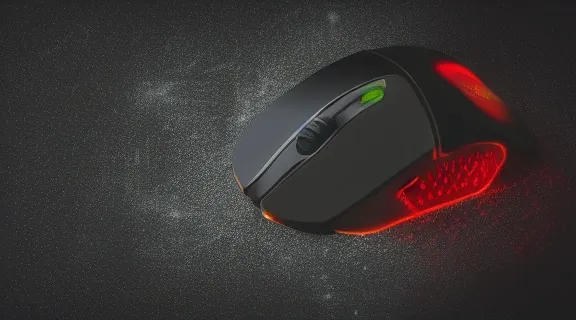
Gaming Mouse Precision: Unlock Your Accuracy & Dominate
Achieving peak gaming mouse precision is no longer an unattainable dream for casual players. It's the bedrock upon which competitive success is built, directly impacting your ability to aim accurately, track targets smoothly, and execute rapid maneuvers. This guide will dissect the critical components that contribute to superior precision, helping you understand what to look for and how to select a gaming mouse that elevates your gameplay from competent to conquering.
Understanding the Pillars of Gaming Mouse Precision
Gaming mouse precision isn't a single feature but a synergy of several key technological and design elements. Understanding how each contributes is crucial for making an informed decision.
Sensor Technology: The Heart of Accuracy
The sensor is arguably the most critical component for gaming mouse precision. It's responsible for translating your physical hand movements into digital signals on screen.
DPI (Dots Per Inch) Explained
DPI, or Dots Per Inch, refers to the mouse's sensitivity. A higher DPI means the cursor moves further on the screen with a smaller physical movement of the mouse. While high DPI can feel responsive, it's not always the sole indicator of precision. Excessive DPI can lead to jittery cursor movement and make fine adjustments difficult. Many professional gamers opt for lower DPI settings combined with high in-game sensitivity for a balance of control and speed.
Polling Rate: The Smoothness Factor
Polling rate, measured in Hertz (Hz), indicates how often the mouse reports its position to the computer per second. Common polling rates include 125Hz, 500Hz, and 1000Hz. A higher polling rate (e.g., 1000Hz) means the mouse communicates its position more frequently, resulting in smoother cursor movement and reduced input lag. For precision-focused gaming, a polling rate of at least 500Hz is recommended, with 1000Hz being the industry standard for competitive play.
IPS (Inches Per Second) and Acceleration
- IPS: This metric measures the maximum speed at which a mouse can be moved before the sensor starts to lose tracking. A higher IPS rating (e.g., 400+ IPS) ensures that even during rapid flicks or quick swipes, the sensor can keep up without losing accuracy.
- Acceleration: Mouse acceleration, when enabled, increases cursor speed based on how quickly you move the mouse. While it can help cover large distances quickly, it often hinders consistent aiming because the cursor's distance traveled on screen doesn't directly correlate to the physical distance moved. Most precision-oriented gamers disable mouse acceleration in both their operating system and in-game settings for predictable control.
Mouse Design and Ergonomics: Comfort for Control
Beyond raw technology, the physical design of a gaming mouse plays a vital role in maintaining precision, especially during extended gaming sessions.
Grip Styles and Their Impact
- Palm Grip: The entire hand rests on the mouse, providing stability. This grip is generally comfortable for long sessions but can limit fine motor control for precise aiming.
- Claw Grip: The palm rests on the back of the mouse, with the fingers arched to click. This offers a good balance of stability and dexterity, allowing for more precise movements than a palm grip.
- Fingertip Grip: Only the fingertips touch the mouse, with the palm hovering above. This grip offers the highest degree of fine motor control and quick adjustments, ideal for precision aiming, but can be less comfortable for extended periods.
Choosing a mouse that accommodates your preferred grip style is paramount. Features like contoured sides, textured grips, and optimal button placement can significantly enhance comfort and control, directly contributing to better precision.
Weight and Balance
The weight of a gaming mouse affects how easily it can be moved and controlled. Lighter mice are easier to flick and reposition quickly, which is beneficial for fast-paced games. However, some players find heavier mice offer more stability for deliberate, precise movements. Many modern gaming mice offer adjustable weights, allowing you to fine-tune the balance to your preference.
Build Quality and Durability
A high-quality gaming mouse, built with premium materials and robust switches, ensures consistent performance over time. Cheaply made mice can develop issues like button chatter or sensor drift, degrading precision. Look for mice with durable plastic construction, reliable scroll wheels, and responsive, long-lasting switch mechanisms (often rated for millions of clicks).
Top Features for Enhanced Gaming Mouse Precision
Several specific features can directly translate into improved accuracy and responsiveness.
Omron Switches and Similar High-Performance Buttons
The microswitches beneath the mouse buttons are crucial for tactile feedback and click registration. Omron switches are renowned for their durability, crisp actuation, and consistent performance. Many high-end gaming mice utilize Omron switches or similar equivalents, ensuring that every click registers accurately and instantly, which is vital for split-second decisions in games.
Low-Latency Wireless Technology
Historically, wired mice were considered superior for gaming due to their inherent low latency. However, advancements in wireless technology have largely closed this gap. Modern gaming mice featuring proprietary low-latency wireless protocols (often using a USB dongle) offer performance on par with, or even exceeding, wired connections. This provides the freedom of wireless without compromising the precision and responsiveness needed for competitive play.
On-the-Fly DPI Switching
The ability to change DPI settings without interrupting gameplay is a valuable feature. Some games benefit from lower DPI for precise aiming during combat, while others might require higher DPI for navigating menus or quickly scanning the environment. Mice with dedicated DPI buttons or customizable profiles allow you to seamlessly switch sensitivities, adapting to different in-game scenarios for optimal precision.
Customizable Button Mapping
Beyond standard left and right clicks, gaming mice often feature additional programmable buttons. Mapping frequently used abilities, macros, or commands to these buttons can reduce hand strain and improve reaction time. This allows you to perform complex actions with a single click, keeping your focus on aiming and movement for enhanced precision.
Evaluating Mouse Sensors: What Matters Most
The sensor is the brain of your gaming mouse, and understanding its capabilities is key to unlocking precision.
Optical vs. Laser Sensors
- Optical Sensors: These are the most common type found in modern gaming mice. They use an LED light source and a small camera to track movement. Optical sensors generally perform best on mousepads and can struggle on highly reflective or uneven surfaces. They are known for their accuracy and lack of natural acceleration.
- Laser Sensors: These use a laser diode for illumination. Laser sensors can track on a wider variety of surfaces, including glass. However, they can sometimes suffer from inherent acceleration or "angle snapping" (where the mouse tries to correct movements into straight lines), which can be detrimental to precise aiming.
For pure gaming mouse precision, high-quality optical sensors are generally preferred by professional gamers due to their predictable tracking and lack of unwanted acceleration.
Lift-Off Distance (LOD)
Lift-off distance refers to how high you can lift the mouse off its surface before the sensor stops tracking movement. A lower LOD is crucial for precision. Gamers who frequently reposition their mouse by lifting it off the pad (common with low sensitivity settings) need a mouse that stops tracking as soon as it's lifted. This prevents unwanted cursor movement when setting up for a shot. Many gaming mice allow you to adjust the LOD through software.
Zero Smoothing and Jitter
Advanced optical sensors aim to provide a raw, unfiltered signal from the sensor. "Zero smoothing" means the mouse reports the sensor's data directly without applying any software algorithms that might artificially smooth out movement, which can introduce slight delays or inaccuracies. Similarly, minimizing "jitter" (random, erratic movements of the cursor) is vital for maintaining a stable aim. High-end sensors are engineered to deliver clean, precise tracking with minimal smoothing or jitter.
Ergonomics: The Foundation of Sustained Precision
Comfort isn't just about avoiding fatigue; it's about enabling consistent, precise movements over long periods.
Ambidextrous vs. Ergonomic Designs
- Ambidextrous Mice: These mice have a symmetrical design, making them suitable for both left-handed and right-handed users. They often feature buttons on both sides. While versatile, they may not offer the same level of tailored comfort as ergonomic designs.
- Ergonomic Mice: These are shaped to fit the natural contours of a specific hand (usually the right hand). They often feature sculpted grips, thumb rests, and specific button placements designed to reduce strain and improve control for that hand. For users who are not left-handed, an ergonomic mouse can provide a superior feel and grip for precision aiming.
Hand Size and Mouse Dimensions
The physical dimensions of a mouse relative to your hand size are critical.
- Small Hands: Tend to benefit from smaller, lighter mice that are easier to maneuver with fingertip or claw grips.
- Medium Hands: Can often use a wide range of mouse sizes and shapes, finding comfort in either ambidextrous or ergonomic designs.
- Large Hands: Typically prefer larger, more substantial mice that fill the palm and provide a secure grip, often suited for palm or relaxed claw grips.
It's essential to consider your hand size and preferred grip style when looking at a mouse's dimensions (length, width, and height) to ensure a comfortable and precise fit.
Button Placement and Actuation Force
The placement and accessibility of mouse buttons can significantly impact performance. Buttons should be easy to reach without accidental actuation, yet responsive when intentionally pressed. The actuation force required to press a button also plays a role; too light and you risk misclicks, too heavy and it can slow down rapid inputs. Many enthusiast mice offer adjustable actuation force or different switch options.
Software and Customization: Tailoring Your Mouse
The software that accompanies a gaming mouse is as important as the hardware itself for fine-tuning precision.
DPI Steps and Sensitivity Curves
Good gaming mouse software allows for granular control over DPI settings, often letting you define specific steps (e.g., 400, 800, 1600 DPI) that you can cycle through. More advanced software might offer sensitivity curve customization, allowing you to adjust how the mouse's sensitivity changes at different movement speeds, though this is a feature rarely used by precision-focused gamers.
Macro Recording and Assignment
The ability to record and assign complex sequences of keystrokes and mouse clicks to specific buttons (macros) can provide a significant advantage in certain games. This allows for faster execution of abilities or complex maneuvers, freeing up your hands and focus for aiming. However, be mindful of game-specific rules regarding macro usage, as some may consider them unfair.
Surface Calibration
Some high-end gaming mice offer surface calibration tools within their software. This feature allows the mouse to analyze the specific surface of your mousepad and optimize its tracking for that material. This can help mitigate issues like inconsistent tracking or variations in LOD caused by different pad textures.
Lighting and Profile Management
While RGB lighting is often a cosmetic feature, the ability to manage multiple profiles is functionally important. Different games, or even different situations within the same game, might benefit from different mouse settings (DPI, button assignments, etc.). Storing these configurations as separate profiles that can be easily switched allows you to quickly adapt your mouse to any scenario, enhancing your overall precision and effectiveness.
Choosing the Right Mouse for Your Game Genre
The type of games you play should heavily influence your choice of gaming mouse.
FPS (First-Person Shooter) Games
Precision is paramount in FPS games. Players typically require mice with:
- High-quality optical sensors: For accurate, predictable tracking.
- Adjustable, low DPI settings: For fine aiming control.
- Low LOD: To prevent unwanted cursor movement when lifting the mouse.
- Lightweight design: For quick flicks and target acquisition.
- Comfortable grip: For extended play and consistent control.
- Reliable, tactile switches: For instant firing and ability activation.
MOBA (Multiplayer Online Battle Arena) Games
MOBAs require a balance of responsiveness and button accessibility. Key features include:
- Good sensor performance: While extreme precision isn't as critical as in FPS, smooth tracking is still important.
- Programmable buttons: To map abilities, items, and pings for quick access.
- Comfortable grip: For long matches and frequent clicking.
- Moderate weight: A balance between maneuverability and stability.
RTS (Real-Time Strategy) Games
RTS games demand speed and efficiency in unit control and map navigation. Features to look for:
- High polling rate: For responsive unit selection and command execution.
- Durable, responsive buttons: For rapid clicking and issuing orders.
- Comfortable ergonomics: To reduce fatigue during prolonged play.
- Programmable buttons: To assign hotkeys for common actions or unit groups.
Maintaining Your Gaming Mouse for Optimal Precision
Even the best gaming mouse will degrade in performance if not properly maintained.
Cleaning Your Mouse
Dust and debris can accumulate on the sensor lens, feet (skates), and scroll wheel, impacting performance.
- Sensor: Gently clean the sensor lens with a dry microfiber cloth or a cotton swab dipped in isopropyl alcohol (ensure it dries completely before use).
- Feet: Wipe the mouse feet with a slightly damp cloth to remove any grime that could cause friction.
- Body: Use a dry or slightly damp microfiber cloth to clean the mouse’s exterior. Avoid harsh chemicals that could damage the finish or materials.
Mousepad Care
A clean mousepad is essential for consistent sensor tracking.
- Regularly brush or wipe down your mousepad to remove dust and debris.
- For fabric mousepads, follow the manufacturer’s instructions for washing. Typically, this involves gentle hand washing with mild soap and water, followed by air drying.
- Avoid using abrasive cleaners or machines that could warp the pad’s surface.
Software Updates
Keep your mouse’s firmware and accompanying software updated. Manufacturers often release updates to improve performance, fix bugs, or enhance features, all of which can contribute to maintaining optimal gaming mouse precision.
Frequently Asked Questions
What DPI is best for gaming precision?
The "best" DPI for gaming precision is subjective and depends on your playstyle, game genre, and mousepad size. Many professional FPS players prefer lower DPI settings (400-1600) combined with in-game sensitivity adjustments for maximum control. Higher DPIs can feel responsive but often introduce jitter and make fine adjustments harder without proper fine-tuning.
Is a wired or wireless mouse better for precision?
Modern wireless gaming mice with proprietary low-latency technology offer performance virtually indistinguishable from wired mice. The primary benefit of wireless is freedom of movement without a cable drag. For pure precision, ensure you choose a reputable gaming-grade wireless mouse that uses a dedicated USB dongle for its connection, rather than standard Bluetooth.
How does mouse acceleration affect precision?
Mouse acceleration introduces inconsistency because the cursor's on-screen distance traveled is not directly proportional to your physical hand movement. This makes muscle memory for aiming very difficult to build. For maximum precision and predictable aiming, it is highly recommended to disable mouse acceleration in both your operating system and your games.
What is a good lift-off distance (LOD) for precision gaming?
A low lift-off distance (LOD) is crucial for precision, especially for players who frequently reposition their mouse by lifting it. Aim for a mouse with an adjustable LOD, ideally one that can be set to 2mm or lower. This ensures the sensor stops tracking as soon as the mouse is lifted, preventing accidental cursor movement during aim adjustments.
Conclusion: Elevate Your Aim with the Right Mouse
Mastering gaming mouse precision is a journey that involves understanding the technology, ergonomics, and customization options available. By focusing on a high-quality sensor, a comfortable and controllable design, and software that allows for tailored settings, you can significantly enhance your accuracy and reaction times. Choose wisely, maintain your gear, and prepare to experience a new level of in-game performance.
