



Description
Who it’s for
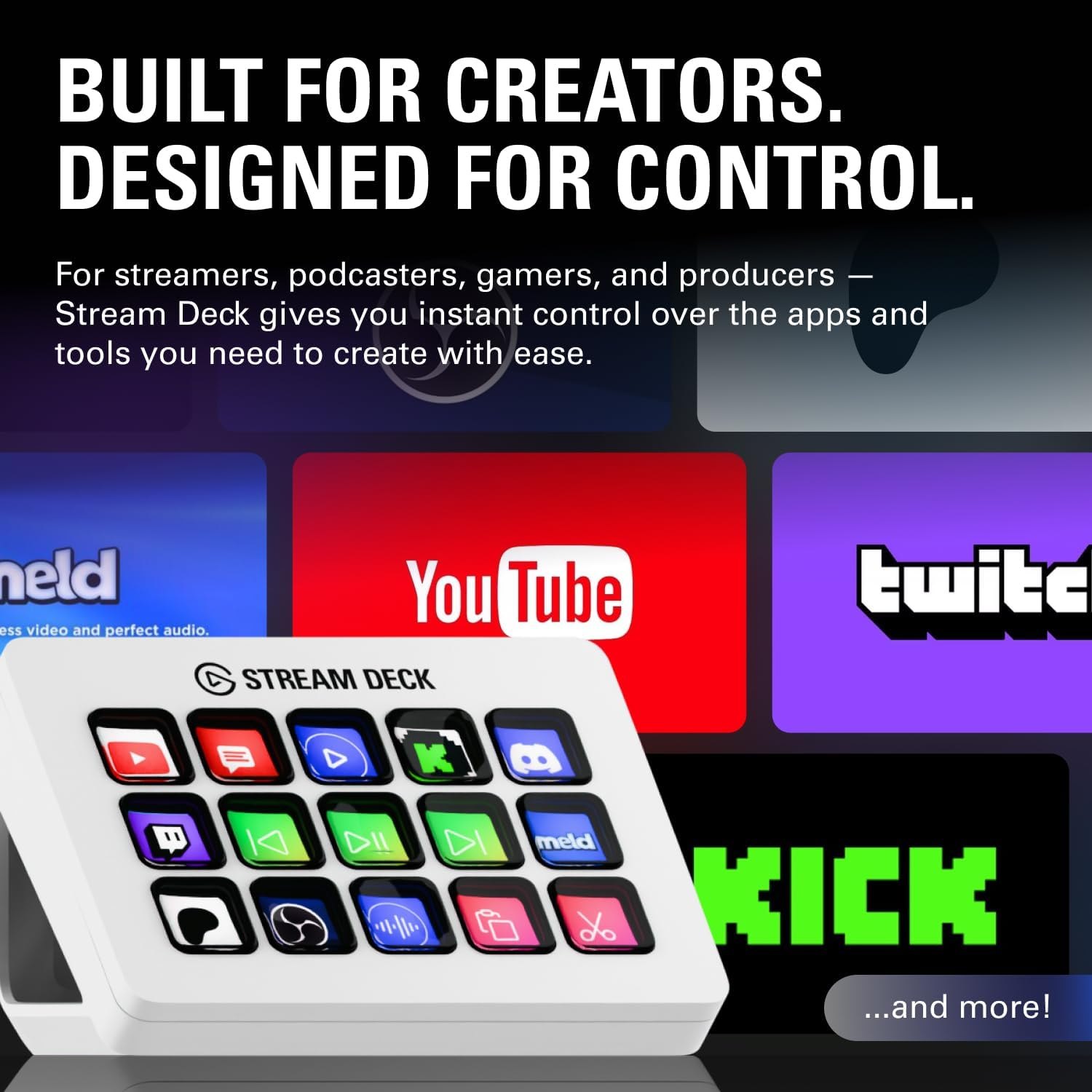
The Stream Deck MK.2 is aimed at anyone who runs a live production and needs their hands somewhere other than a keyboard shortcut cheat sheet. If you stream on Twitch or YouTube, switch OBS scenes mid-session, mute a mic while someone else is talking, or fire a stinger transition on cue, this is the hardware the whole category was built around. Fifteen keys with their own small LCD screens mean every button shows what it does, which removes the main failure mode of a normal macro pad: forgetting which blank key you assigned to what.
The second audience is quieter but probably larger. Elgato’s own bullets point at film editing, music production and photography workflows, and that is where a lot of these end up. If you spend your day in Premiere, DaVinci Resolve, Ableton or Lightroom repeating the same sequence of clicks, a physical key that collapses five steps into one is worth real time over a year. The same logic applies to anyone running a home office setup who wants one press to join a call, mute, and dim the lights.
Who should look elsewhere is equally clear. If your needs amount to four or five shortcuts in a single application, a programmable keypad at a quarter of the price covers it. The value here comes from breadth, not from the existence of macro keys.
Design and build
This is a small unit. At 118 x 84 x 30 mm it occupies roughly the footprint of a phone lying flat, and at 286 g with the stand attached it has enough mass to stay put when you press a key rather than skating across the desk. Drop the stand and it falls to 160 g, which matters if you plan to carry it between a studio and a laptop bag. The white version reviewed here is the same hardware as the black one, so the choice is purely about which looks less out of place next to your other gear.
The MK.2 generation’s meaningful change over the original is the detachable USB-C cable. Fixed cables are the most common way a device like this dies, and being able to swap one for a few dollars rather than replacing a $120 controller is a genuine longevity argument. The magnetic stand also adjusts its angle, which helps if the deck sits below eye level and you need to actually read the key icons.
Backlighting is listed as single color, so this is not a device for RGB-matched desk builds. In practice the keys themselves are lit LCD panels showing your chosen icons, so the deck is plenty visible in a dark room. It is worth knowing the limitation before buying on looks alone.
What the specs tell us
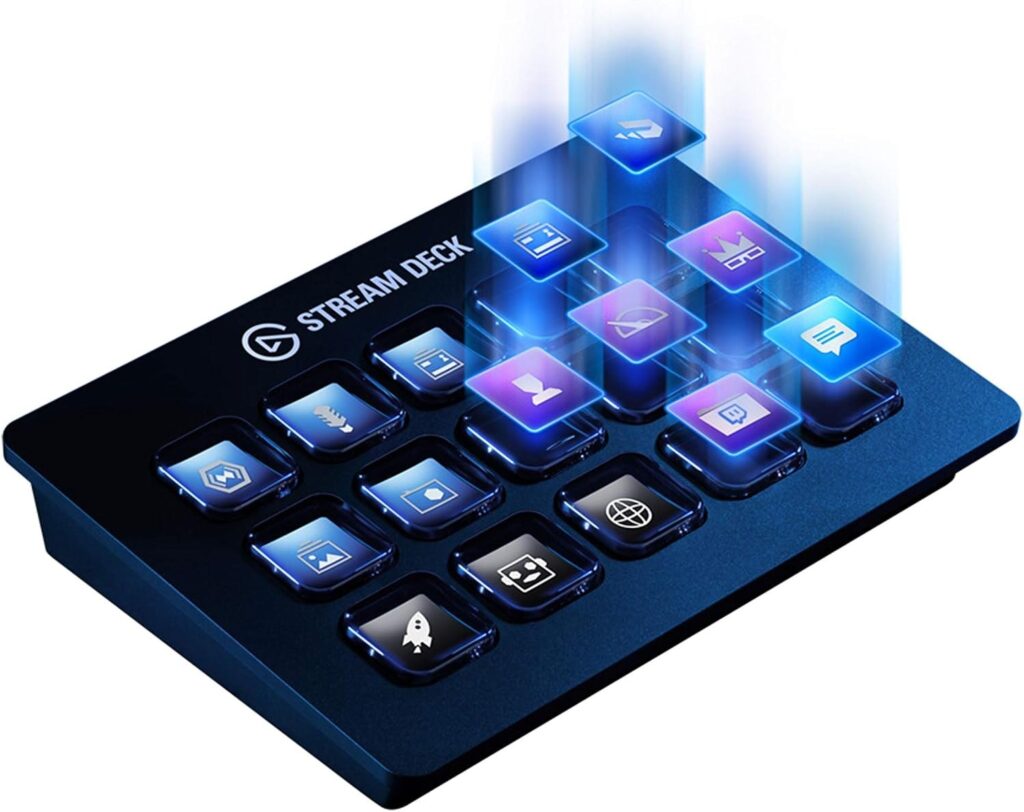
Each key runs at 72 x 72 pixels. That is small, but it is enough for a clear icon and a short text label, and it is the specification that separates this from every blank macro pad on the market. The screens update, so a key can reflect state rather than just trigger an action, showing whether a mic is live or a scene is active.
Connectivity is USB 2.0 over Type-C to Type-C. USB 2.0 sounds dated in 2026, but the data being pushed here is a handful of small images and button events, so bandwidth is not a constraint. It does mean you will need a USB-C port or an adapter, which is worth checking against an older desktop. The listing confirms laptop, PC and Mac compatibility, and the software is free on both platforms with no subscription attached.
The number that actually determines whether you will like this is 200+ plugins. Elgato calls out OBS, Twitch, YouTube, Discord, Spotify, Philips Hue and its own 4KCU capture hardware. Before buying, it is worth checking that the specific applications in your workflow are covered, because a key with no integration falls back to sending a plain hotkey, which works but loses the visual feedback that justifies the price.
Living with it
On paper the setup story is straightforward: plug in, install Stream Deck software, drag actions onto keys. The step that catches people out is the first hour of deciding what actually belongs on those fifteen keys, since the temptation is to fill them with things you will press twice. Owners generally report that the layout settles after a week of use into a smaller set of genuinely frequent actions.
Fifteen keys sounds limiting until you account for folders and profiles. A single key can open a nested page, and profiles can switch automatically based on the application in focus, so the deck shows editing controls in Resolve and stream controls in OBS without any manual change. That is how most heavy users get past the key count.
Buyer sentiment is strong. The listing shows a 4.8 rating from more than 2,400 ratings, which for a peripheral in this price bracket suggests the hardware does what it claims and the software holds up. At this price you would expect the physical keys to survive years of daily pressing, and the detachable cable removes the most common wear point.
Value for money
At the time of writing it sells for $119.99. Measured as dollars per key that looks poor, and it is more than many complete mechanical keyboards cost. Measured as a tool that removes repeated friction from paid work, the arithmetic changes quickly, and anyone billing for their time will recover it fast.
The honest counterpoint is that the value is entirely conditional on how much you use it. For a streamer going live several times a week, or an editor cutting daily, it pays for itself. For someone who streams once a month, $119.99 buys a nicely lit set of buttons that mostly sit idle. The price tends to hold steady and discounts cluster around seasonal sales rather than appearing randomly.
Alternatives
The Stream Deck Mini drops to six keys at a noticeably lower price, and it is the better pick if you have identified a small, fixed set of actions and know you will not expand. The Stream Deck XL goes the other way with 32 keys, which suits complex live productions where folder navigation itself becomes friction. Elgato’s Stream Deck Pedal is worth considering alongside either, since hands-free triggering of push-to-talk or mute solves a different problem entirely.
Outside Elgato’s range, a programmable mechanical macro pad from a brand like Keychron or a self-built QMK pad costs far less and offers more satisfying key feel, with the trade-off that the keys are blank and you have to remember your own layout. For pure streaming on a budget, free software alternatives running on a spare tablet replicate much of the functionality without any hardware spend, at the cost of reliability and tactile response.
The bottom line
The Stream Deck MK.2 has become the default answer in this category because the LCD keys solve a real problem rather than a cosmetic one. Its appeal scales directly with how often you sit down to do the same job, and the deciding question before you buy is whether your daily applications appear on the plugin list. For working streamers and editors, this is sensible kit at a defensible price.
.gap-review{margin:2.5rem 0 0}.gap-review h2{font-size:1.5rem;margin:0 0 1.25rem}.gap-verdict{background:#0E1A2B;color:#fff;border-radius:16px;padding:1.5rem 1.75rem}.gap-verdict__head{display:flex;gap:1.25rem;align-items:center}.gap-score{margin:0;width:84px;height:84px;border-radius:50%;background:#FF5A1F;color:#fff;display:flex;flex-direction:column;align-items:center;justify-content:center;font-weight:800;font-size:1.9rem;line-height:1}.gap-score small{font-size:.7rem;font-weight:600;opacity:.85}.gap-eyebrow{margin:0 0 .35rem;text-transform:uppercase;letter-spacing:.08em;font-size:.75rem;font-weight:700;color:#FF5A1F}.gap-verdict__line{margin:0;font-size:1.125rem;line-height:1.45}.gap-proscons{display:grid;grid-template-columns:1fr 1fr;gap:1.25rem 2rem;margin-top:1.5rem;padding-top:1.25rem;border-top:1px solid rgba(255,255,255,.15)}.gap-proscons h3{margin:0 0 .6rem;font-size:.9rem;text-transform:uppercase;letter-spacing:.05em;color:inherit}.gap-proscons ul{list-style:none;margin:0;padding:0}.gap-proscons li{position:relative;padding-left:1.6em;margin:0 0 .45em}.gap-proscons li::before{position:absolute;left:0;top:0;font-weight:800}.gap-pros li::before{content:’+’;color:#4ADE80}.gap-cons li::before{content:’2013′;color:#F87171}.gap-specs,.gap-faq{margin-top:2rem}.gap-specs h3,.gap-faq h3{font-size:1.2rem;margin:0 0 .75rem}.gap-specs table{width:100%;border-collapse:collapse;font-size:.95rem}.gap-specs th,.gap-specs td{text-align:left;padding:.65rem .9rem;border-bottom:1px solid #E2E8F0;vertical-align:top}.gap-specs th{width:38%;background:#F4F6F9}.gap-faq details{border:1px solid #E2E8F0;border-radius:10px;padding:0 1rem;margin:0 0 .6rem}.gap-faq summary{cursor:pointer;padding:.85rem 0;font-weight:600}.gap-cta{margin-top:2rem;padding:1.25rem 1.5rem;background:#F4F6F9;border-radius:16px;display:flex;flex-wrap:wrap;gap:.75rem;align-items:center}.gap-btn{display:inline-block;padding:.85em 1.5em;border-radius:10px;font-weight:600;text-decoration:none!important;background:#FF5A1F;color:#fff!important}.gap-btn–secondary{background:transparent;color:#0E1A2B!important;border:2px solid #E2E8F0}.gap-disclosure,.gap-note{font-size:.875rem;color:#4A5568;margin:.75rem 0 0}@media(max-width:640px){.gap-proscons{grid-template-columns:1fr}}
Elgato Stream Deck MK.2 White review
8.6/10
madagear.com verdict
Buy it if you run live production, OBS scenes or a heavy editing timeline and want one-press control; skip it if you only need a handful of shortcuts a cheap programmable keypad could cover.
What we like
- 15 LCD keys show what each button does, so no memorizing hotkey combos
- 200+ plugins cover OBS, Twitch, YouTube, Discord, Spotify and Philips Hue
- One key can fire a multi-step action chain, not just a single shortcut
- Detachable USB-C cable means a failed cable is not a dead device
- Works on Windows and Mac, and the software is free with no subscription
- Buyers rate it 4.8 out of 5 across more than 2,400 ratings
What we don’t
- At $119.99 it costs more than most full keyboards for 15 keys
- Backlighting is single color, so no per-key RGB styling
- Useful only if the software supports your app or has a plugin for it
- 286 g with the stand still needs desk space next to a keyboard and mouse
Specs at a glance
| Brand | Elgato |
|---|---|
| Keys | 15 customizable LCD keys |
| Key resolution | 72 x 72 px per key |
| Interface | USB 2.0 Type-C to C |
| Compatibility | Laptop, PC, Mac |
| Dimensions | 118 x 84 x 30 mm (4.6 x 3.3 x 1.2 in) |
| Weight | 286 g with stand, 160 g without |
| Backlighting | Single color |
| Color | White (also sold in black) |
| Plugins | 200+ available |
Frequently asked questions
Do I need to be a streamer to get value from a Stream Deck?
No. The listing points at film editing, music production and photography workflows as much as live streaming. Any job where you repeat the same sequence of clicks dozens of times a day is a candidate.
What is the difference between the MK.2 and the original Stream Deck?
The MK.2 keeps the same 15-key layout but moves to a detachable USB-C cable and adds a redesigned magnetic stand with adjustable angles. Swappable faceplates are the other headline change, so a damaged cable no longer means replacing the whole unit.
Does it work with apps that do not have an official plugin?
Usually yes, through the generic hotkey action, which sends a key combination the app already understands. You lose the two-way visual feedback that native plugins provide, but basic triggering still works.
Is 15 keys enough?
For most setups yes, because the software supports folders and profiles. One key can open a nested page of further actions, and profiles can switch automatically depending on which app is in focus, which effectively multiplies the key count.
At the time of writing it lists at $119.99, which covers the deck, the magnetic stand and the detachable USB-C cable, with the white and black versions usually tracking the same price and dipping during seasonal sales. Price and availability checked on 2026-11-14.
madagear.com is reader-supported. When you buy through links on our site we may earn an affiliate commission, at no extra cost to you. This never affects what we recommend.


Reviews
There are no reviews yet.