



Description
Who it’s for
The QcK Heavy is aimed at a specific kind of player: the one who runs a low DPI, moves the whole arm rather than the wrist, and needs a surface wide enough that a full crosshair swing never runs off the edge. That describes most competitive shooter players, and it is why SteelSeries leans on the line’s longevity in its own marketing, calling it a choice of esports pros for close to two decades.
It also suits a less glamorous group: anyone whose desk is simply not very good. Laminate tops with a visible seam, glass surfaces, a slight bow in the middle, an IKEA tabletop that flexes under the elbow. The listing is explicit about this, describing the pad as ideal for users with average desk space and mid to low DPI who want extra stability, especially on uneven surfaces. That is a narrower and more honest pitch than most pads make.
If you play at high DPI with small wrist movements, or you want the fastest possible glide for flick shots, this is not the obvious pick. Hard pads and hybrid coatings exist for that reason, and the cloth weave here is going to feel deliberately slower by comparison.
Design and build
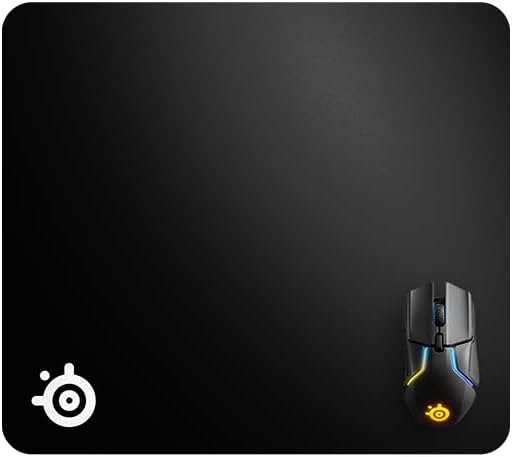
There is not much to describe, which is the point. A rubber base, a micro-woven cloth top, a square footprint, plain black, no logos competing for attention and no lighting. The design language has barely changed in years because the formula does not need updating, and the parts list on the listing reflects that: rubber, cloth, one item, one year of warranty.
The word doing the work in the name is “Heavy.” The extra thickness is what separates this from the standard QcK and what the listing credits for eliminating unwanted movement. Thickness in a mouse pad does two things. It adds mass, so the pad resists being dragged around during a hard sweep, and it adds compliance, so a seam or a crumb under the surface does not translate into a bump the sensor can see.
The trade-off is feel. A thick, soft pad has give, and some players read that as mushy, especially if they press down hard at the end of a movement. Nothing in the specs tells us how firm the foam is, so that is a preference you have to test against your own habits rather than something the sheet can answer.
What the specs tell us
The detail table is thin, and most of what it contains is logistics: model 63008, a UPC, a manufacturer listed as SteelSeries APS, a plain theme and a square shape. The useful entries are material, the washable claim, the one-year warranty and the sales rank, which puts it at #14 in Mouse Pads and inside the top 1,005 of all office products.
Sizing is the one place the listing is genuinely confusing. The bullets describe an XXL pad, while the item highlight describes Size Large. Those are not the same product, and the QcK family sells in several dimensions, so check the variant selector before ordering rather than trusting either line. No measurements appear in the facts at all, which is a real omission for a product whose main variable is surface area.
What is absent is also informative. There is no stitched edge mentioned, no RGB, no anti-fray treatment and no thickness figure. At this price those omissions are reasonable, but they do mean the edges are the part most likely to show wear first on a cloth pad of this construction.
Living with it
Buyers rate it 4.7 out of 5 across more than 15,000 ratings, which for a product class this simple suggests the basics are consistently right: it lies flat, it stays put, and sensors read it without complaint. A pad that failed on any of those would not hold that kind of average at that volume.
Maintenance is the main ongoing consideration. Cloth pads collect skin oil, dust and whatever your drink leaves behind, and the surface slows down as it loads up. SteelSeries lists the pad as washable, so the usual routine applies: cool water, mild soap, gentle scrub, air dry flat and keep it away from heat, which is what destroys the rubber backing. Owners of cloth pads generally report this restores most of the original glide.
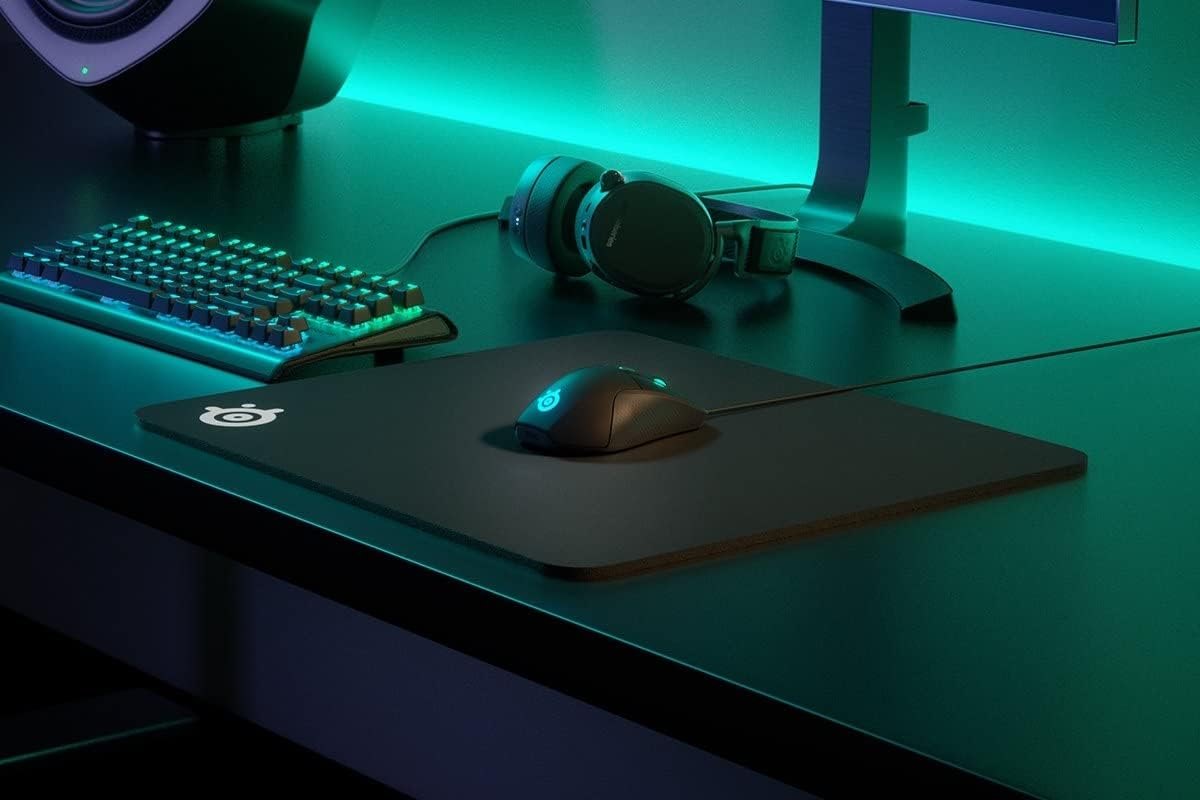
The other adjustment is desk real estate. A pad this size takes over the surface, and it works best when the keyboard sits on it too, so the whole working area shares one height and one texture. On a shallow desk that is a hard sell, and the smaller QcK variants make more sense.
Value for money
At the time of writing it lists at $29.99. For that you get a pad and a one-year manufacturer warranty, no software, no accessories. Measured against the lifespan these pads typically see, the cost per year of use is low, and the washable surface extends that further than a pad you would have to replace once it dulls.
The comparison that matters is against cheaper no-name cloth pads, which sit well under this price and look identical in photos. What you are paying the difference for is a weave with a known reputation and a base thick enough to do the job it claims, rather than a thin rubber sheet that curls at the corners. Whether that premium is worth it depends on how much your current pad annoys you.
Prices in this category move with size and color variant more than with sales events, so the figure you see may not match the one quoted here.
Alternatives
The standard SteelSeries QcK is the obvious step down: same weave, less thickness, lower price, and the better choice if your desk is already flat and you do not want the cushioned feel.
A hybrid or hard-surface pad, such as the glass and coated-plastic options now common from the enthusiast brands, is worth considering if you play at higher DPI and value a fast, consistent glide over cushioning. These are typically more expensive and much less forgiving of an uneven desk.
A stitched-edge desk mat from any of the larger peripheral brands covers a similar footprint and adds a reinforced border, which is the sensible pick if you have worn through the edges of a cloth pad before and want that specific problem solved.
The bottom line
This is an unfashionable product that keeps selling because the brief has not changed: give the sensor a clean, stable plane and stay out of the way. The specification sheet is sparse and the listing contradicts itself on size, but neither undermines what the pad is actually doing.
Treat it as infrastructure rather than an upgrade. If your mouse currently drifts, catches a desk seam or runs out of room mid-sweep, this addresses those three things directly and at a price that does not require much thought.
.gap-review{margin:2.5rem 0 0}.gap-review h2{font-size:1.5rem;margin:0 0 1.25rem}.gap-verdict{background:#0E1A2B;color:#fff;border-radius:16px;padding:1.5rem 1.75rem}.gap-verdict__head{display:flex;gap:1.25rem;align-items:center}.gap-score{margin:0;width:84px;height:84px;border-radius:50%;background:#FF5A1F;color:#fff;display:flex;flex-direction:column;align-items:center;justify-content:center;font-weight:800;font-size:1.9rem;line-height:1}.gap-score small{font-size:.7rem;font-weight:600;opacity:.85}.gap-eyebrow{margin:0 0 .35rem;text-transform:uppercase;letter-spacing:.08em;font-size:.75rem;font-weight:700;color:#FF5A1F}.gap-verdict__line{margin:0;font-size:1.125rem;line-height:1.45}.gap-proscons{display:grid;grid-template-columns:1fr 1fr;gap:1.25rem 2rem;margin-top:1.5rem;padding-top:1.25rem;border-top:1px solid rgba(255,255,255,.15)}.gap-proscons h3{margin:0 0 .6rem;font-size:.9rem;text-transform:uppercase;letter-spacing:.05em;color:inherit}.gap-proscons ul{list-style:none;margin:0;padding:0}.gap-proscons li{position:relative;padding-left:1.6em;margin:0 0 .45em}.gap-proscons li::before{position:absolute;left:0;top:0;font-weight:800}.gap-pros li::before{content:’+’;color:#4ADE80}.gap-cons li::before{content:’2013′;color:#F87171}.gap-specs,.gap-faq{margin-top:2rem}.gap-specs h3,.gap-faq h3{font-size:1.2rem;margin:0 0 .75rem}.gap-specs table{width:100%;border-collapse:collapse;font-size:.95rem}.gap-specs th,.gap-specs td{text-align:left;padding:.65rem .9rem;border-bottom:1px solid #E2E8F0;vertical-align:top}.gap-specs th{width:38%;background:#F4F6F9}.gap-faq details{border:1px solid #E2E8F0;border-radius:10px;padding:0 1rem;margin:0 0 .6rem}.gap-faq summary{cursor:pointer;padding:.85rem 0;font-weight:600}.gap-cta{margin-top:2rem;padding:1.25rem 1.5rem;background:#F4F6F9;border-radius:16px;display:flex;flex-wrap:wrap;gap:.75rem;align-items:center}.gap-btn{display:inline-block;padding:.85em 1.5em;border-radius:10px;font-weight:600;text-decoration:none!important;background:#FF5A1F;color:#fff!important}.gap-btn–secondary{background:transparent;color:#0E1A2B!important;border:2px solid #E2E8F0}.gap-disclosure,.gap-note{font-size:.875rem;color:#4A5568;margin:.75rem 0 0}@media(max-width:640px){.gap-proscons{grid-template-columns:1fr}}
SteelSeries QcK Heavy Gaming Mouse Pad review
8.4/10
madagear.com verdict
Buy it if you play at low DPI and want a stable, cushioned cloth surface that lasts for years; skip it if you prefer the fast glide of a hard or hybrid pad, or if your desk cannot take a large mat.
What we like
- Micro-woven cloth surface tuned for both low and high DPI tracking
- Extra-thick rubber base keeps the pad planted on uneven desks
- Cushioning absorbs minor desk flex and crumbs under the surface
- Washable, so a worn-looking surface can often be revived
- Buyers rate it 4.7 out of 5 across more than 15,000 ratings
- Backed by a one-year manufacturer warranty from SteelSeries
What we don’t
- Listing contradicts itself on size, calling it both Large and XXL
- Cloth glide is slower than hard or hybrid pads by design
- Thick base can feel too soft for players who want a firm deck
- No stitched-edge or RGB features at this price
Specs at a glance
| Brand | SteelSeries |
|---|---|
| Model Number | 63008 |
| Color | Black |
| Material | Rubber base, micro-woven cloth top |
| Shape | Square |
| Special Feature | Lightweight, smooth, washable |
| Recommended Use | Gaming |
| Warranty | 1 year manufacturer warranty |
| Best Sellers Rank | #14 in Mouse Pads |
| ASIN | B000V7ARAU |
Frequently asked questions
Is a thick cloth pad actually better than a thin one?
Thickness mainly buys you tolerance for a bad desk. A thicker pad absorbs small dips, seams and grit so the sensor sees a flatter plane, and it adds some wrist comfort. On a perfectly flat desk the benefit is smaller, and some players prefer a thinner pad for a firmer feel.
Can you wash it?
The listing describes the pad as washable, which is normal for micro-woven cloth over rubber. Owners of cloth pads generally use cool water and mild soap, scrub gently, and let it air dry flat rather than putting it in a dryer. Heat is what ruins the rubber backing.
Does it work with any mouse sensor?
SteelSeries positions the QcK weave as optimized for gaming sensors at both low and high DPI, and modern optical sensors track cloth reliably. Older or laser-based sensors are the more likely to behave oddly on any textured surface. If you run a current gaming mouse, this is not a concern.
What size should I get?
The listing is inconsistent, referring to both a Large and an XXL version, so check the specific variant before ordering. Low-DPI players who sweep across the pad want the largest surface their desk allows. If your desk is shallow or shared with a laptop, the smaller option is the safer buy.
At the time of writing it lists at $29.99, which covers the pad and a one-year manufacturer warranty; cloth pads in this family move with size and color, so the exact figure shifts between variants and sale periods. Price and availability checked on 2026-11-14.
madagear.com is reader-supported. When you buy through links on our site we may earn an affiliate commission, at no extra cost to you. This never affects what we recommend.


Reviews
There are no reviews yet.