
Description
Who it’s for
The FPV Remote Controller 3 is for pilots who already fly, or are about to fly, a DJI FPV drone with goggles: the Avata 2, the new Avata 360, or the Neo and Neo 2 in FPV mode. It is the stick-radio alternative to DJI’s RC Motion 3, aimed at people who want to learn proper FPV control rather than point-and-fly. It also has a niche with builders who put a DJI O4 or O3 air unit in a custom quad and want a single DJI-native controller. If your fleet runs Betaflight with ELRS or Crossfire receivers, this is not your radio; it only talks to DJI hardware.
Design and build
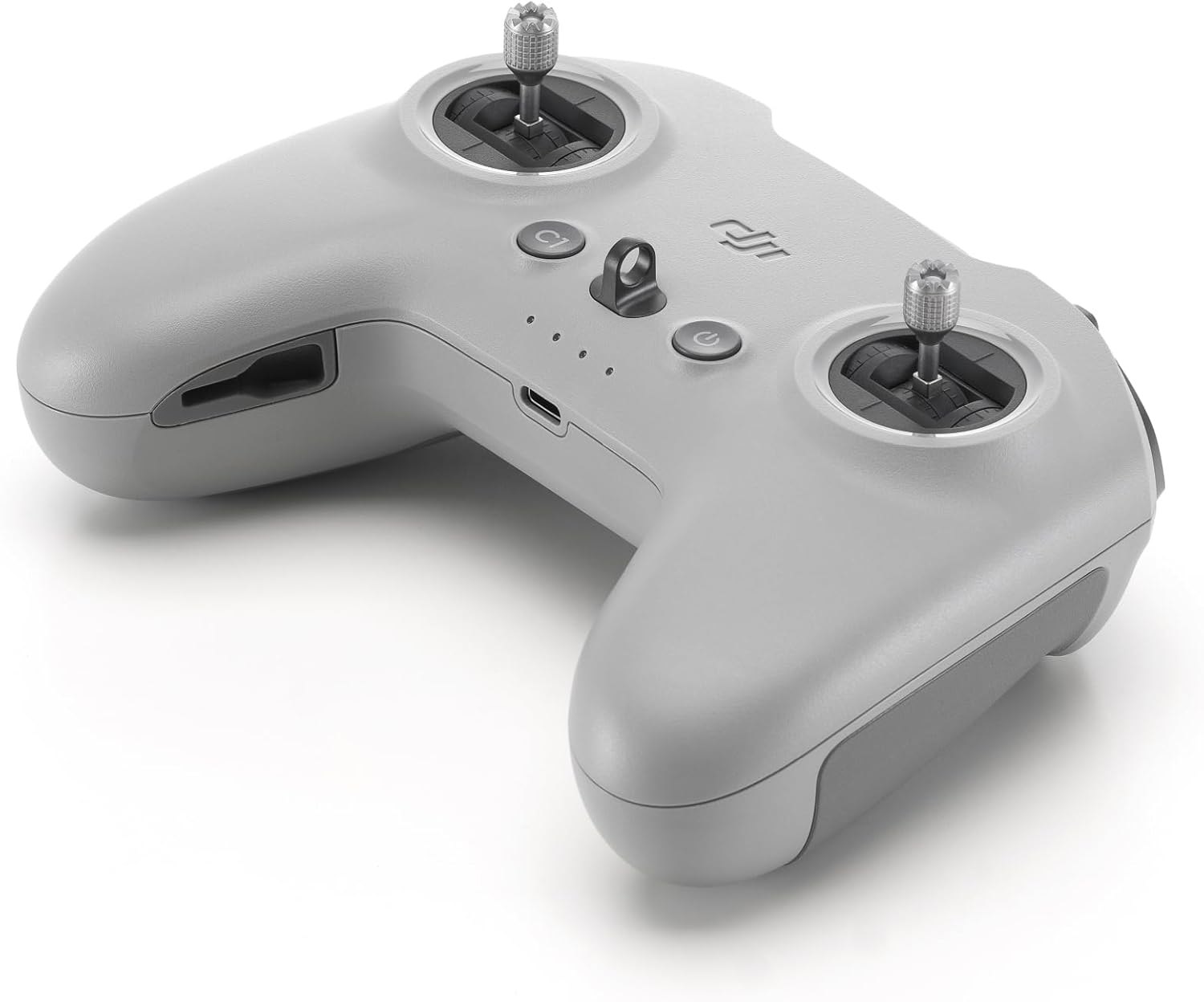
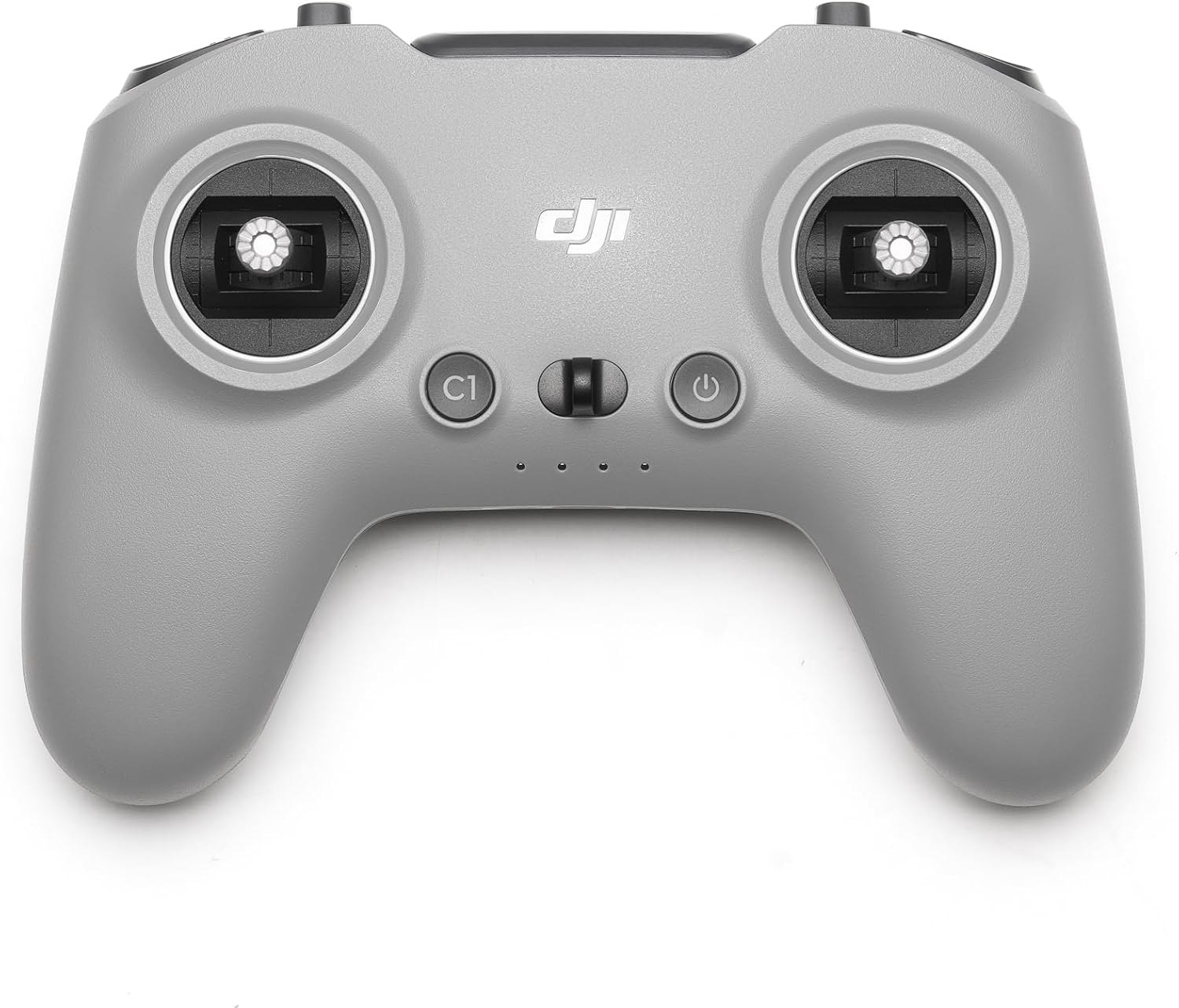
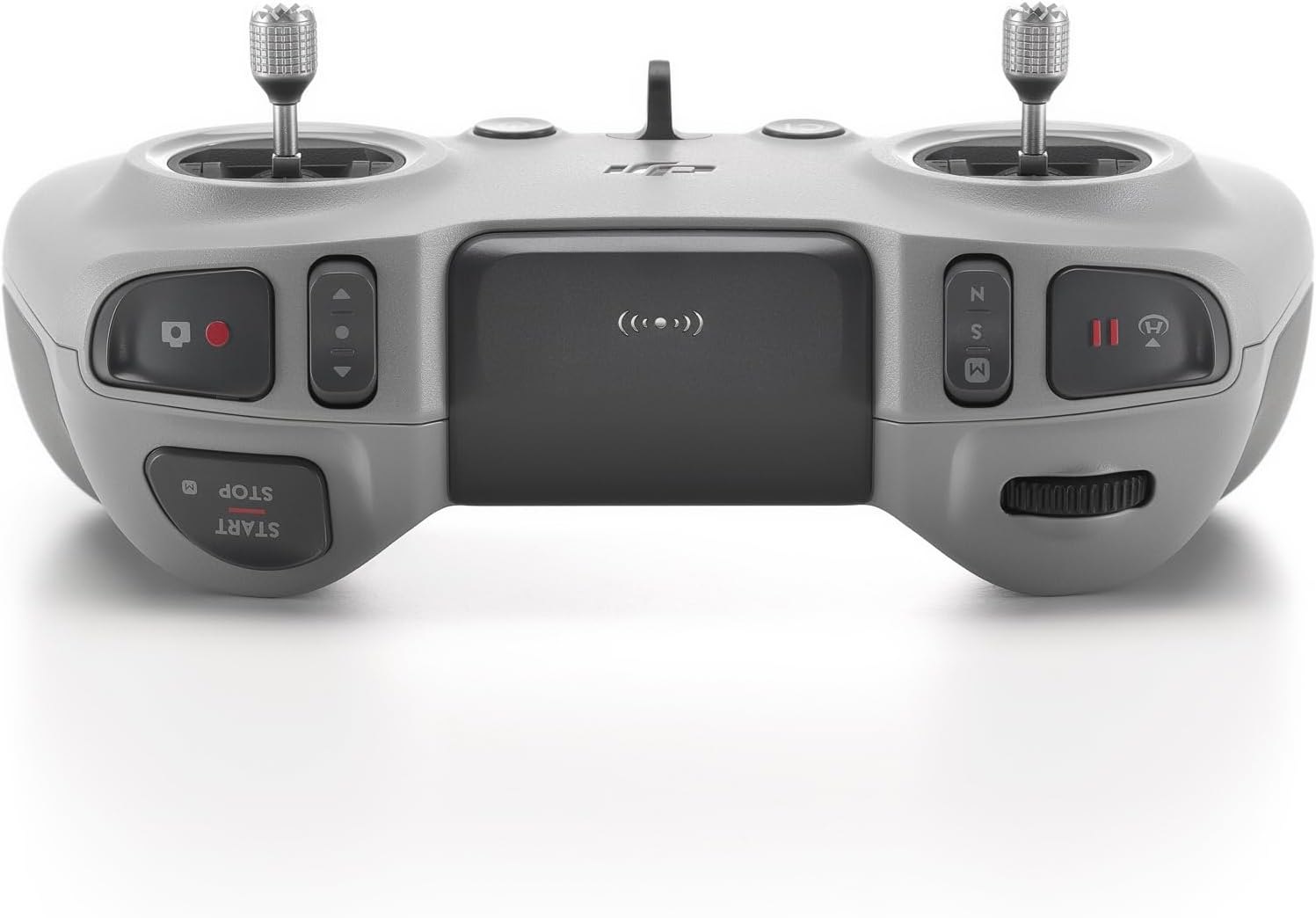
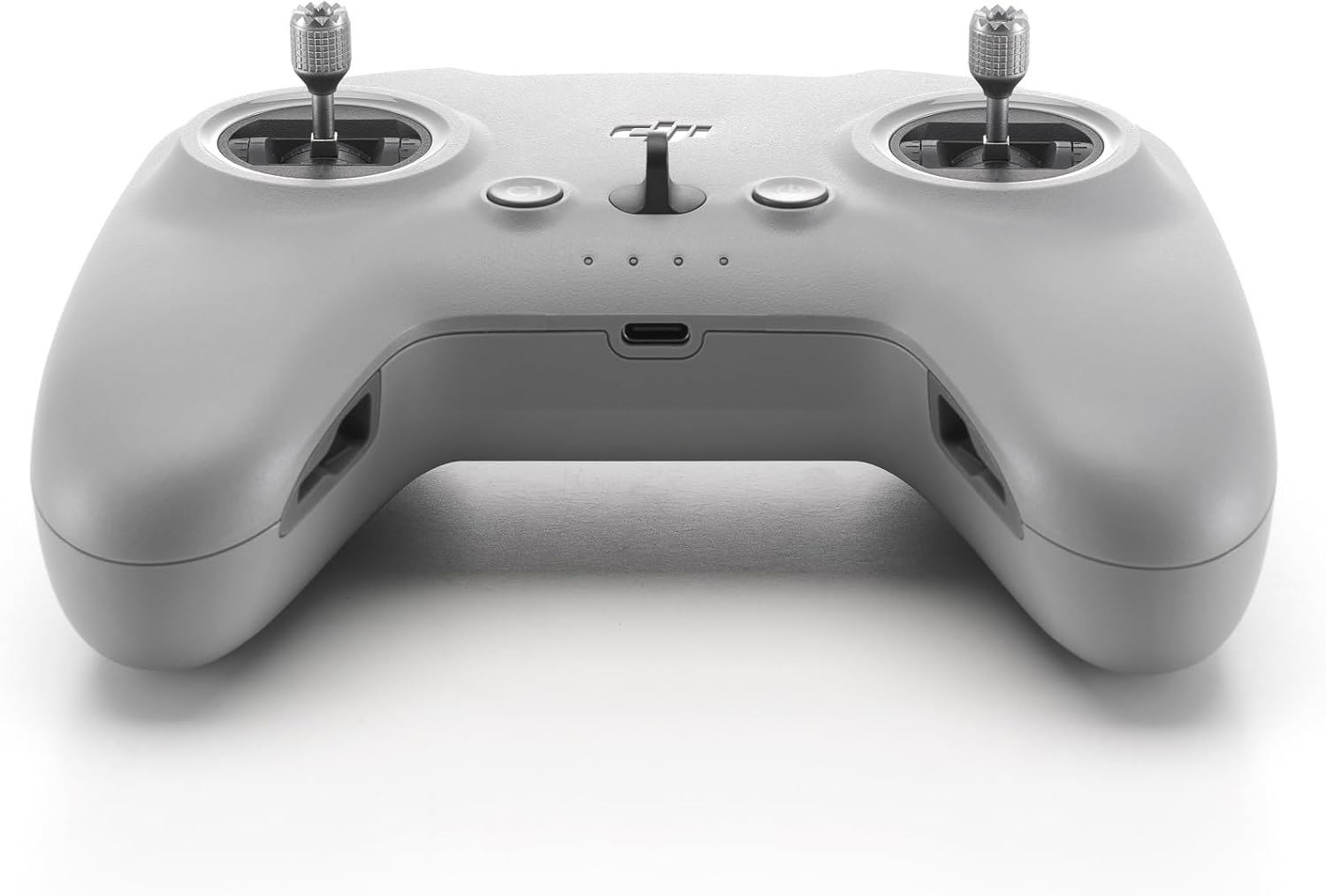
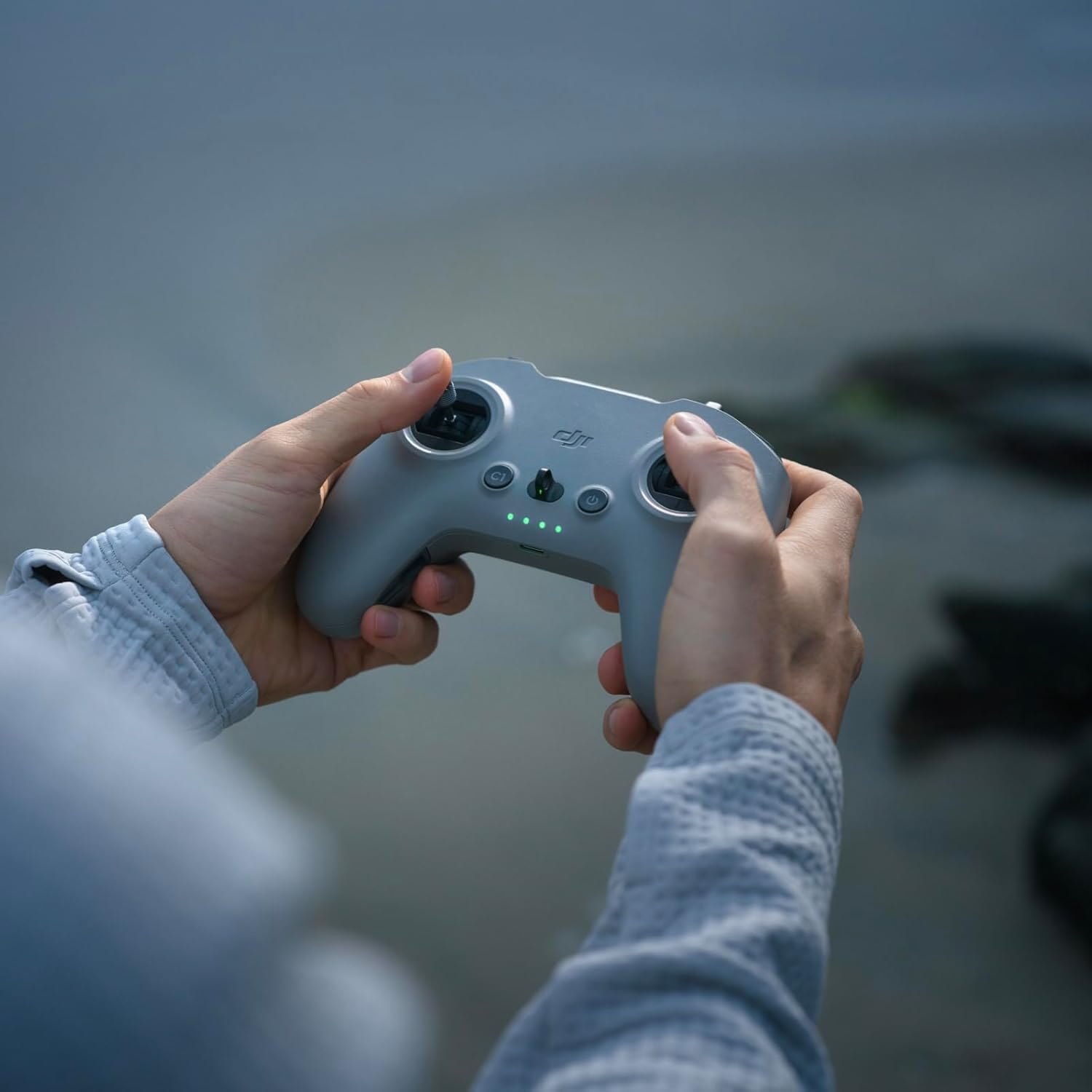
DJI kept the familiar gamepad shape: two thumb sticks, a pair of shoulder switches and buttons for start/stop, return-to-home and mode changes. At about 240 g and 165 × 119 × 62 mm it is light enough to hang from a lanyard for a long session, and the antenna is integrated, so there is nothing to unfold or snap off in a bag. The box contains the controller, a spare pair of sticks and an L-shaped screwdriver. That screwdriver matters: it is how you convert the throttle stick from self-centering to free-moving when you are ready for Manual mode.
Flight control and modes
The headline is the three flight modes. Normal mode behaves like a camera drone, with the throttle stick self-centering and the drone holding altitude when you let go. Sport mode speeds everything up while keeping stabilization. Manual mode turns off the assistance and gives you full acro control, with flips, rolls and power loops entirely in your hands. Owners consistently describe the progression as the right way to learn FPV: start in Normal, move to Sport once the goggles stop feeling strange, and switch to Manual after time in a simulator.
DJI built the controller around its O4 video transmission generation, operating in the 2.4 GHz band, and pairing happens through the goggles. On the DJI store the compatible list covers the Avata 360, Neo 2, Avata 2 and Neo, plus the O4 Wide Air Unit, O4 Air Unit Pro, O4 Air Unit and O3 Air Unit. For goggles, DJI Goggles 3 support all of those drones; DJI’s own FAQ says the more affordable Goggles N3 work with the Avata 2 and Neo when you use this controller or the RC Motion 3.
Living with it
Battery life is the quiet strength. DJI rates the built-in 2600 mAh battery at around 10 hours, which in practice means charging it every few outings rather than every evening, and a full charge takes about two hours over USB-C at 5 V/2 A. Plug the same cable into a computer and the controller works with Liftoff, Uncrashed, DCL and The Drone Racing League simulator, so you can practice Manual mode without crashing a real drone. The trade-off is flexibility: there is no screen, no EdgeTX-style mixing and no way to bind it to third-party receivers.
Value for money
At the time of writing DJI lists the FPV Remote Controller 3 at $199 in the US, and Amazon has shown it a little below that. That is twice the price of the RC Motion 3, and you get no motion control in return; what you pay for is Manual mode and stick precision. An EdgeTX radio such as the RadioMaster Pocket costs far less and flies far more quads, but it cannot fly a DJI drone. If you are committed to DJI FPV, this is the controller that lets you fly the way most FPV pilots do.
Alternatives
- DJI RC Motion 3: pick it if you want the easiest possible way to fly an Avata 2 or Neo and have no interest in acro flying.
- RadioMaster Pocket: pick it if you are moving to custom-built ELRS quads and want a cheap, compact EdgeTX radio instead.
- DJI Goggles N3: pair it with this controller if you need affordable goggles for an Avata 2 or Neo.
The bottom line
The FPV Remote Controller 3 is the controller to buy once you want to fly a DJI FPV drone like an FPV drone. Its battery life, simulator support and Manual mode justify the price over the motion controller. Just remember it stays inside the DJI ecosystem.
.gap-review{margin:2.5rem 0 0}.gap-review h2{font-size:1.5rem;margin:0 0 1.25rem}.gap-verdict{background:#0E1A2B;color:#fff;border-radius:16px;padding:1.5rem 1.75rem}.gap-verdict__head{display:flex;gap:1.25rem;align-items:center}.gap-score{margin:0;width:84px;height:84px;border-radius:50%;background:#FF5A1F;color:#fff;display:flex;flex-direction:column;align-items:center;justify-content:center;font-weight:800;font-size:1.9rem;line-height:1}.gap-score small{font-size:.7rem;font-weight:600;opacity:.85}.gap-eyebrow{margin:0 0 .35rem;text-transform:uppercase;letter-spacing:.08em;font-size:.75rem;font-weight:700;color:#FF5A1F}.gap-verdict__line{margin:0;font-size:1.125rem;line-height:1.45}.gap-proscons{display:grid;grid-template-columns:1fr 1fr;gap:1.25rem 2rem;margin-top:1.5rem;padding-top:1.25rem;border-top:1px solid rgba(255,255,255,.15)}.gap-proscons h3{margin:0 0 .6rem;font-size:.9rem;text-transform:uppercase;letter-spacing:.05em;color:inherit}.gap-proscons ul{list-style:none;margin:0;padding:0}.gap-proscons li{position:relative;padding-left:1.6em;margin:0 0 .45em}.gap-proscons li::before{position:absolute;left:0;top:0;font-weight:800}.gap-pros li::before{content:’+’;color:#4ADE80}.gap-cons li::before{content:’2013′;color:#F87171}.gap-specs,.gap-faq{margin-top:2rem}.gap-specs h3,.gap-faq h3{font-size:1.2rem;margin:0 0 .75rem}.gap-specs table{width:100%;border-collapse:collapse;font-size:.95rem}.gap-specs th,.gap-specs td{text-align:left;padding:.65rem .9rem;border-bottom:1px solid #E2E8F0;vertical-align:top}.gap-specs th{width:38%;background:#F4F6F9}.gap-faq details{border:1px solid #E2E8F0;border-radius:10px;padding:0 1rem;margin:0 0 .6rem}.gap-faq summary{cursor:pointer;padding:.85rem 0;font-weight:600}.gap-cta{margin-top:2rem;padding:1.25rem 1.5rem;background:#F4F6F9;border-radius:16px;display:flex;flex-wrap:wrap;gap:.75rem;align-items:center}.gap-btn{display:inline-block;padding:.85em 1.5em;border-radius:10px;font-weight:600;text-decoration:none!important;background:#FF5A1F;color:#fff!important}.gap-btn–secondary{background:transparent;color:#0E1A2B!important;border:2px solid #E2E8F0}.gap-disclosure,.gap-note{font-size:.875rem;color:#4A5568;margin:.75rem 0 0}@media(max-width:640px){.gap-proscons{grid-template-columns:1fr}}
DJI FPV Remote Controller 3 review
8.6/10
madagear.com verdict
Buy it if you fly a DJI FPV drone with goggles and want real stick control up to full Manual mode; skip it if you fly custom-built quads, because it only speaks DJI’s own link.
What we like
- Normal, Sport and Manual modes, so it grows with you from cruising to full acro
- Rated at roughly 10 hours per charge from its 2600 mAh battery
- Light at about 240 g, with an integrated antenna and nothing to fold out
- Doubles as a USB controller for Liftoff, Uncrashed, DCL and DRL simulators
- Also pairs with DJI O4 and O3 air units for custom builds that use DJI video
What we don’t
- Locked to DJI drones and air units; it cannot bind to ELRS or Crossfire receivers
- No screen and few switches compared with an EdgeTX radio
- You still need compatible DJI goggles, which cost more than the controller
Specs at a glance
| Compatible drones | DJI Avata 360, DJI Neo 2, DJI Avata 2, DJI Neo |
|---|---|
| Compatible air units | DJI O4 Wide Air Unit, O4 Air Unit Pro, O4 Air Unit, O3 Air Unit |
| Goggles | Requires DJI goggles that support the drone, such as DJI Goggles 3 or Goggles N3 |
| Frequency | 2.400–2.4835 GHz |
| Battery | 2600 mAh, built in |
| Operating time | Approx. 10 hours |
| Charging time | Approx. 2 hours at 5 V/2 A |
| Weight | Approx. 240 g |
| Dimensions | 165 × 119 × 62 mm |
Frequently asked questions
Which goggles do I need with the DJI FPV Remote Controller 3?
The controller talks to the goggles, not directly to you, so you need DJI goggles that support your drone. DJI Goggles 3 cover the whole list; DJI says the cheaper Goggles N3 work with the Avata 2 and Neo when paired with this controller or the RC Motion 3.
Does it work with the original DJI Avata or DJI Goggles 2?
DJI does not list the original Avata or Goggles 2 as compatible. The controller is built around the O4 generation; for the original Avata you need the older FPV Remote Controller 2.
Can I use it with an FPV simulator?
Yes. Connected to a computer over USB-C it works with Liftoff, Uncrashed, DCL and The Drone Racing League simulator, which is the safest place to learn Manual mode.
Can I fly Manual (acro) mode with it?
Yes. The controller supports Normal, Sport and Manual modes. For Manual you adjust the throttle stick so it no longer self-centers, using the L-shaped screwdriver in the box, then enable M mode in the goggles.
DJI’s US list price; Amazon has shown it a little lower at times. Goggles and a drone are not included. Price and availability checked on 2026-11-10.
madagear.com is reader-supported. When you buy through links on our site we may earn an affiliate commission, at no extra cost to you. This never affects what we recommend.


Reviews
There are no reviews yet.